10.9 OPERATION IN COMBINATION WITH ENERGY MANAGEMENT
The Energy Management app, prod. ref. “WD-EMS”, is a software application that enables interfacing with
one or more network-connected Smeg devices for control of:
1. Overall view of the status of the devices;
2. Electricity supply alerts, if power is supplied by non-standard remote units and is insufficient for
parallel operation of all devices.
The app (also abbreviated to “En.Man” below) is not included in the product’s standard outfit.
Only authorised engineers can set devices to operate in association with this software.
Devices must also be equipped with the necessary network connection optional (prod. ref.“WD-LAN60”).
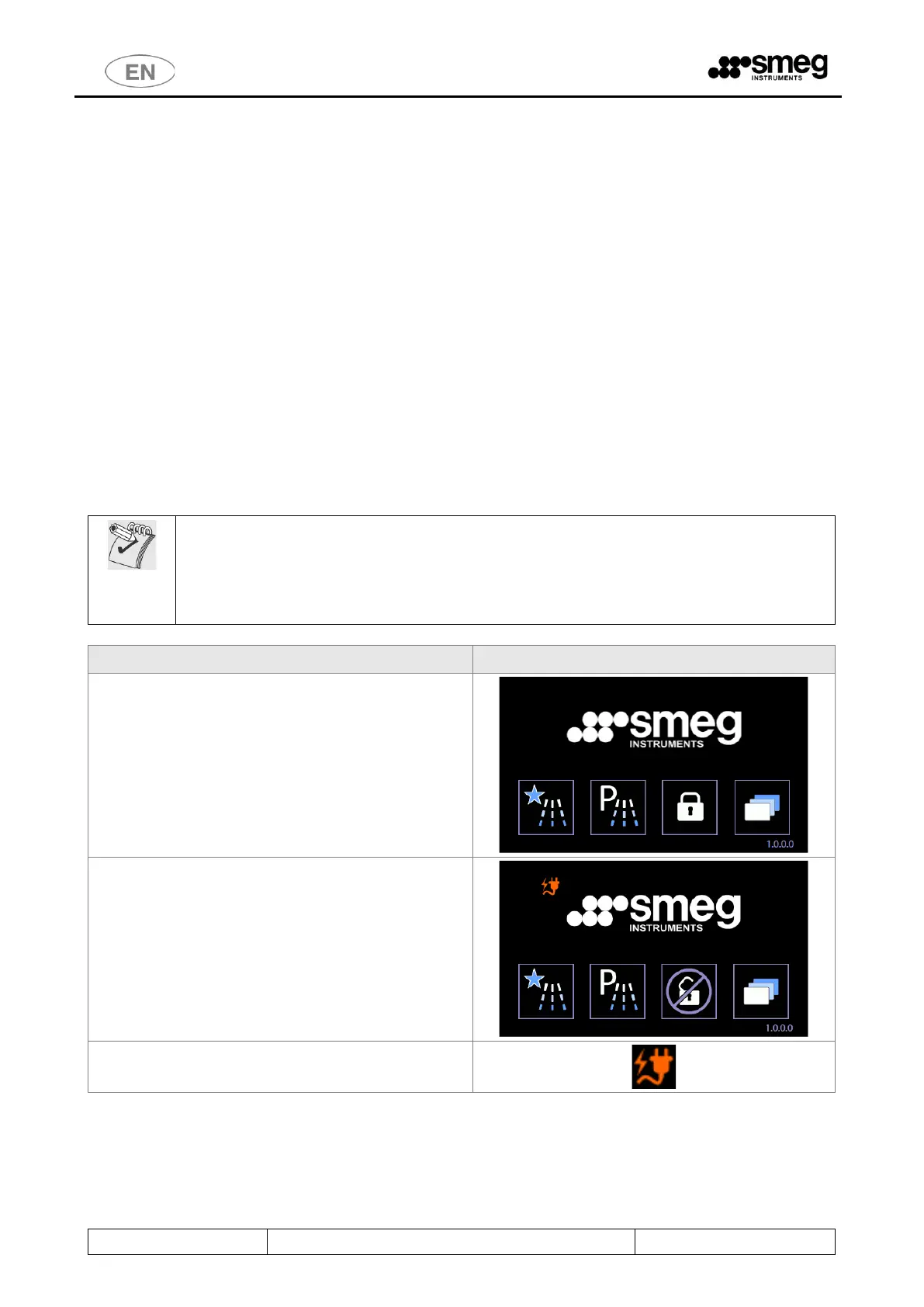
If the app is installed and the device is enabled, specific icons appear on the display to show the operating
statuses.
An electricity supply emergency means that the power available is limited. In this case, device boilers are
used in energy-saving mode and they are not reactivated at full power until the electrical system is
completely restored.
The customer must decide the maximum waiting times before loads are treated best suited
to his processes, and set them correctly in the Energy Management program with the aid of
the authorised engineers.
Always refer to your own validated procedures when deciding the maximum permissible
times before the treatment of contaminated instruments.
In normal operating conditions, with the devices
connected to the main electricity supply system, the
presence of the Energy Management software has
no effect on the product’s operating conditions and
no specific icons appear on the display.
If the program activates the emergency system
operating mode, the specific icons appear.
The plain “Energy Management” icon, as shown on
the right, means that the system is activated and
there is sufficient power to start any of the cycles
available.
[Go to initial screen 1000 to display the En.Man.
icons.]
“Energy Management” active icon (“plug+lightning
streak”)



 To Next Page