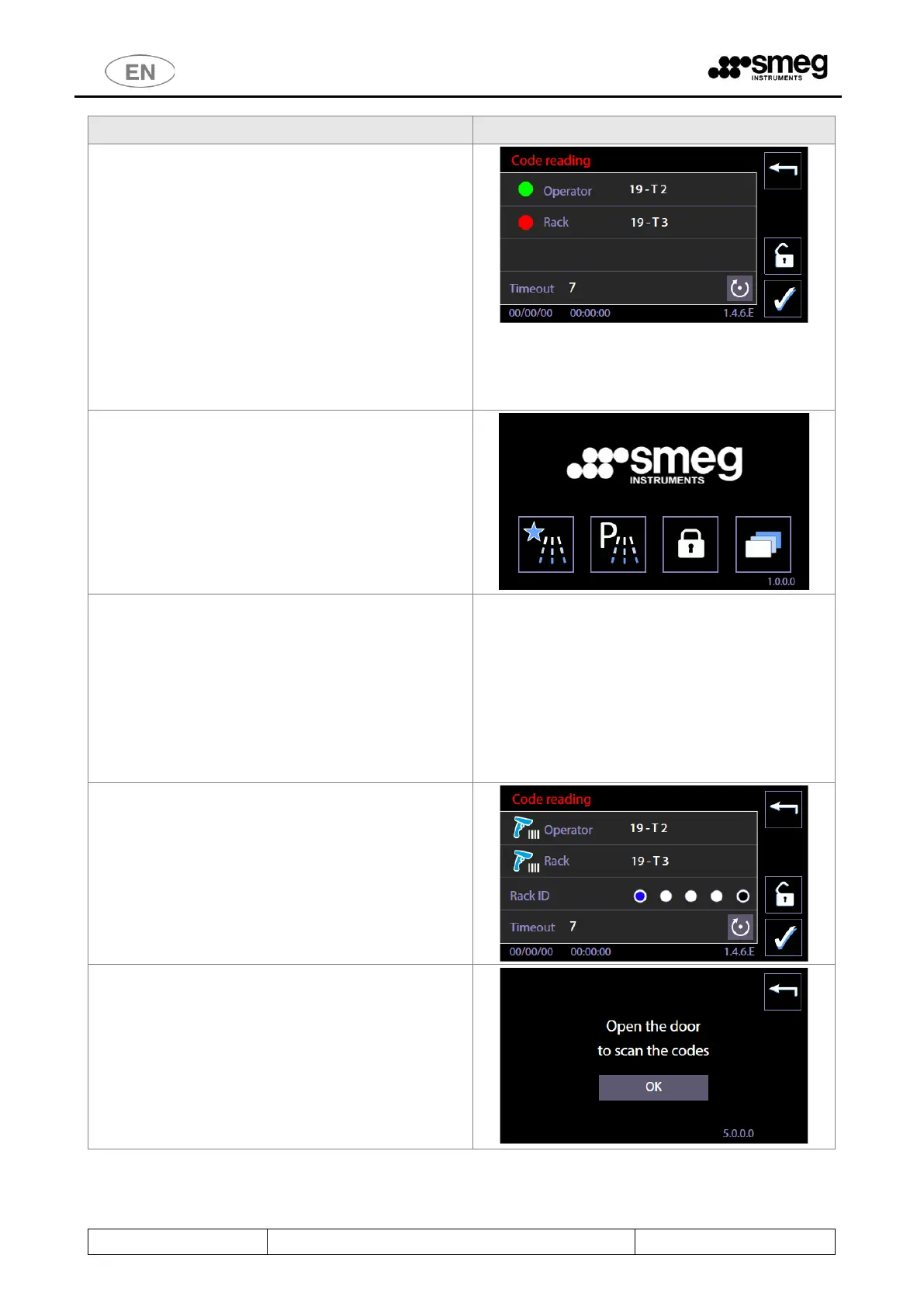
- If the code acquired conforms to the
parameters set, a green dot appears next to
it.
- If it does not conform, the dot is red.
The codes can be deleted to allow them to be
acquired again using the “reset” button.
The Confirm button, at bottom right, confirms and
acquires the codes. [User confirmation can be
omitted if the automatic timeout for the transition
from this screen to the next has been enabled].
The user can then:
1. Close the door.
2. Select and start the washing cycle.
The information acquired is recorded:
a. In the database in the device’s memory,
which can be acquired via the up-to-date
version of WD-Connect.
b. In the printed cycle report (if the optional
printer is installed).
An example extract from the database containing
the User and Rack codes is shown on the right.
* * * * * * * * * * * * * * * * * * *
FULL_S/N 2 860480 00521 0001 0314
Name WD7015
Dept. REPROCESSING
No. 3
* * * * * * * * * * * * * * * * * * *
11/05/20 10:39:57 Cycle_started
ID_prog. 141
Operator 255
Cycle_No. 75
Code Operator U1234ABCD5678
Code Rack R9999FABD3547
[ ... ]
If optionals for automatic rack recognition by the
device are installed:
the procedure is as described above, but on complete
insertion of the rack in the chamber, the system
automatically switches to code scanning screen 146E.
In this case, however, the screen also contains the
“Rack ID” line displaying the magnetic code of the
rack inserted.
Notes:
If the door of the device is closed before the codes
are acquired, the cycle cannot be executed. The alert
screen 5000 appears, prompting the user to open the
door to proceed.



 To Next Page