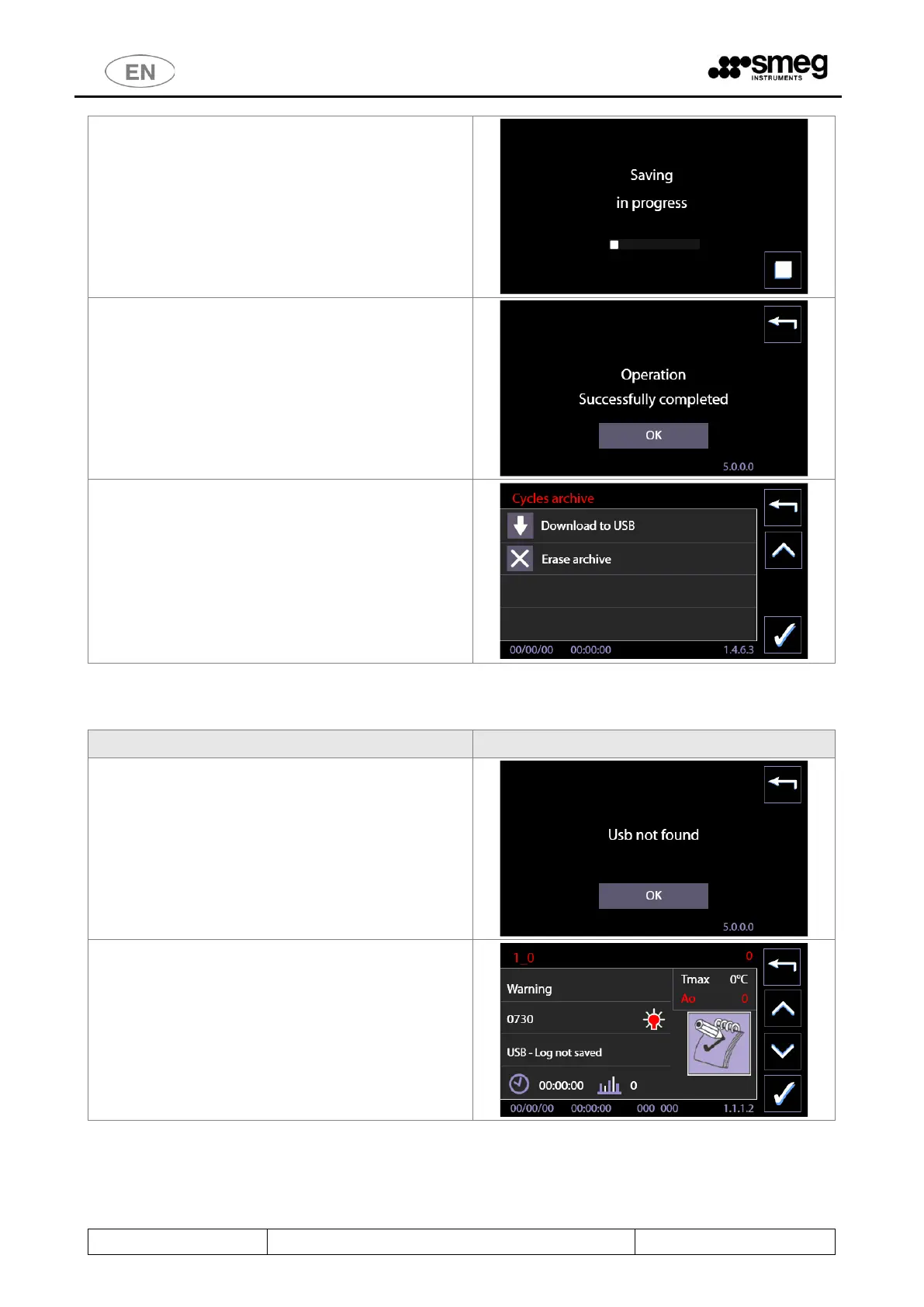
The operator can force a stop in the saving process by
pressing the "Stop" button.
When saving is complete, the notifications screen
indicates the end of the process.
“Operation successfully completed”
Once the archive has been downloaded to USB, the
screen displays the option:
“Erase archive”.
The operator may choose to delete the information
stored in the device's internal memory.
11.4.1.2 USB MANAGEMENT - WARNINGS
If the device is unable to read the USB drive correctly,
it displays the general message: “Usb not found”.
Consult the authorised after-sales service for
information regarding compatible USB drives; only
use compatible genuine Smeg articles with this
function.
If the USB drive is detected but the devices has
problems when writing the archive, the system
displays Warning 730 “Log not saved”.
Repeat the operation, check that the USB drive is in
good condition.



 To Next Page