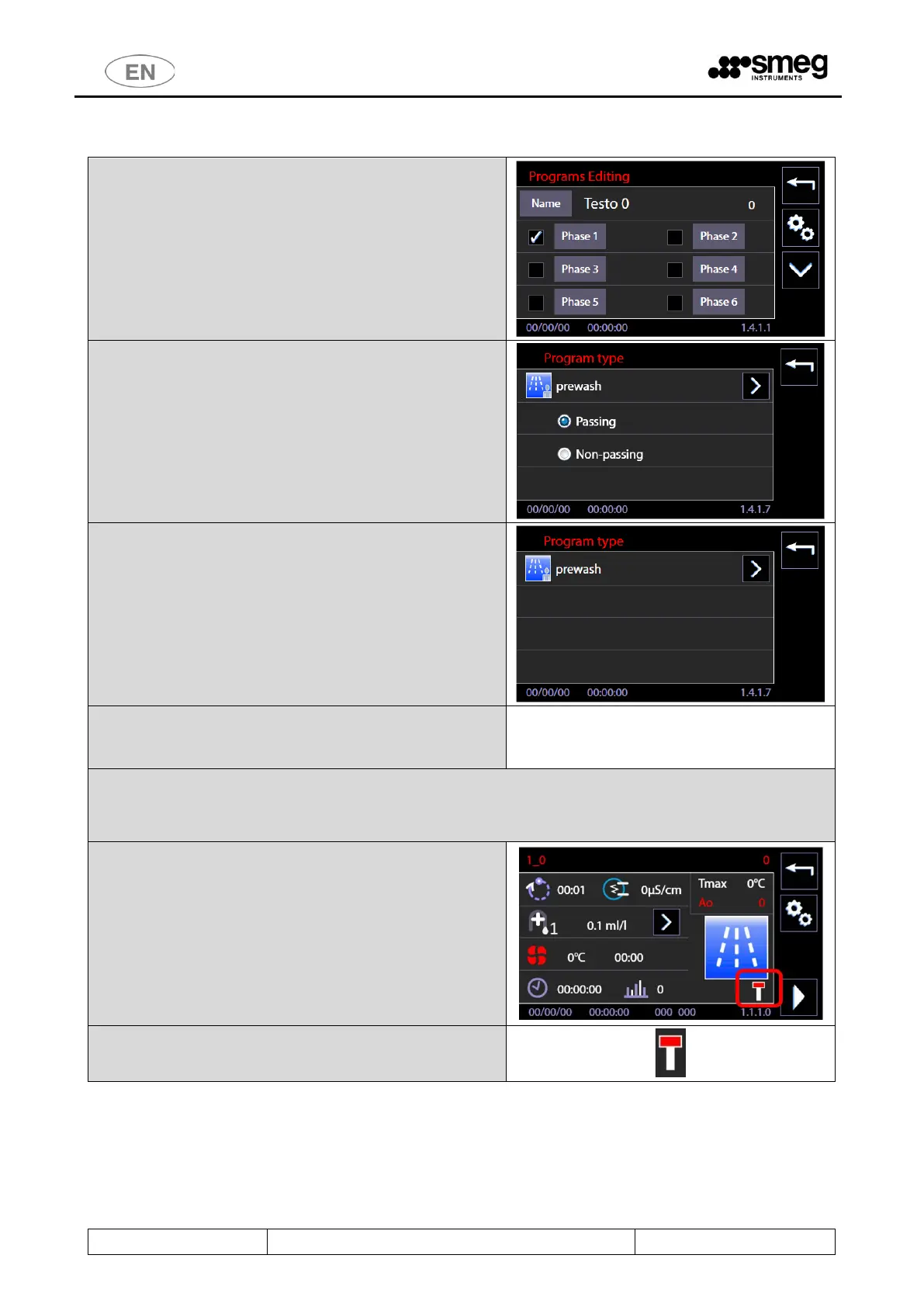
3. From “Programs editing” screen (sc.1411) by
selecting "Advanced" (“gears" button), you can
access the screen that defines the type of
Program, (sc.1417).
4. On the Program Type screen, 1417, you can:
a. Assign a personalized icon to the
program,
b. For "double-door" machines only, modify
the "Passing / Non-passing" flag, with the
meaning shown above.
5. If the machine is of "single-door" type, the only
possible operation is the choice of the icon
associated with the program.
The customization of the other parameters of the Custom
program takes place as for the previous firmware
versions.
Display of the "Non-passing" status of the program, for the user.
Upon selecting a "Non-passing" type program, a new icon
informs the user of the selected type.
Icon that identifies "Not pass-through" programs.
(The icon is not visible if the machine is “single door”).



 To Next Page