Chapter 4 Keys
285
Key Snapshots
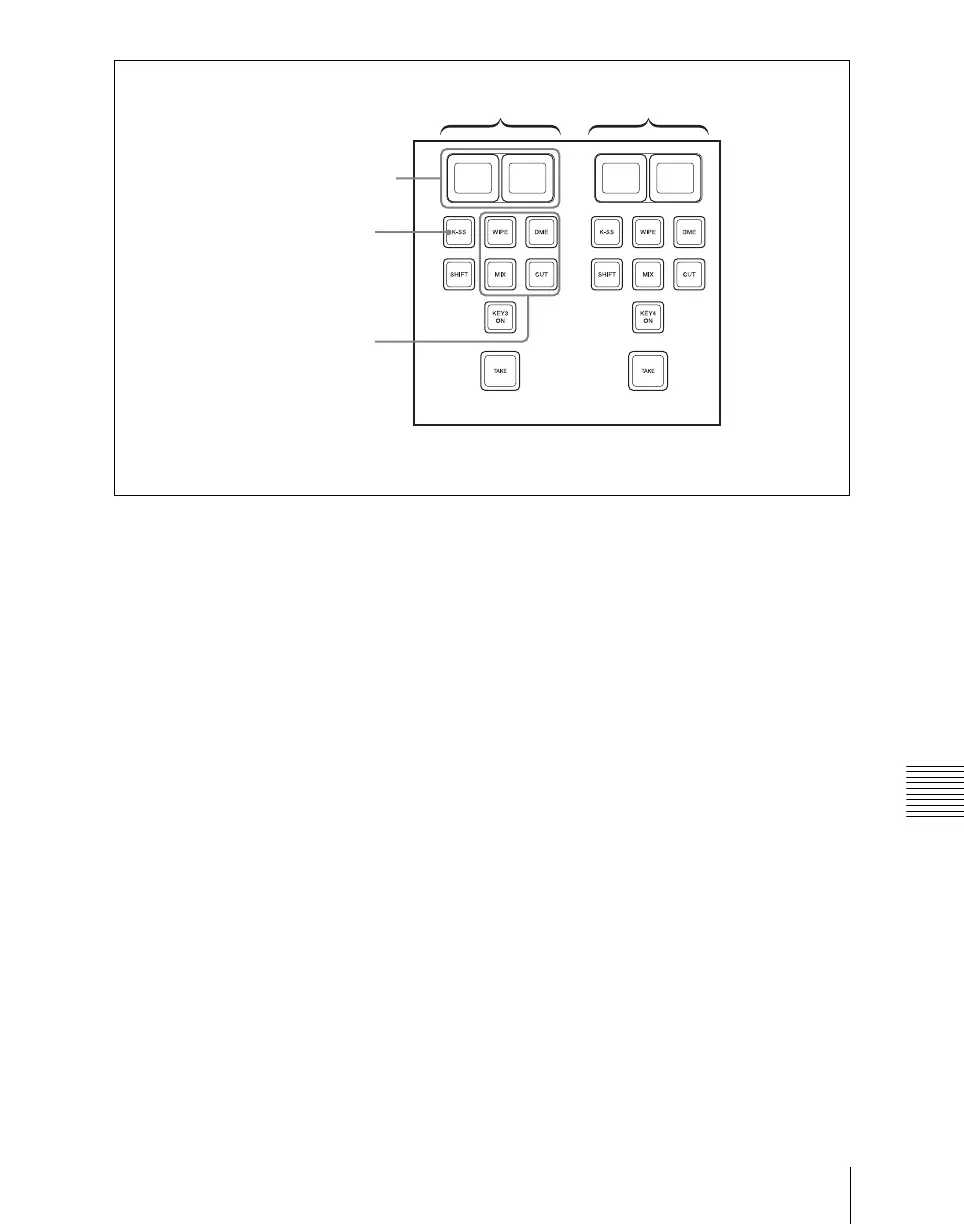
Independent key transition control block (simple type)
Saving a key snapshot
For example, to save the settings of M/E-1 key 3, use the following procedure.
1
In the M/E-1 independent key transition control block, press the [K-SS]
button in the key 3 control block, turning it on.
This switches to key snapshot mode, and the key source name display/key
snapshot button shows the state of registers 1 and 2 for key 3.
Pressing the [K-SS 3/4] button shows the state of registers 3 and 4 for key
3.
Off: Nothing is saved in the register.
Lit orange: Settings are saved in the register.
For a register holding a snapshot, the register name is shown as up to eight
characters.
2
In the Flexi Pad control block, hold down the [SNAPSHOT] button and
press the key source name display/key snapshot button corresponding to
the register in which you want to save the snapshot.
The key source name display/key snapshot button which you pressed lights
yellow.
The functions of the key 3 control block and key 4 control block are the same.
K-SS button
Key 3 control block Key 4 control block
Key source name display/key
snapshot buttons
In setup, assign the function of
the K-SS 3/4 button to any of
these four buttons.












 To Next Page