Chapter 11 DME Operations
646
DME Special Effect Operations
a) Specify minus values to stretch the image in the vertical direction, and plus values to
stretch the image in the horizontal direction.
Sepia Settings
Applying the Sepia effect
1
In the DME menu, select VF2 ‘Video Modify’ and HF3 ‘Color Modify.’
The Color Modify menu appears.
2
Press [Sepia], turning it on.
The Sepia effect is enabled. You can adjust the degree of mixing between
the sepia image and the original image with the knobs.
3
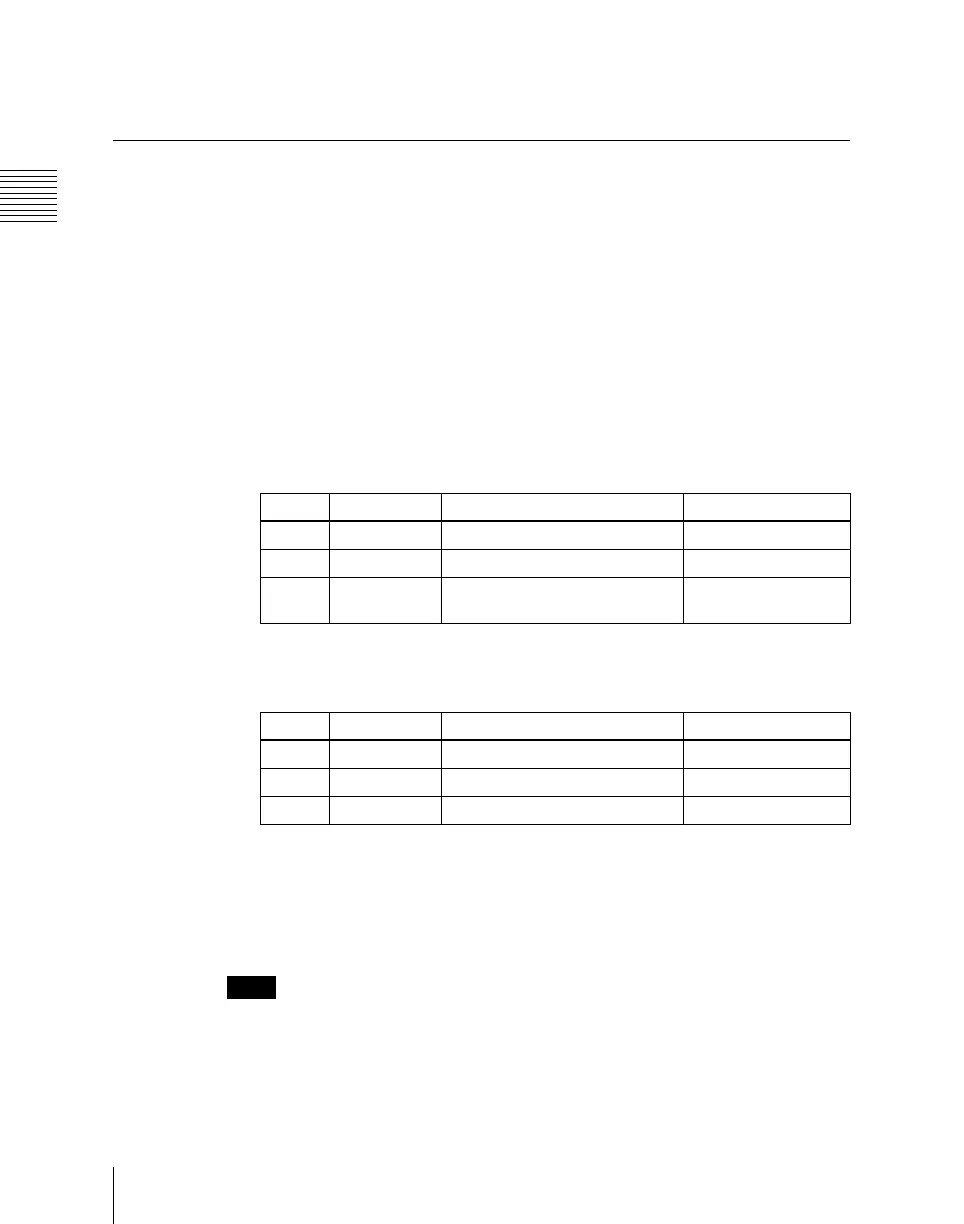
Set the following parameters.
4
To set the color of the sepia image, press [Sepia Color], turning it on, and
adjust the parameters.
Masking the Sepia effect with a selected pattern
Press [Mask] to display the Mask menu, and set the pattern type and modifiers.
For details, see “Mask Settings” (page 657).
Notes
The Mask function is not supported on the MVE-8000.
Knob Parameter Adjustment Setting values
1 Mix Y Y signal mix amount 0.00 to 100.00
2 Mix C Chroma signal mix amount 0.00 to 100.00
3 Mix All Y signal and chroma signal mix
amount
Mix Y value shown
Knob Parameter Adjustment Setting values
1 Luminance Luminance 0.00 to 100.00
2 Saturation Saturation 0.00 to 100.00
3 Hue Hue 359.99 to 0.00












 To Next Page