Chapter 9 Color Corrector
480
Color Corrector Functions
YUV Clip Operations
For each of the luminance and color difference signals, the following
processing is available.
White clip: setting the maximum level of the luminance signal.
Dark clip: setting the minimum level of the luminance signal.
Positive clip: setting the maximum amplitude in the positive direction of the
color difference signal.
Negative clip: setting the maximum amplitude in the negative direction of the
color difference signal.
Applying YUV clip processing
1
In the CCR menu, press VF1 ‘CCR1’ and HF7 ‘YUV Clip.’
The YUV Clip menu appears.
2
In the <YUV Clip> group, press [YUV Clip], turning it on.
3
In the <YUV Clip Adjust> group, select the target for adjustment.
Luminance: settings for the luminance signal.
Chroma: settings for the color difference signal.
4
Depending on the selection in step 3, adjust the following parameters.
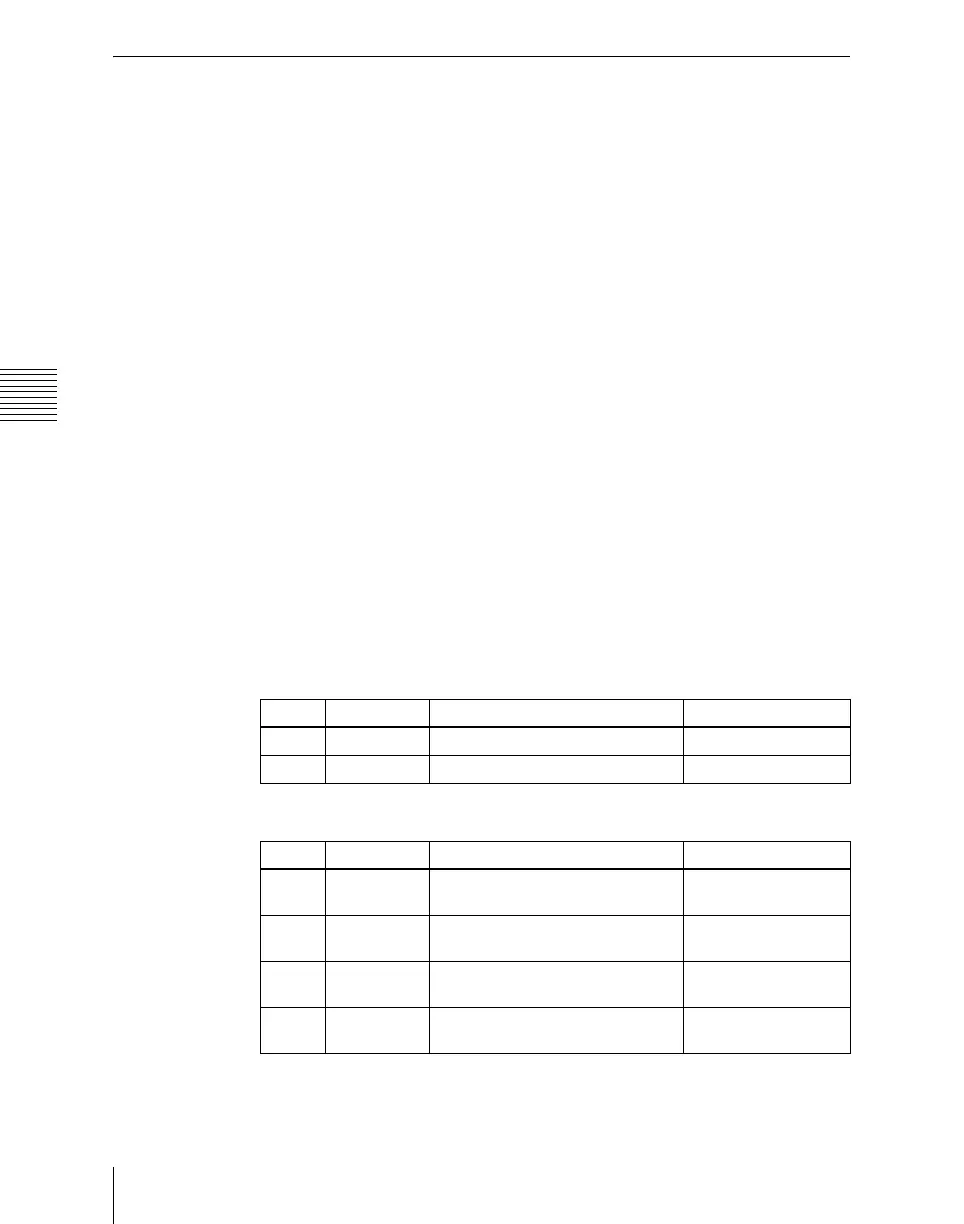
• When Luminance is selected
• When Chroma is selected
Knob Parameter Adjustment Setting values
1 White Clip White clip adjustment –6.85 to +109.13
2 Dark Clip Dark clip adjustment –6.85 to +109.13
Knob Parameter Adjustment Setting values
1 U Posi Clip Positive clip adjustment for U
signal
–113.39 to +113.39
2 U Nega Clip Negative clip adjustment for U
signal
–113.39 to +113.39
3 V Posi Clip Positive clip adjustment for V
signal
–113.39 to +113.39
4 V Nega Clip Negative clip adjustment for V
signal
–113.39 to +113.39












 To Next Page