Chapter 11 DME Operations
702
DME Special Effect Operations
Signal formats: 1080PsF/30, 1080PsF/29.97, 1080PsF/25, 1080PsF/24,
1080PsF/23.976, 720P/59.94, 720P/50
Defocusing the afterimage portion (Defocus)
Notes
The function to defocus the trail afterimage portion is not supported on the
MVE-8000/8000A.
1
Press [Defocus], turning it on.
2
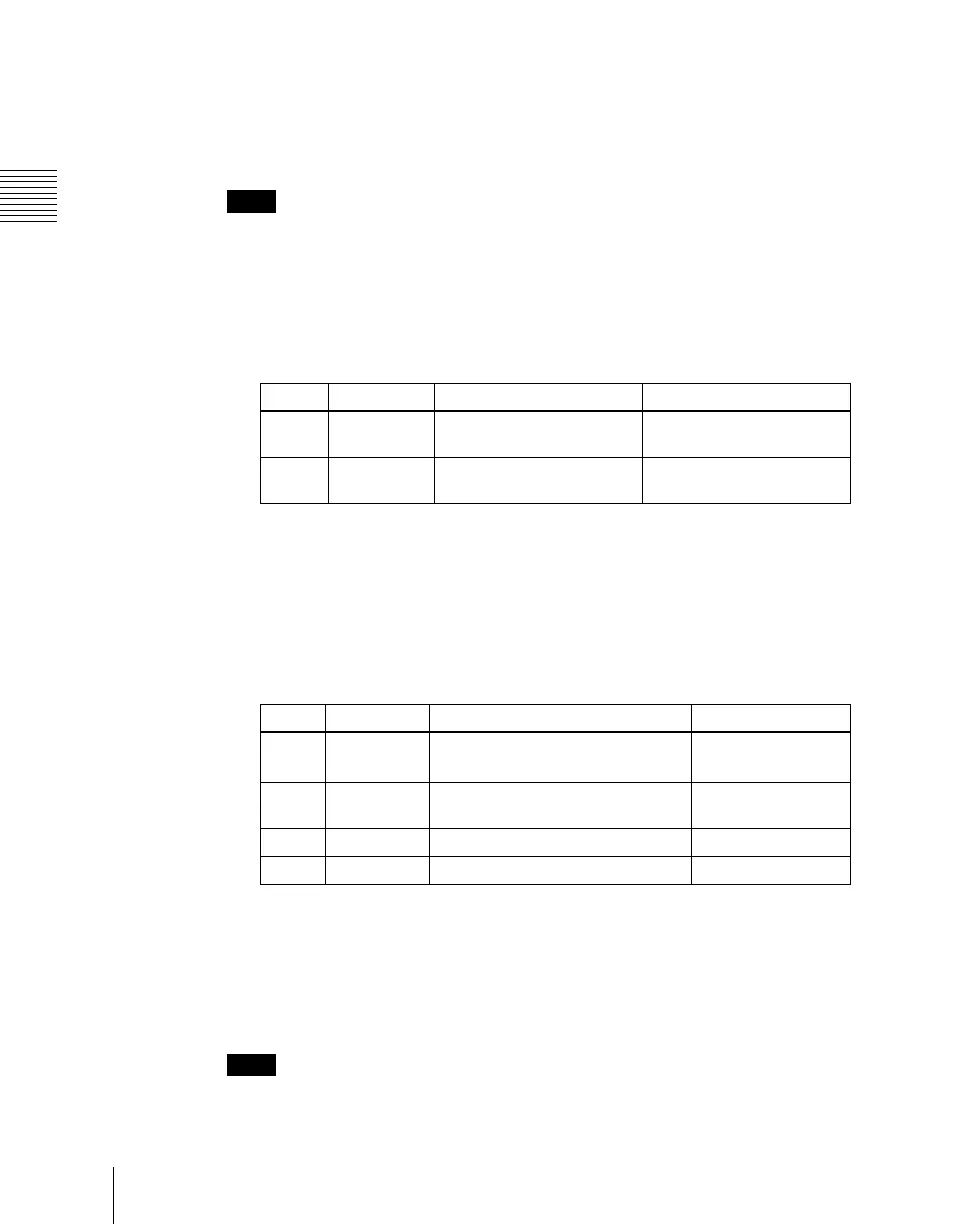
Set the following parameters.
Applying stardust to the afterimage portion
The afterimage portion becomes stardust, and gradually disappears.
1
Press the [DUST] button, turning it on.
2
Set the following parameters.
a) The way in which the afterimage disappears is affected by both Decay and Trail Dust
parameter adjustments.
Setting a combine process
Select whether to add the Trail effect before or after the combine.
Notes
• The combine process function is not supported on the MVE-8000/8000A.
Knob Parameter Adjustment Setting values
1 Defocus V Defocusing of the video
signal
0.00 to 100.00
2 Defocus K Defocusing of the key
signal
0.00 to 100.00
Knob Parameter Adjustment Setting values
1 Trail Dust Amount of the afterimage
disappearing as stardust
a)
0.00 to 100.00
2 Dust Soft Timing with which stardust
disappears
0.00 to 100.00
3 Dust Size Size of stardust 0.00 to 100.00
4 Dust Aspect Aspect ratio of stardust –100.00 to +100.00












 To Next Page