104 Software Interface
2005995 Rev O – 210712
Static IP Address
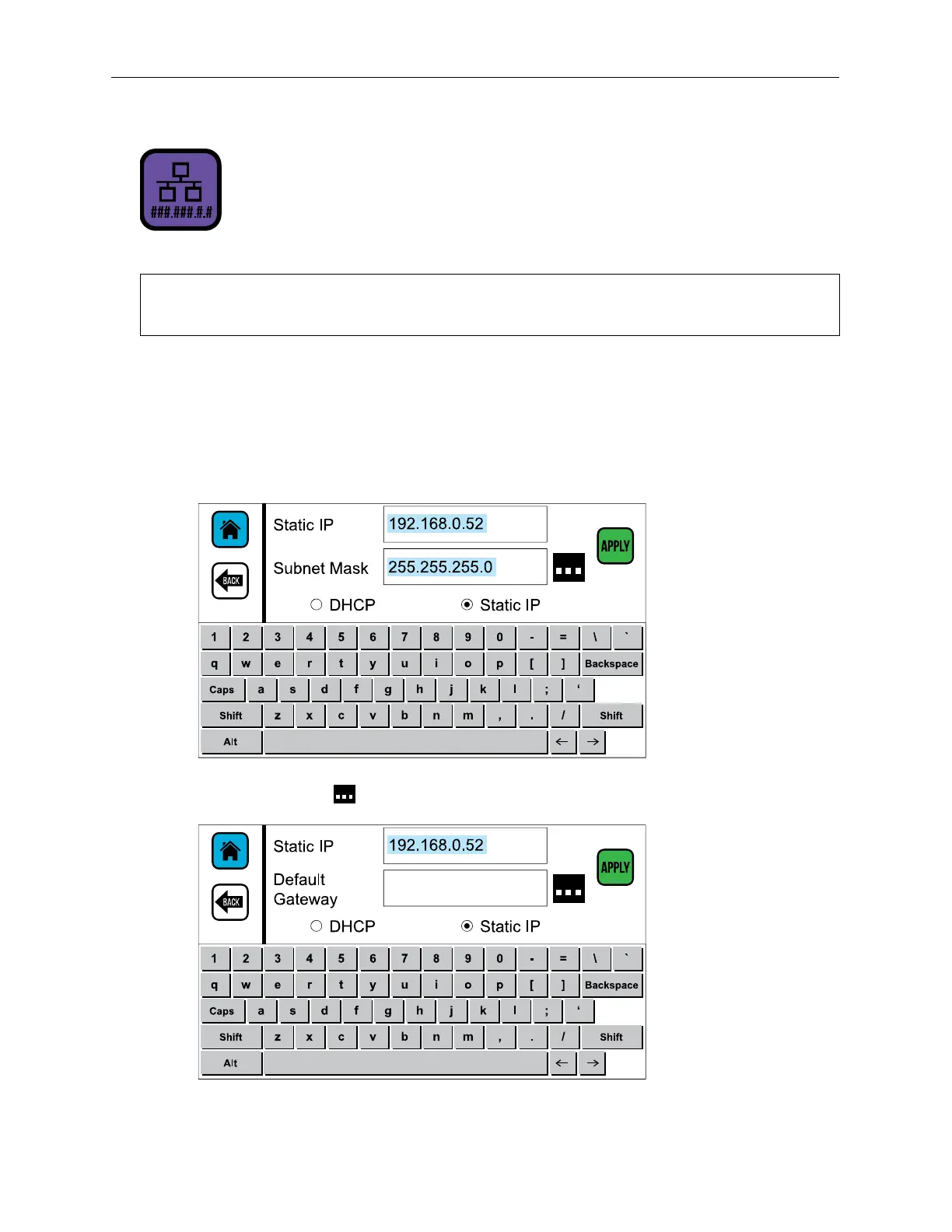
A static IP address can be assigned to the Controller.
NOTE: When assigning a new IP address, work with the local IT Administrator to ensure
that the new address does not conflict with existing devices.
To Provide a Static IP Address (rather than a dynamic IP address):
1. On Settings Screen Two, select the IP Address button.
2. In the IP Address dialog box, select the Static IP button.
3. Use the onscreen keyboard to enter a new IP address and subnet mask.
4. Select the button to enter the Default Gateway.
5. Select APPLY to assign the new IP address.



 To Next Page