90 Software Interface
2005995 Rev O – 210712
USB Load
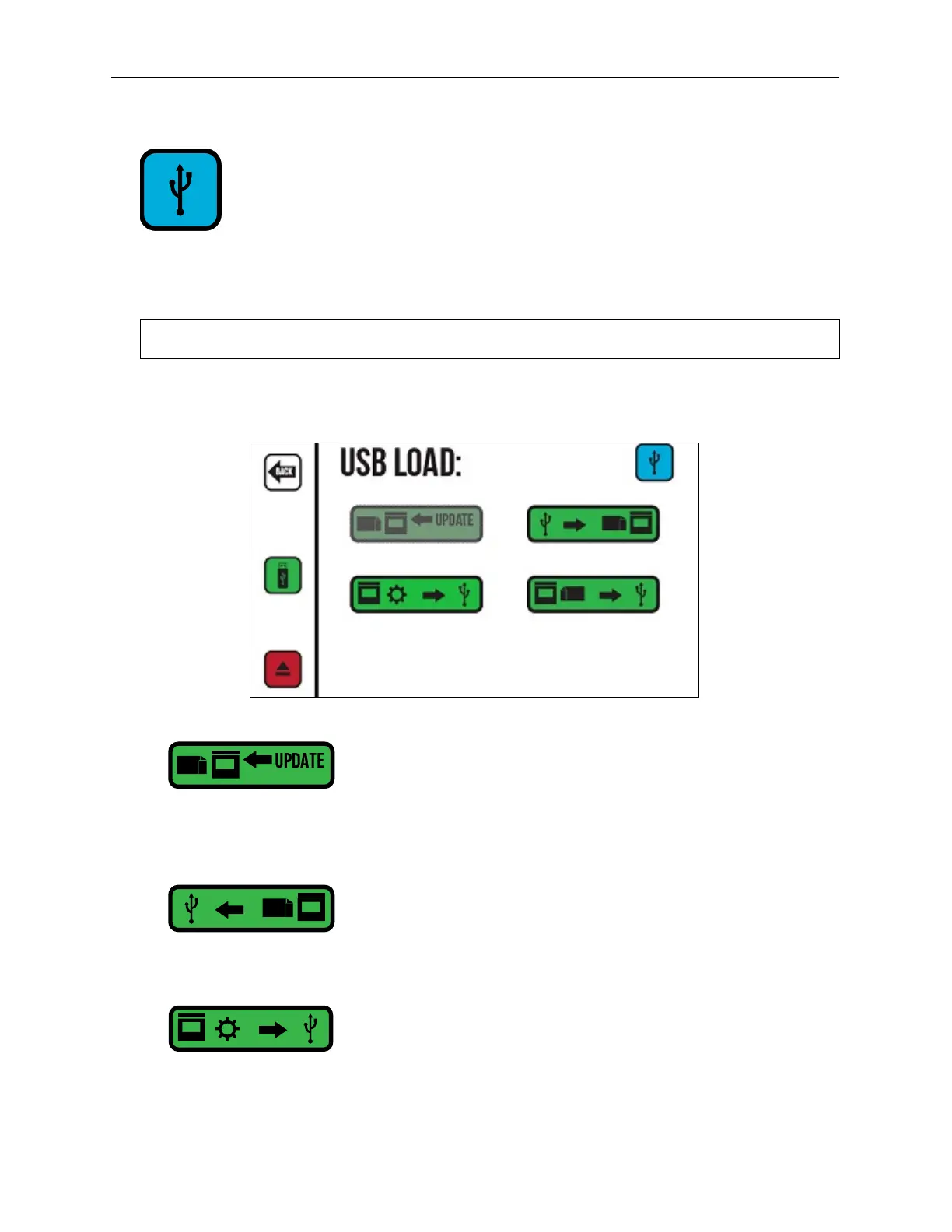
This button is not available if no USB Drive is connected. The USB Load Screen provides
functions for data management and system updates. The USB Load Screen opens
automatically when a USB device is connected.
NOTE: The USB format must be FAT32 or NTFS.
If system updates are available on an installed USB Drive, this button becomes active.
Select this button to install the updates.
Copies all installed messages and fonts from the Controller to a connected USB Drive.
USB Debug Report: Copies the current message and configuration to a Zip file on a
connected USB Drive to help diagnose any printer problems. If the correct flag from
Orion is on the USB Drive, the button to access the Reset Screen also appears below
the “USB Debug Report” button.
USB Load Screen



 To Next Page