34 Installation and Setup
2005995 Rev O – 210712
Mounting a Photocell
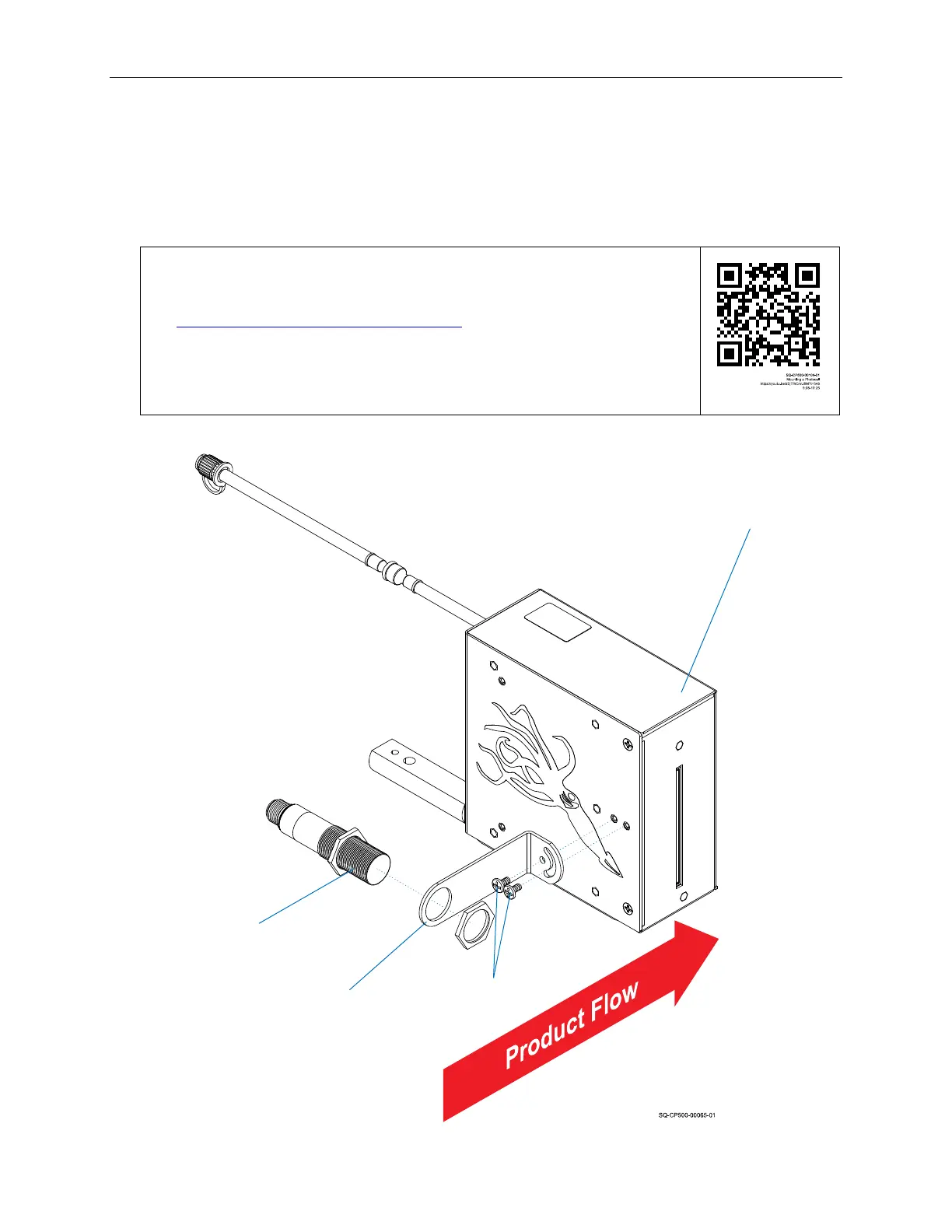
A Photocell triggers printing when a product passes in front of it. The Photocell can be
mounted directly to the Printhead using the supplied Mounting Bracket and Screws. The
Photocell should be mounted on the upstream side of the Printhead so that it will “see” the
product before the product passes in front of the Printhead.
VIDEO: Mounting a Photocell
To see a video of this procedure, click this link:
https://youtu.be/zSjTfhCmU8M?t=548
Or scan the QR code at right using the camera app on your mobile
device.
View Time: 9:08 – 10:25
Printhead
Photocell Mounting
Bracket
Mounting
Bracket
Screws



 To Next Page