Installation and Setup 57
2005995 Rev O – 210712
Connecting an Optional Low Ink Warning Beacon
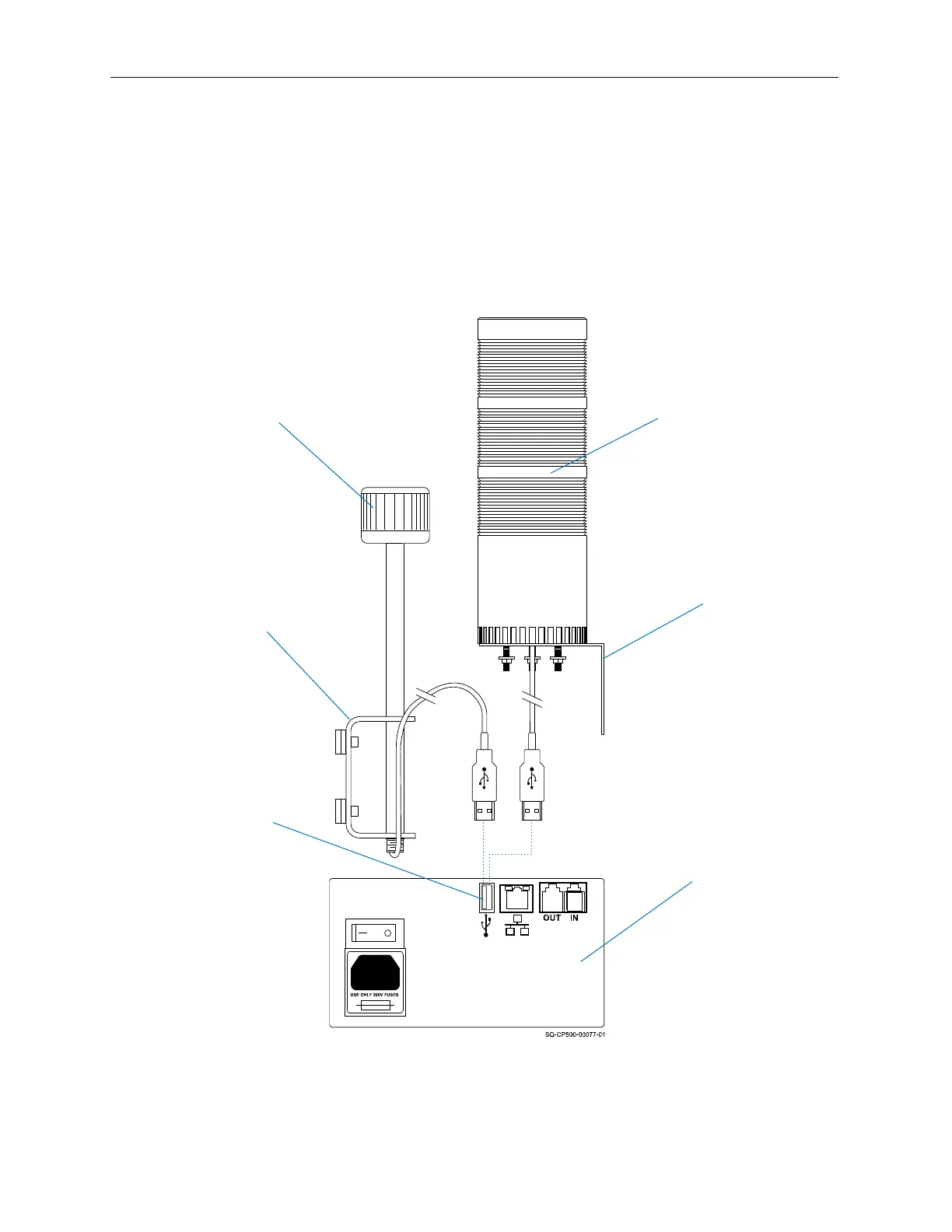
An optional Low Ink Warning Beacon (Part Number 2003927) can be connected to the
Controller. An optional Audible Warning Beacon (Part Number 2003975) is also shown).
The Low Ink Warning Beacon is useful for alerting operators that ink is running low before
missed prints or Printhead damage occurs due to the printer running out of ink.
Since each installation is unique, Squid Ink cannot anticipate an ideal location for the Low
Ink Warning Beacon. The Beacon has a generic Mounting Bracket attached to it. Mount the
Warning Beacon within 5’ (1.5 meters) from the Controller.
Low Ink Warning Beacon
(Part Number 2003927)
Controller
USB
Port
Mounting
Bracket
Bracket
Audible Low Ink
Warning Beacon
(Part Number 2003975)
Connecting a Warning Beacon



 To Next Page