Installation and Setup 53
2005995 Rev O – 210712
Custom Triggering Device
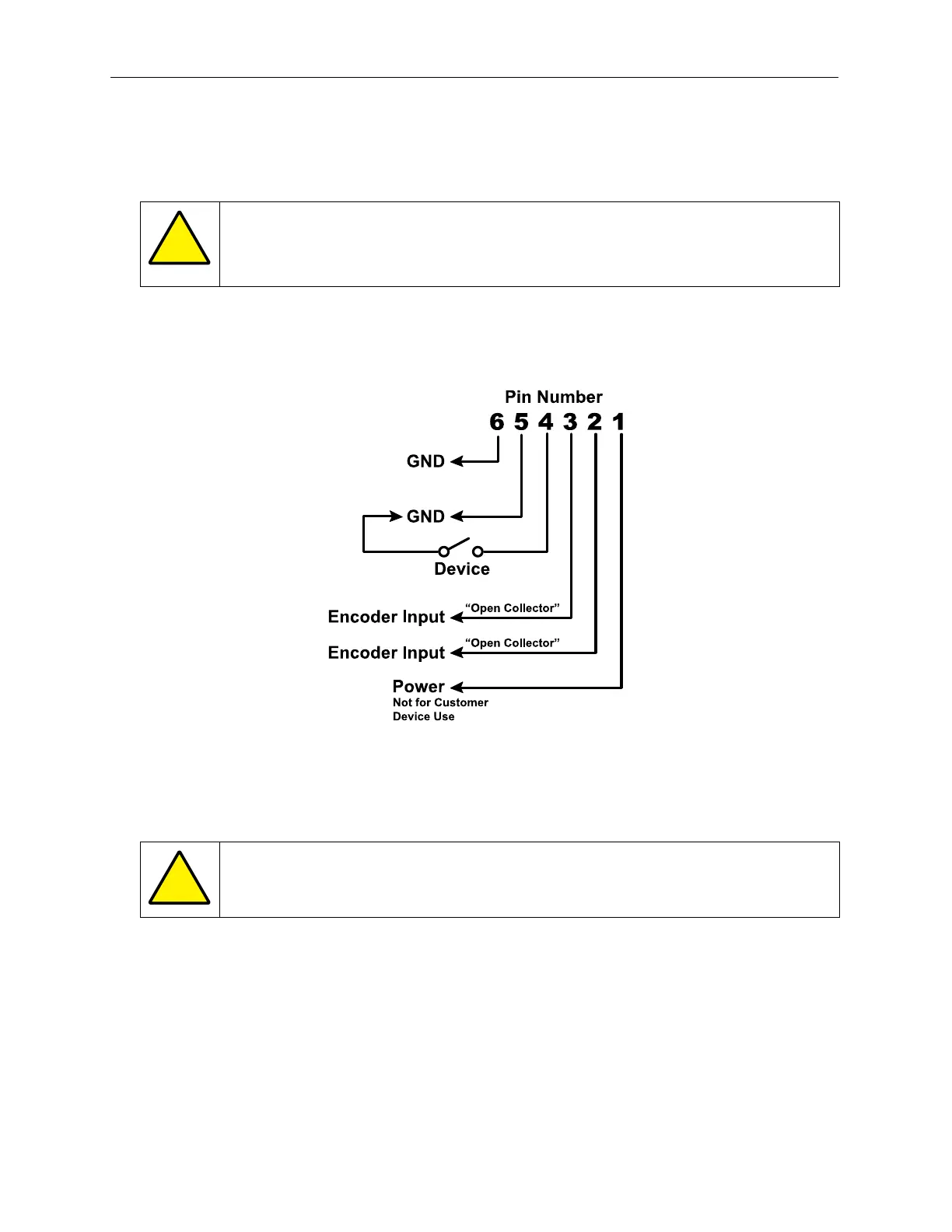
Some applications may require the use of a site-specific triggering device. Use the following
Pin Assignments on the RJ12 Connector to install a custom triggering mechanism.
ATTENTION: Site-specific or unusual devices should only be connected by
trained and qualified personnel. Please contact your authorized Squid Ink
distributor to discuss device compatibility before connecting.
On the RJ12 Input Connector, connect Pin 4 to an NPN sinking open-collector output with
Pin 5 acting as ground. When using a relay, connect the relay across Pins 4 and 5. The
relay should be normally open, and should close when activated.
ATTENTION: Do not apply external voltage to any Pin on the RJ12 Connector.



 To Next Page