Installation and Setup 47
2005995 Rev O – 210712
Printhead Height Relative to Ink Reservoir or Ink Pan
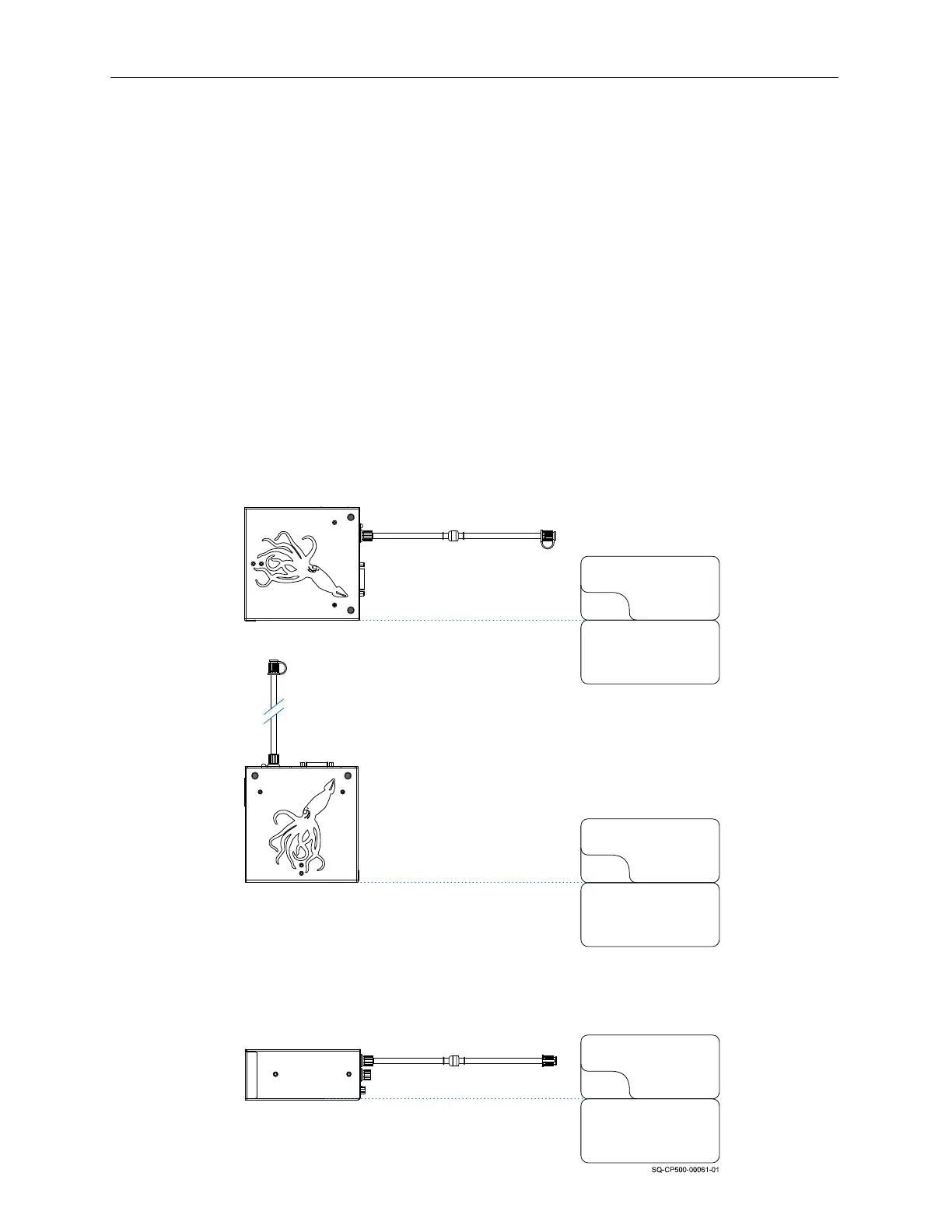
The following Printhead-to-Ink Bag or Reservoir height drawings are a starting point or
guideline. The heights may need to be adjusted slightly if the following problems occur:
• If the Bag or Reservoir is too high, the Printhead will flood with ink and the print will
start to disappear, and possibly drip ink.
• If the Bag or Reservoir is too low, the Printhead will be “starved” for ink, and the print
will begin missing jets.
Oil-Based Systems
For oil-based systems, the lowest surface of the Printhead should be at the same level
as the top of the Ink Reservoir (Cartridge Ink system) or Ink Pan (Bag Ink system).
Straightshooter Mode
Printhead bottom is even with
Ink Reservoir top
Oil Printhead with Cartridge System
Ink Reservoir
Ink Cartridge
Printhead
Printhead
Printhead
Printhead Nozzle Face is even
with Ink Reservoir top
Printhead’s lowest side is
even with Ink Reservoir top
Ink Reservoir
Ink Cartridge
Ink Reservoir
Ink Cartridge
Downshooter Mode
Sideshooter Mode



 To Next Page