74 Software Interface
2005995 Rev O – 210712
Home Screen
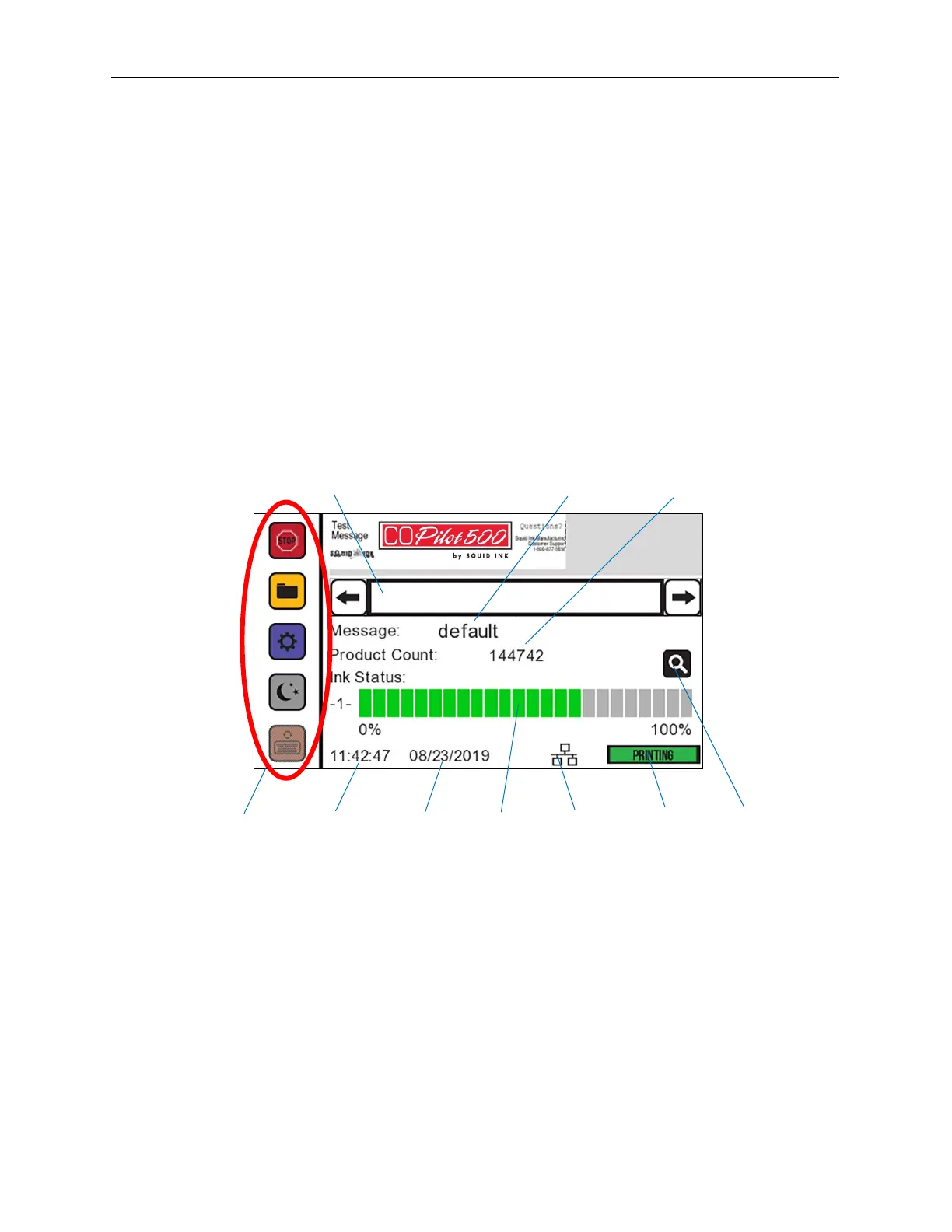
The Home Screen contains the following:
• A preview of the current message
• The name of the current message
• Product count
• Ink status
• Printing status
If a USB Drive is plugged into the USB Port at startup, the Touchscreen will automatically
display the USB Load Screen. To go the Home Screen, select Back.
Home Screen
Preview
Time
Date
Type
Name
Counter
Status



 To Next Page