Software Interface 79
2005995 Rev O – 210712
Line Speed
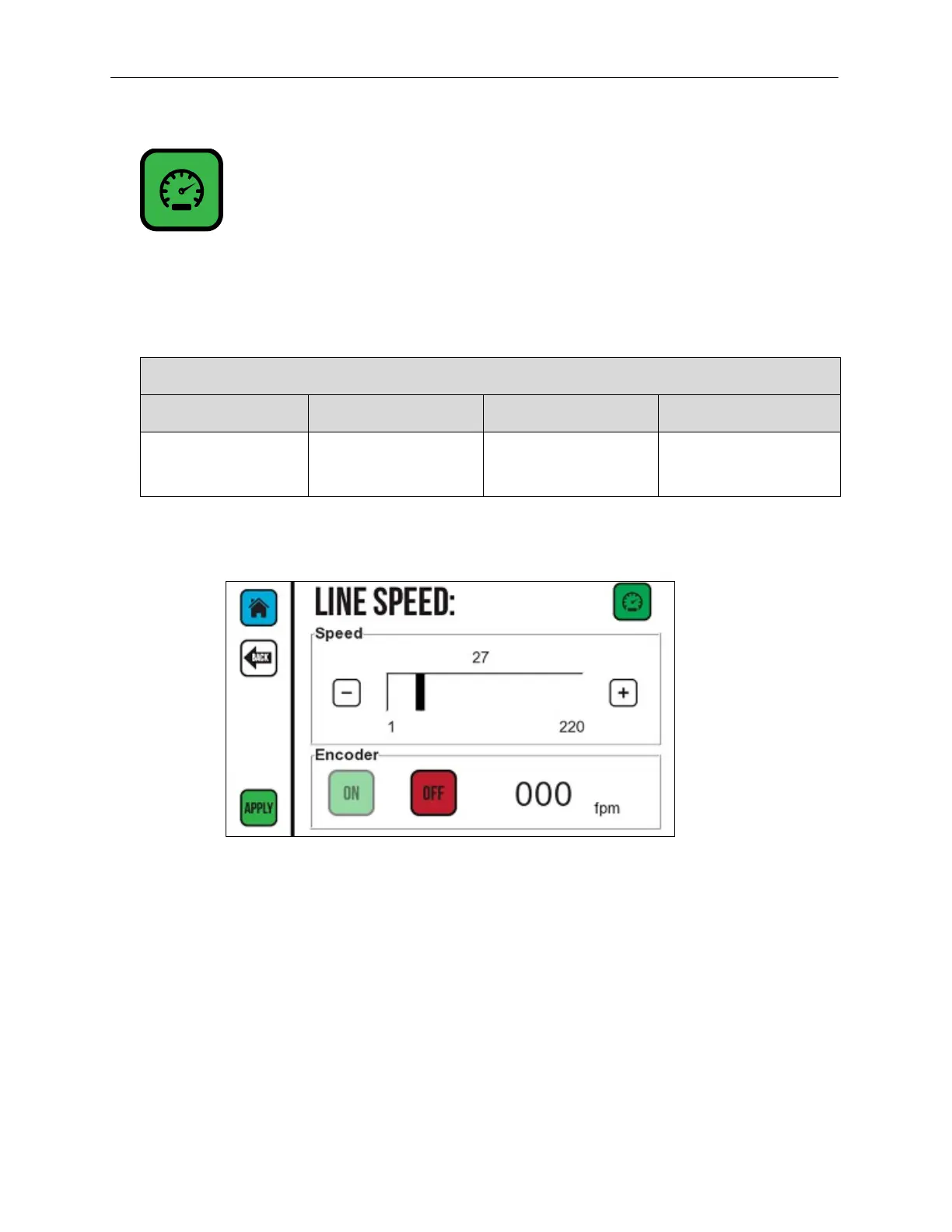
The Line Speed Screen sets a static line speed for the Printer in feet per minute (fpm).
To set the line speed, use the Plus (+) or Minus (-) buttons to increase or decrease the line
speed, or move the scroll bar in either direction. Maximum line speeds are:
Maximum Line Speed for Each CoPilot 500 Controller Model
CP500 CP500 HiSpeed CP500 Turbo CP500 HiSpeed Turbo
205 fpm
62.5 m/min
300 fpm
91.4 m/min
205 fpm
62.5 m/min
300 fpm
91.4 m/min
Encoder Timeout
The Encoder Timeout (upper half of screen) is the amount of time in seconds that the
Printer waits for a signal after the Encoder Wheel stops spinning. This number should be
set to significantly higher than the normal pauses that the Conveyor makes while
operating. If the Conveyor stops for a period longer than the “Encoder Timeout” time
while printing a message or between messages, the Printer stops looking for an Encoder
signal, and the message must be restarted.
Use the Plus (+) or Minus (-) buttons or the slider to increase or decrease the amount of
time. The default setting is 15 seconds. The maximum setting is 86400 seconds (24
hours). The amount of time is displayed in hours, minutes, and seconds.
Line Speed Screen



 To Next Page