52 Installation and Setup
2005995 Rev O – 210712
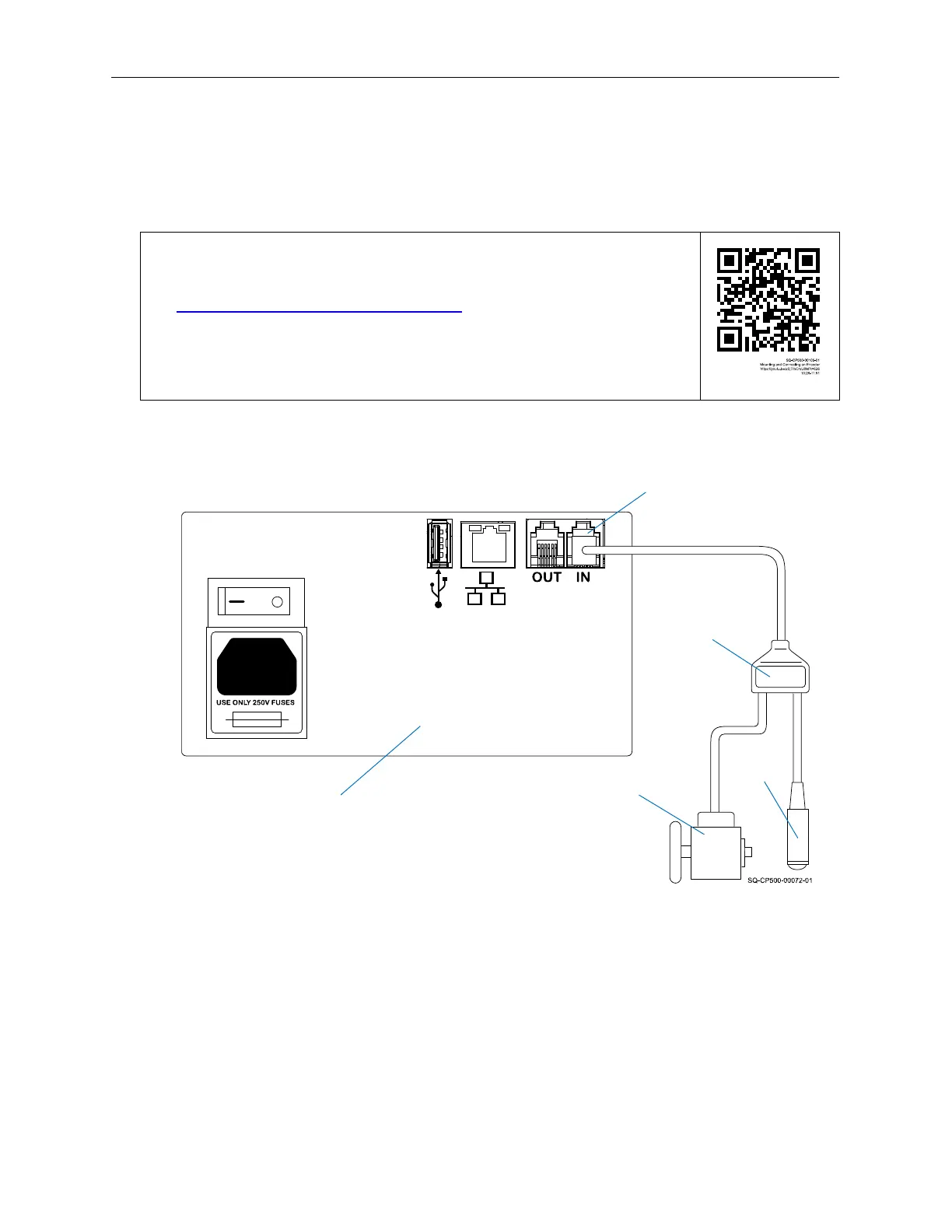
Connecting an Optional Encoder to Controller
Connect the optional Encoder and Photocell trigger to the RJ12 Adapter Cable. Connect the
Adapter Cable to the “IN” Port on the back of the Controller.
VIDEO: Mounting and Connecting an Encoder
To see a video of this procedure, click this link:
https://youtu.be/zSjTfhCmU8M?t=626
Or scan the QR code at right using the camera app on your mobile
device.
View Time: 10:26 – 11:51
Encoder
Photocell
RJ12
Adapter
Cable
Data
Connection
“IN” Port
Connecting an Encoder
Controller Back
Panel



 To Next Page