Operation 115
2005995 Rev O – 210712
Operation
Powering On
When all the components have been properly mounted and connected, the system is ready to
be powered up to begin printing.
Checklist Before Powering On:
• Ensure that the Nozzle Face is positioned to be 0.125” (3.2 mm) from the items to be
printed as they pass by on the Conveyor.
• Verify that nothing is covering the Nozzle Face before priming or printing.
• Ensure that all components have been securely mounted.
• Ensure that all Data and Power Cables are properly seated and connected.
• Ensure that Ink Lines are correctly and securely connected, and that the Printhead is
receiving ink.
To Power On:
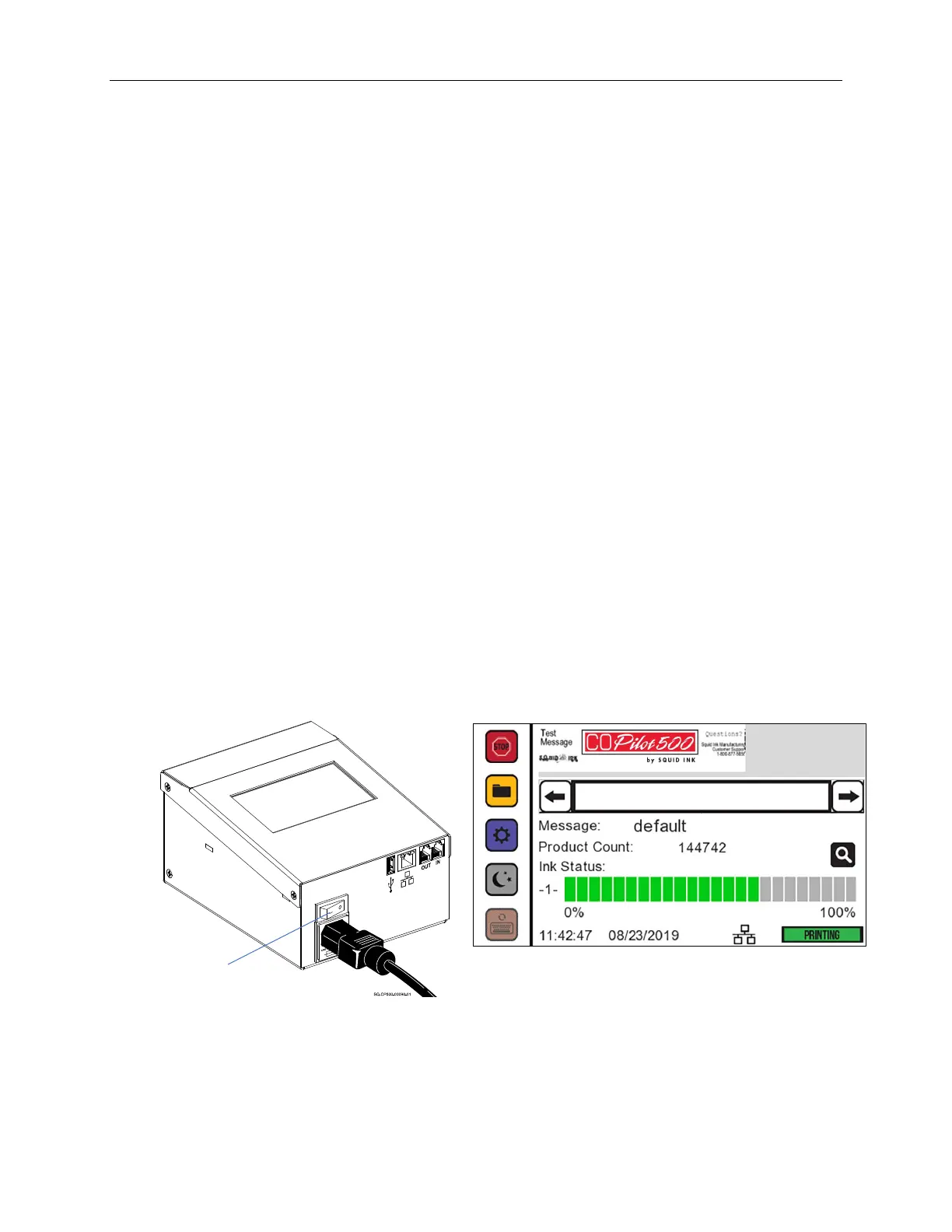
1. Turn the Power Switch located on the back of the Controller to the ON position.
2. After the power is turned on, the system goes through a brief startup sequence lasting
approximately one minute.
3. When startup is complete, the Home Screen is displayed on the Touchscreen.
Power
Switch



 To Next Page