Software Interface 87
2005995 Rev O – 210712
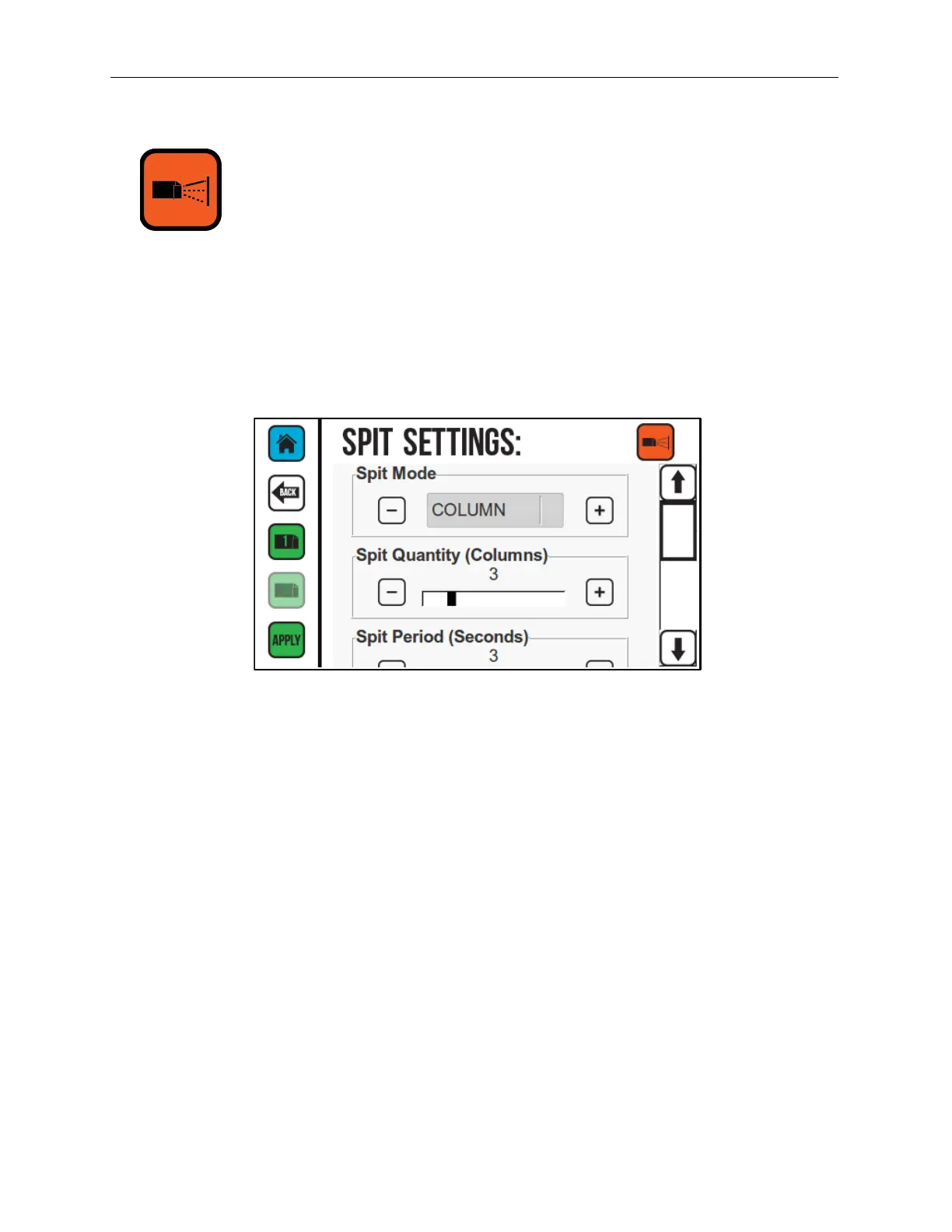
Spit Settings
When Spit Mode is active, the Printhead spits a small quantity of ink at predetermined
intervals. The spit function is useful when printing with fast-drying solvent-based inks
because it keeps the ink from drying and clogging in the Ink Nozzles. Use the Spit Settings
Screen to configure settings for Spit Mode. The Spit Mode is not used with oil-based inks on
the CoPilot 500.
Spit Mode
There are four Spit Modes:
OFF: If selected, turns the Spit Mode off. When printing with oil-based ink, always
set the Spit Mode to OFF.
COLUMN: Spits a column of ink the entire height of the Printhead at selected time
periods.
GHOST ALL: Spits a small amount of ink (not enough to impact print appearance)
through all the Printhead Nozzles at set time intervals, even during printing. This is
useful when printing with very fast-drying inks.
GHOST: Spits a small amount of ink through the Printhead Nozzles when not
printing. This is useful if a long message only uses some of the Nozzles in the
Printhead.
Spit Quantity (Columns)
The quantity of the Spit Mode based on the number of columns the Printhead will spit
each time.
Spit Period (Seconds)
The time between spits in seconds.
Spit Settings Screen



 To Next Page