84 Software Interface
2005995 Rev O – 210712
Repeat and Squid Connect Trigger Settings
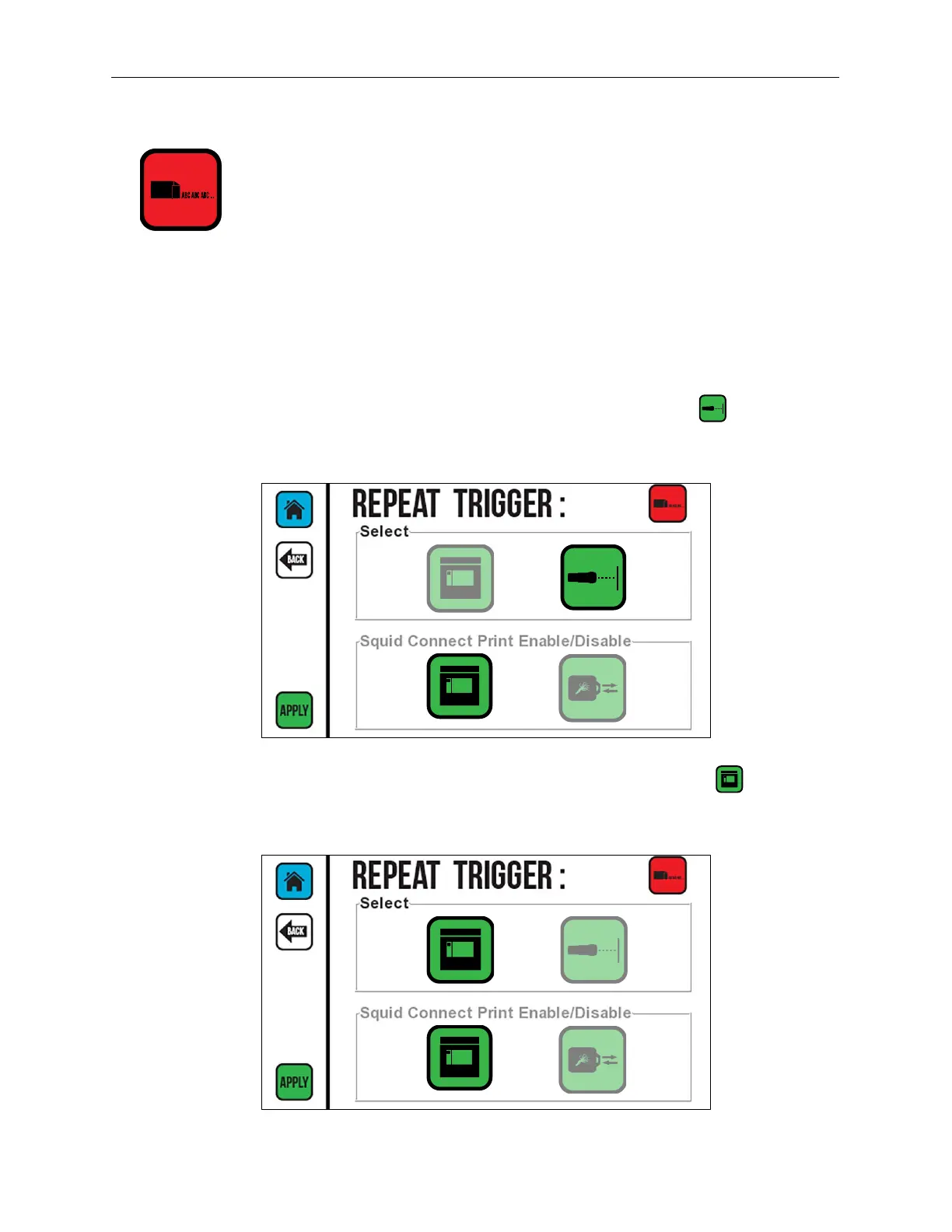
The Repeat Trigger is for printing a repeating message on each single product. It controls
whether SquidConnect printing is active or inactive using SquidConnect Pin 6. Refer to the
SquidConnect User Guide for more information. If the SquidConnect Dongle is not installed,
this option is not available. If SquidCheck is active, this option is not available.
To use "Repeat Trigger," the message created in Orion must have "Repeat Mode" checked.
If using a Photocell or Switch Box to activate the trigger, select Photocell .
When using the GUI interface to Start and Stop Repeat printing, select Screen .
Photocell Active
Screen Active



 To Next Page