Objet1000 Plus User Guide 5 Using Objet Studio
DOC-06810 Rev.B 5-71
OpenGL Driver
Configuration
TheOpenGLdriverdisplays3Dgraphicsonyourscreen.Thereisnormallyno
reasontoadjustitssettings.IfyoususpectaproblemwiththewayObjet
Studiodisplaysobjects,youcanusetheOpenGLDriverConfigurationtoolto
checkandconfigurethedriversettings.
ToaccesstheOpenGL Driver Configurationdialogbox:
1. FromtheToolsmenu,selectOptions.
or—
IntheObjetStudioCommandsmenu ,clickOptions.
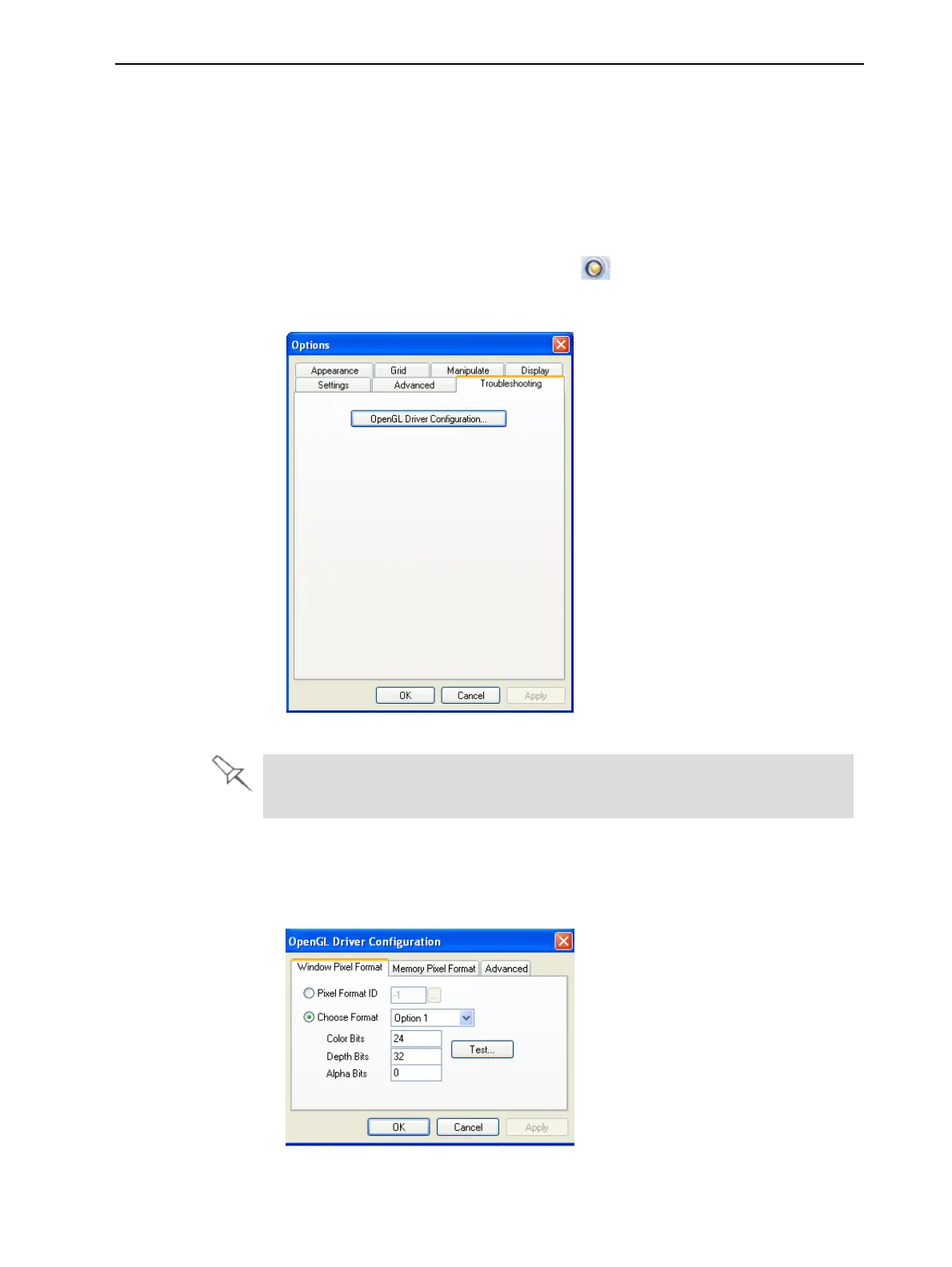
2. IntheOptionsdialogbox,displaytheTroubleshootingtab.
Figure5-93AccesstoOpenGLDriverconfiguration
TheTroubleshootingtabisonlyaccessiblewhenProfessionalModeisactive
(see"ProfessionalModeFeatures"onpage5-69).
3. ClickOpenGLDriverConfiguration.
ThedialogboxthatopensdisplaysdetailsofthepixelformatID(index)for
thewindowandthememory.
Figure5-94OpenGL Driver Configurationdialogbox













 To Next Page