Objet1000 Plus User Guide 6 Operating and Maintaining the Objet1000 Plus 3DPrinter
DOC-06810 Rev.B 6-27
Cleaning the
Print Heads,
Roller and
Wiper
Regularinspectionandcleaningoftheorificeplatesonthebottomofthe
printheadspreventsprintnozzlesfromclogging.Cleaningtherollerand
wiperarealsoimportantformaintainingqualityprinting.Awizardadjusts
printercomponentstoenableaccesstothesekeyareas,anditguidesyou
throughthecleaningprocedure.Tomaintaintheprinterinoptimum
condition,runthewizardaftereveryprintjob,whenyouremovethemodel
fromthebuildtray.Thisproceduretakesabout20minutes.
Tocleantheprintheads,rollerandwiper:
1. Prepare—
❒ isopropanol(IPA—isopropylalcohol)orethanol(ethylalcohol)
❒ disposablecleaninggloves
❒ asuppliedcleaningclothorequivalent
❒ amirror
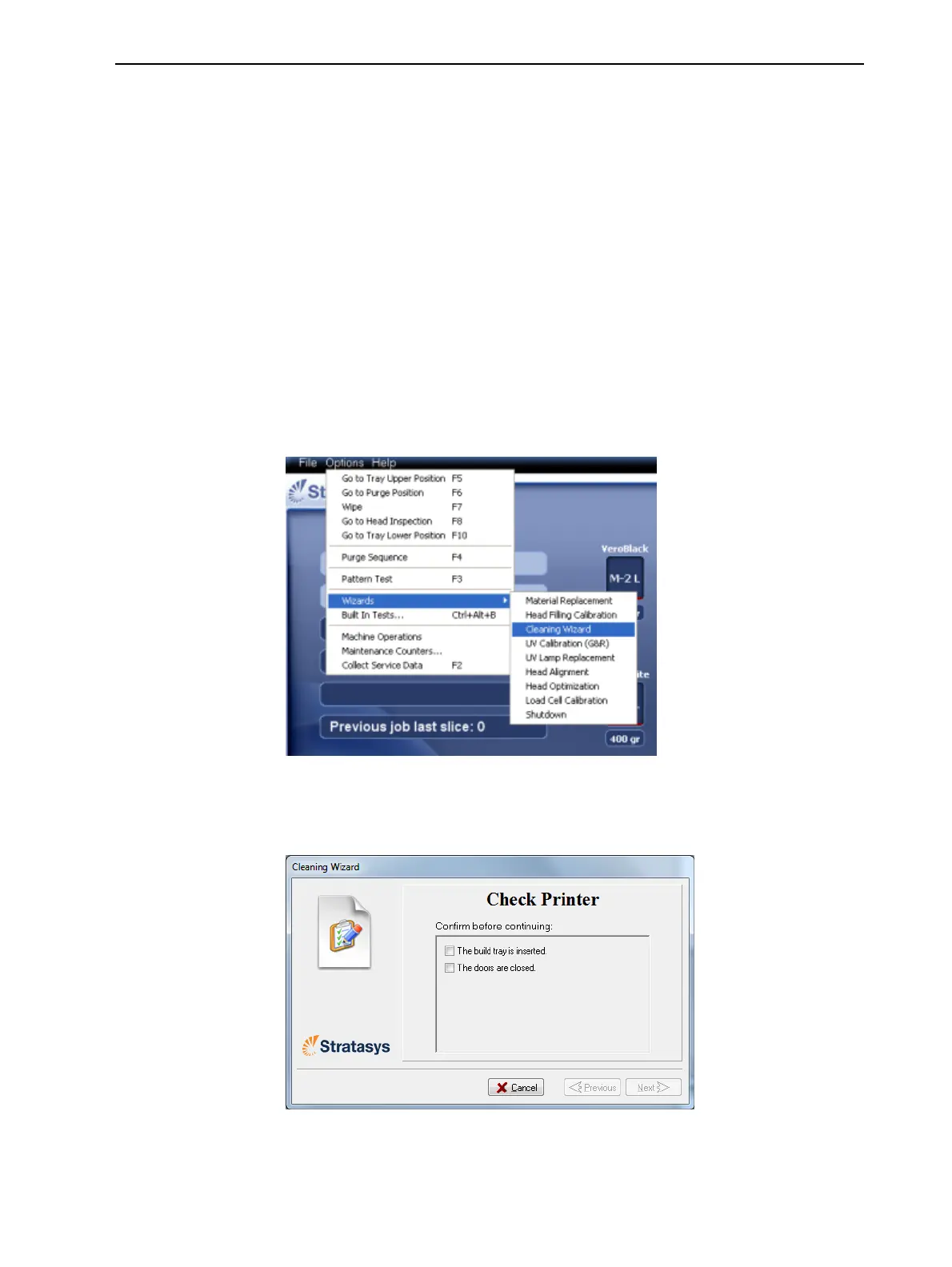
2. StarttheCleaningwizardfromtheOptions menu.
Figure6-25Options>Wizardsmenu
3. Makesurethatthebuildtrayisintheprinter,andclosetheprinterdoors.
ConfirmthisinthewizardscreenandclickNext.
Figure6-26Preparationcheck
Theprintermovescomponentstothecleaningposition.













 To Next Page