Objet1000 Plus User Guide 5 Using Objet Studio
DOC-06810 Rev.B 5-31
Manipulating Objects on the Tray
Positioning
Objects on the
Z-Axis
Whenyouusetheautomaticpositioningoptiontoarrangeobjectsonthe
buildtray(see"AutomaticOrientation"onpage5-27),theobjectsare
positioneddirectlyonthetray.Ifyoudonotinsertobjectswithautomatic
positioning,theyoftenappeareitheraboveorbelowthetray.
Inpractice,theObjetsystemprintsallmodelsonthebuildtrayonaone-
millimeterbedofsupportmaterial.Theimportanceofpositioningobjects
directlyonthebuildtraywithObjetStudioistocorrectlydisplaytheobjectson
thescreen.
Topositionobjectsdirectlyonthetray:
1. Selecttheobject.
2. FromtheObjectmenu,selectLayOn.
Toensurethatobjectsarealwayspositioneddirectlyonthetray:
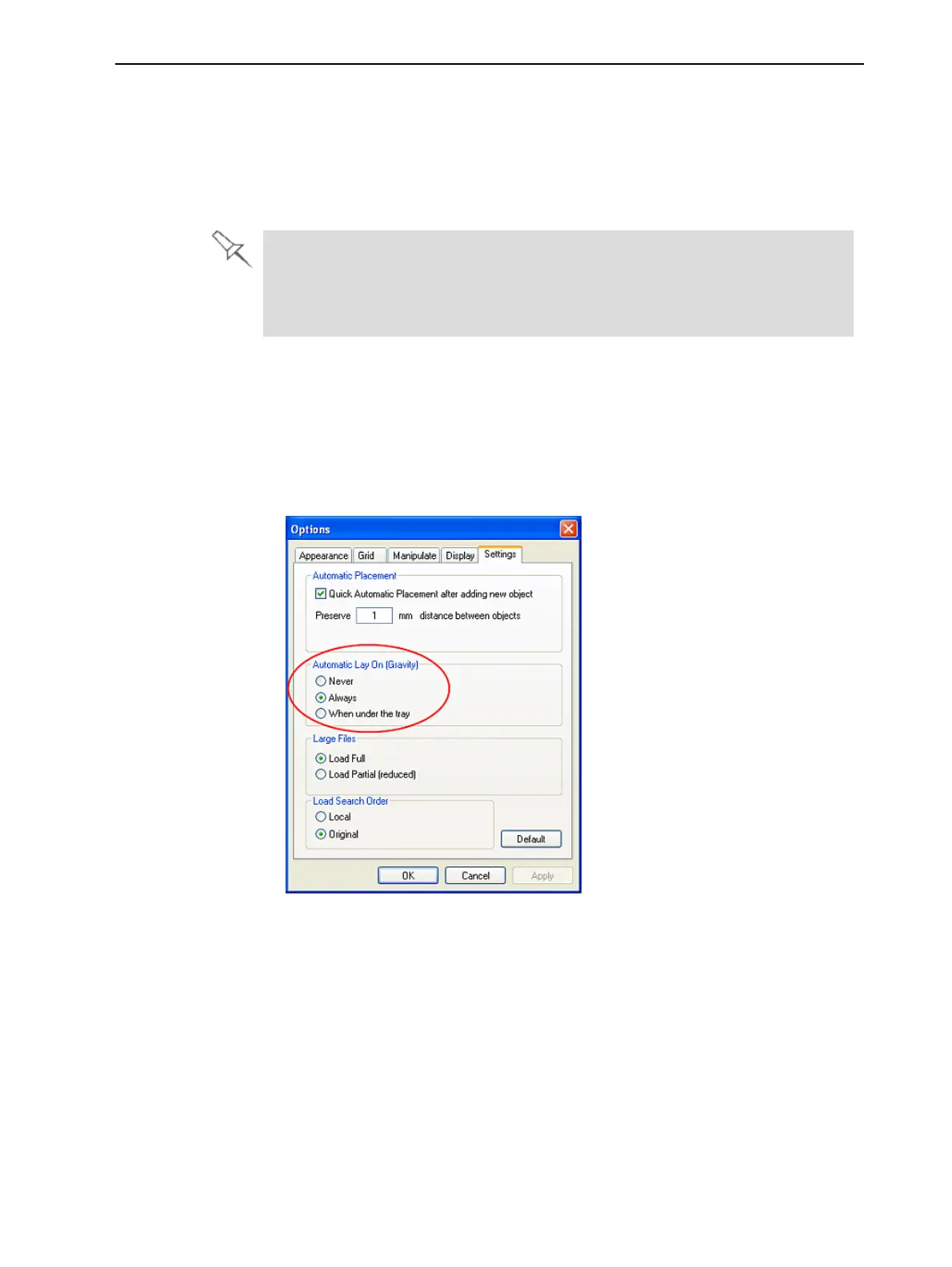
1. FromtheToolsmenu,selectOptions,anddisplaytheSettingstab.
Figure5-35Optionsdialogbox,Settings tab
2. IntheAutomatic Lay On (Gravity)section,selectAlways.
OtherZ-axisoptions(intheAutomatic Lay On section):
•Whenunderthetray—Thedisplayofobjectsthatarebelowthebuildtrayis
automaticallychangedsothattheobjectisattraylevel.
•Never—Thedisplayofobjectsthatareaboveorbelowthebuildtrayisnot
changed.













 To Next Page