Objet1000 Plus User Guide 6 Operating and Maintaining the Objet1000 Plus 3DPrinter
DOC-06810 Rev.B 6-24
UV Lamp
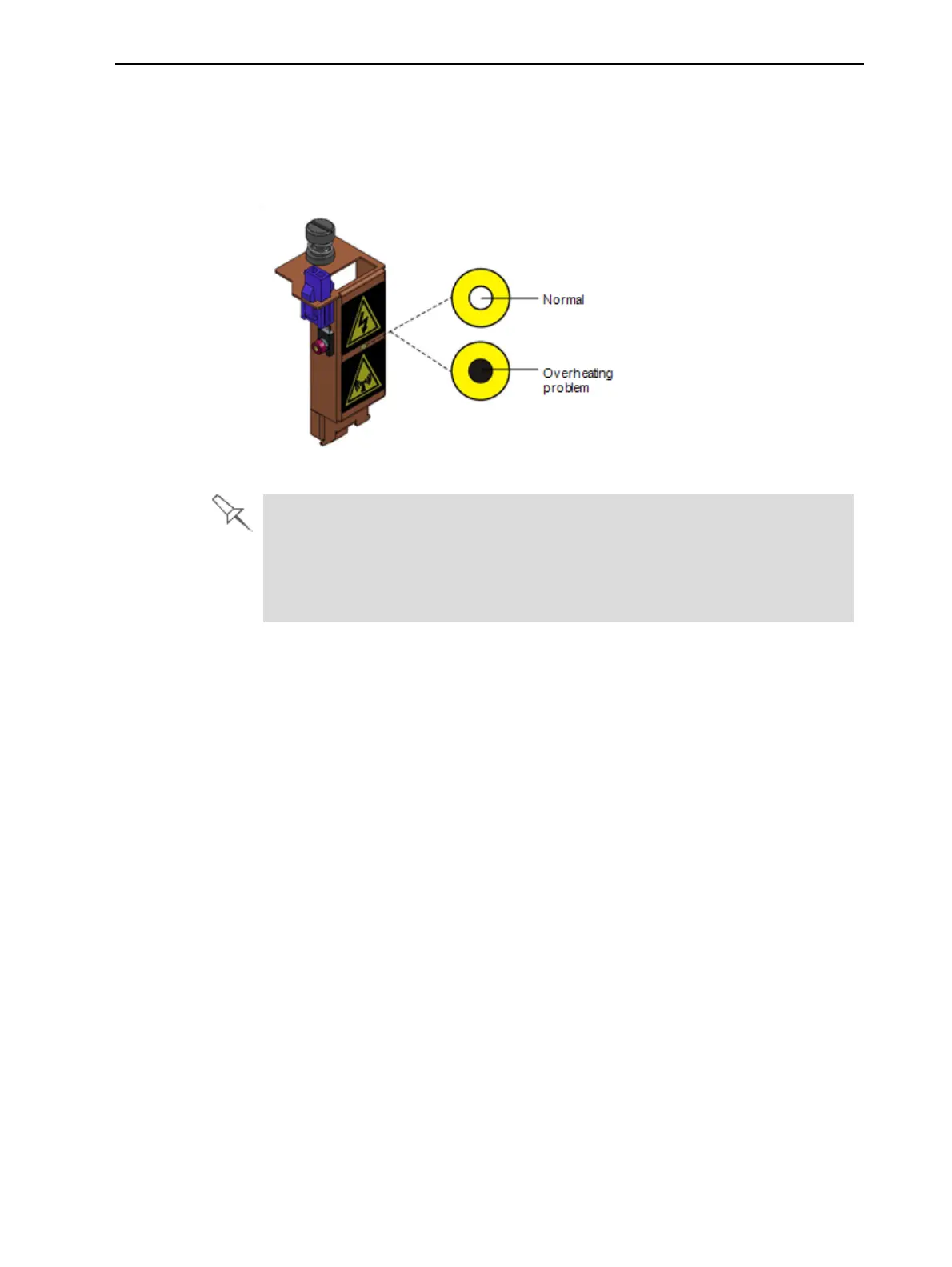
Check
Aheat-sensitivelabelisfixedtotheUVlampcoversasawarningagainst
overheating.Itscenterchangesfromwhitetoblackifthetemperatureofthe
coverreaches65°C(150°F).Ifthisoccurs,donotusetheprinter,andcall
yourserviceprovider.Asaprecaution,itisrecommendedthatyoucheckthe
labelbeforeandafterprinting.
Figure6-20Heat-sensitivelabelonUVlampcover
IftheUVlampcontinuestooverheat,andthetemperaturearoundthelamp
reaches90°C(194°F),aheatfuseturnsofftheelectricitytothepowertothe
UVlampandthemotorsfortheX,Y,andZaxes.Intheunlikelyeventthatthis
occurs,theprintercannotbeuseduntilitisservicedbyanauthorizedservice
engineer.
Pattern Test
Thepatterntestisthebasicverificationoftheprinter’sabilitytoproduce
qualitymodels,sinceitdemonstratestheconditionofthenozzlesintheprint
heads.Makesure,therefore,thatyouperformthistestweekly,andwhenever
yoususpectaprintingproblem.
Toperformthepatterntest:
1. Makesurethatthebuildtrayisempty.
2. Prepareasheetofpinkpaper,A-4orLettersize.
3. Intheprinter,tapethepinkpapertothesurfaceleftofthebuildtray.
4. PressF3,oropentheOptionsmenuandselectPatternTest.













 To Next Page