Objet1000 Plus User Guide 5 Using Objet Studio
DOC-06810 Rev.B 5-80
Configuring
User Alerts
ObjetStudiocanalertyou(andothers)tothestatusofjobssenttotheserver
forprinting.Thisisespeciallyusefulduringlongprintingjobs,whenthe
operatorisawayfromtheprinter.Thefollowingeventscanbereported:
•Thelevelofmodelorsupportmaterialislow.
•Thejobwasinterrupted.
•Thejobwascompletedsuccessfully.
Tosende-mailandSMSalerts,makesurethate-mailsoftwaresupporting
MAPIisinstalledontheservercomputer.TosendSMSalerts,thecellular
phoneservicemustsupportthetransmissionofe-mailmessagesbySMS.
Onlythesubjectlineofthee-mailmessageistransmittedbySMS.
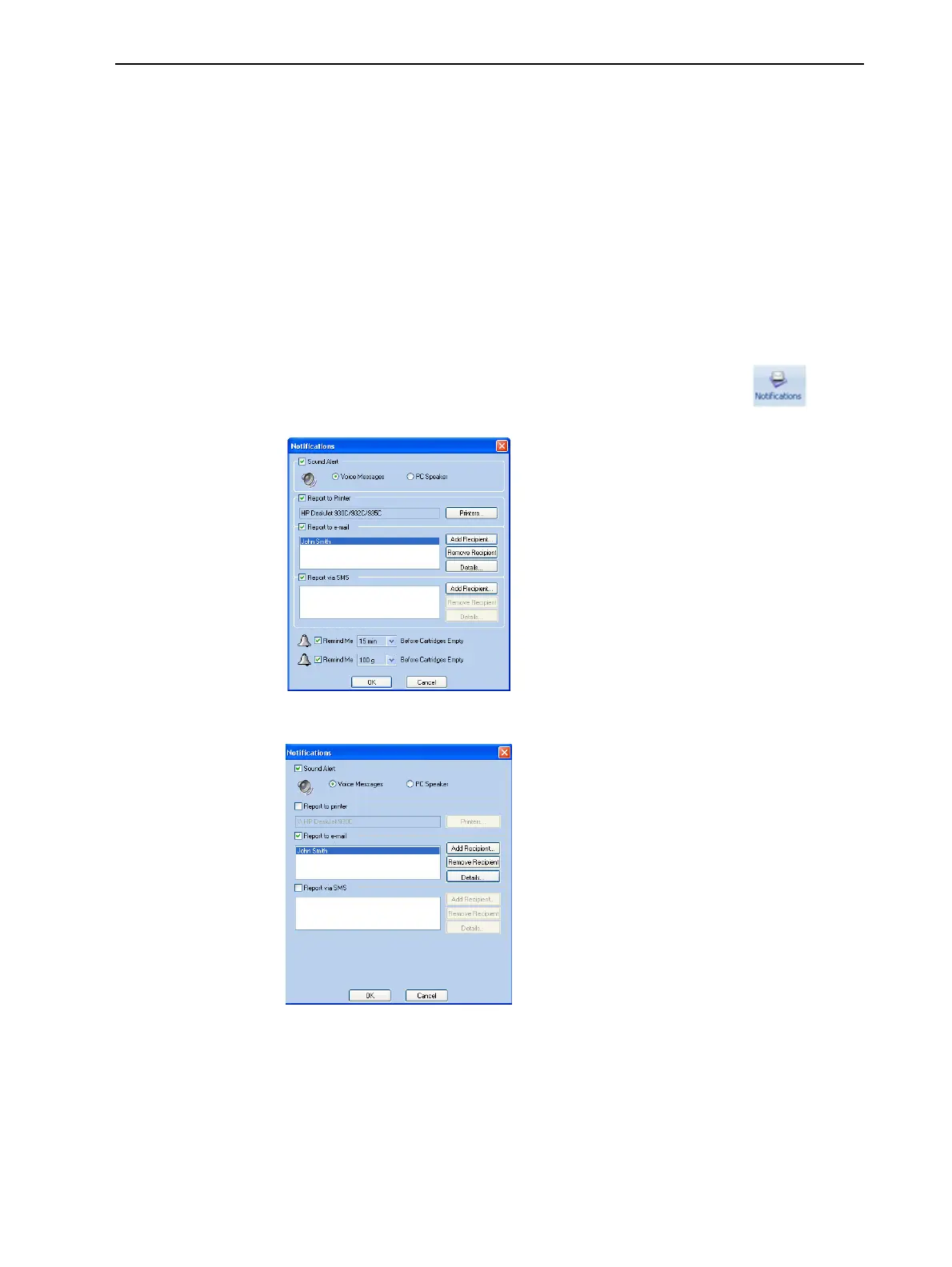
ToconfigureObjetStudiotosendnotificationsandalerts:
1. OntheJob Managerribbon,inthe3D Printergroup,click .
Figure5-107Notificationsdialogbox(server)
Figure5-108Notificationsdialogbox(clientworkstation)
2. Setthedesiredreportingoptions.
3. ClickDetails.













 To Next Page