Objet1000 Plus User Guide 7 Handling Printed Models
DOC-06810 Rev.B 7-2
Removing Models After Printing
Afterprintingmodels,youshouldallowthemtocoolasmuchaspossible
beforehandlingthem.Ifadditionalmodelsdonothavetobeproducedonthe
printer,itisbesttolettheprintedmodelscoolintheprinter,withthecover
closed,aslongaspossible.
Removing the
Build Tray
From the
Printer
ThebuildtrayfortheObjetprinterisremovable,whichaidsinthehandling
ofprintedmodels.Youuseaspecialcarttoremovethebuildtrayandtransfer
ittothecleaningstation.
Toremovethebuildtray:
1. PressF10.
or—
FromtheOptionsmenu,selectGotoTrayLowerPosition.
Theprintblockmovesforwardandthebuildtraylowers.
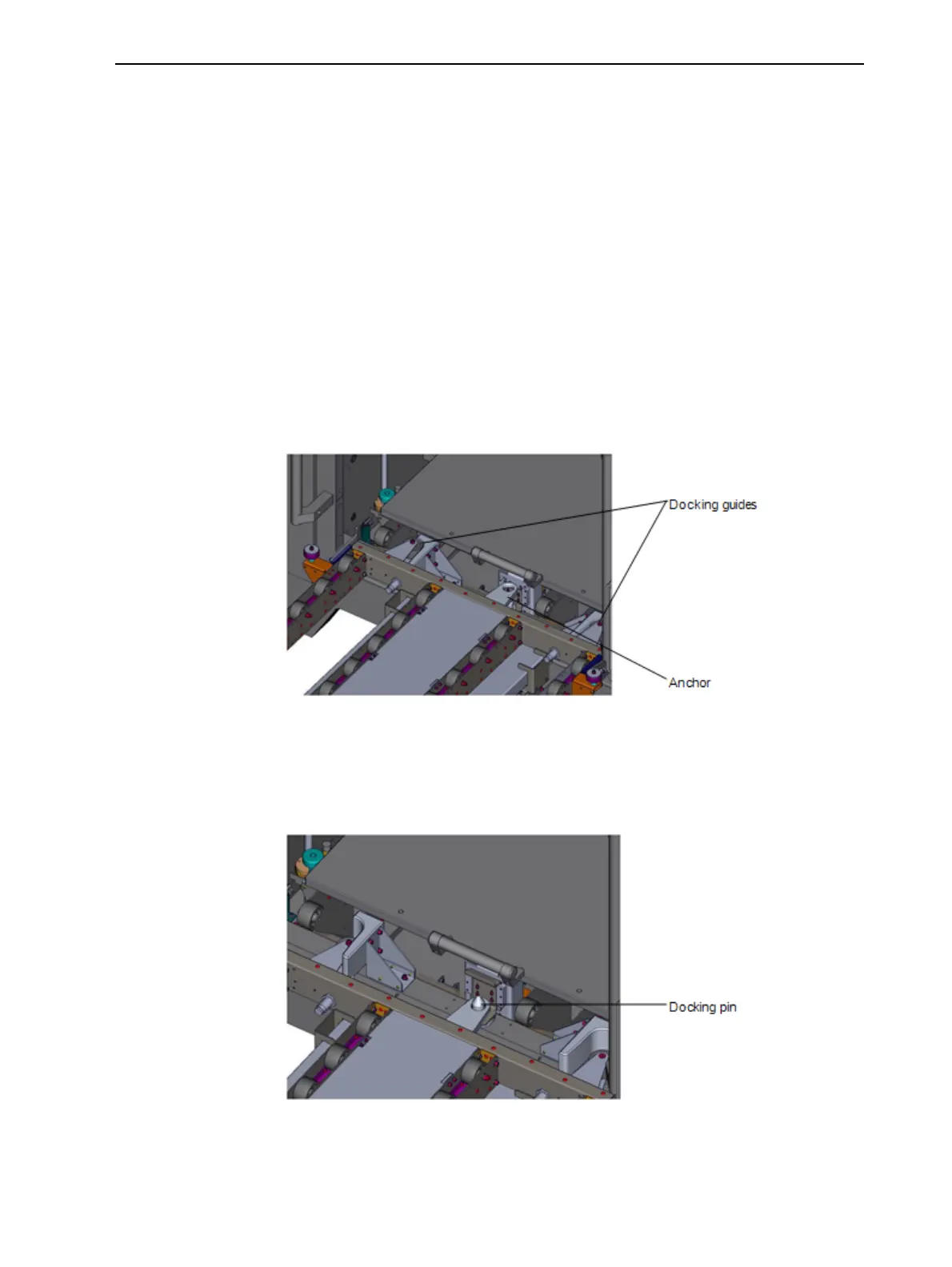
2. Raisethecart’splatformandpositionthedockingguidesasshown.
Figure7-1Positioningthecartfortrayremoval
Note:Makesurethattheanchorontheplatformisraisedabovethedocking
pinontheprinter.
3. Lowerthecartplatformsothattheanchorfitsoverthedockingpin.
Figure7-2Securingthecarttotheprinter
4. Pullthebuildtrayontothecart.













 To Next Page