Objet1000 Plus User Guide 5 Using Objet Studio
DOC-06810 Rev.B 5-77
Setting the
Remote Printer
Connection
(Client Mode)
WhenyouopenObjetStudioforthefirsttimeinaclientinstallation,youare
promptedtoconnecttoaservercomputerthatsendsjobstoa3Dprinter.To
dothis,theservercomputermustbeoperatingandconnectedtothelocal
network.
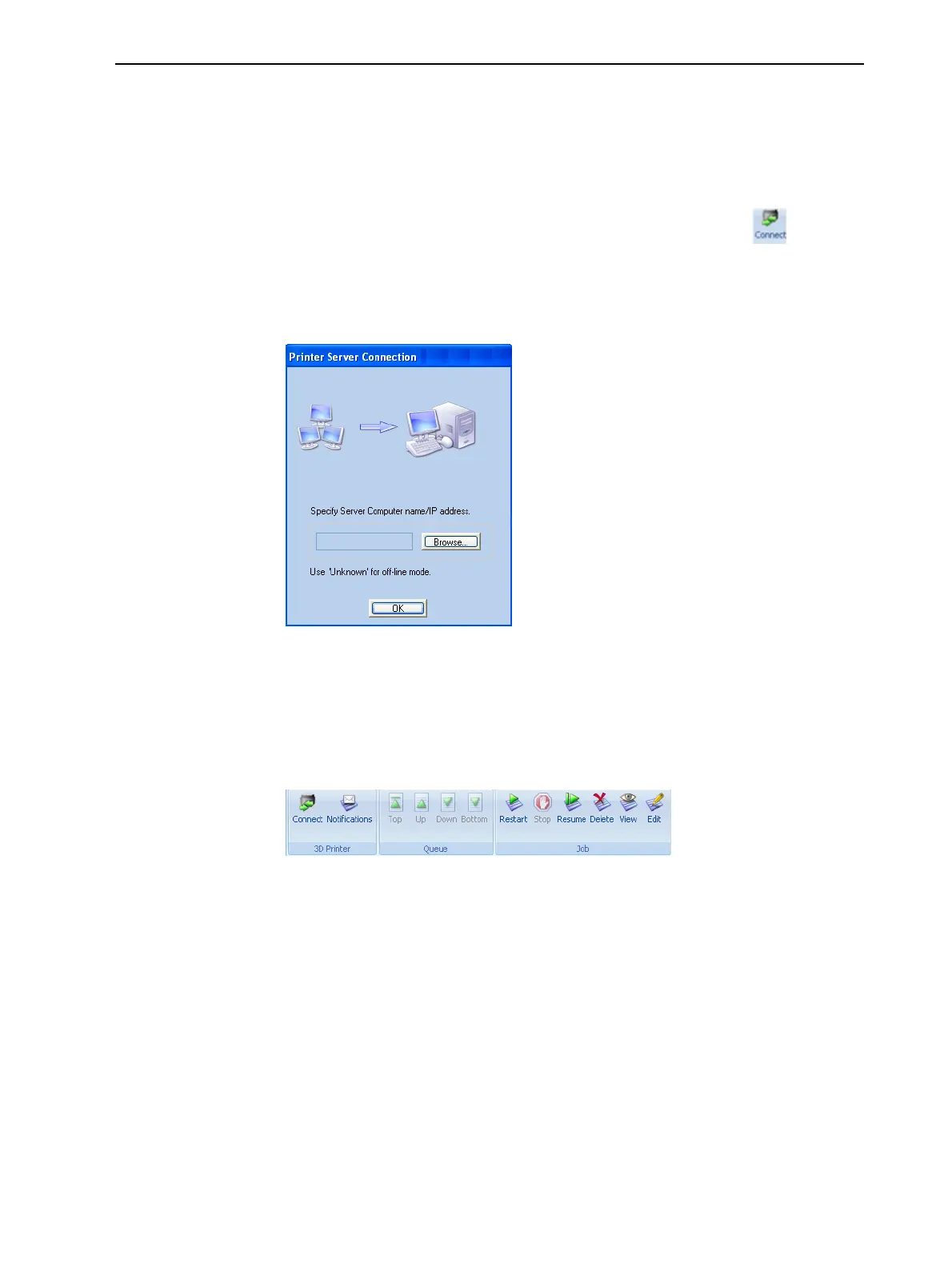
Toset(orchange)theconnectiontotheserver-computer:
1. OntheJob Managerribbon,inthe3D Printergroup,click .
2. EnterthenameoftheservercomputeroritsIPaddress,orclickBrowse
tofindandselectit.
3. ClickOK.
Figure5-102Printer Server Connectiondialogbox
Job Manager
Commands
TheJob Managerribbonhasthreeicongroups:
❒ 3DPrinter
❒ Queue
❒ Job
Figure5-103Job Managerribboncommands
Iconsareenabledordisabledaccordingtotheirrelevancy.Forexample,since
youcannotstopprintingajobthatisnotbeingprinted,theStop commandis
disabledwhentheprinterisidle.













 To Next Page