Objet1000 Plus User Guide 6 Operating and Maintaining the Objet1000 Plus 3DPrinter
DOC-06810 Rev.B 6-72
Built-in Tests
Theprinterapplicationcontainsasuiteoftestsforregularlycheckingthe
hardwareandsoftware,andfortroubleshooting.Alltestsarerun
automaticallybeforestartingaprintjob.Inaddition,youcanrunoneormore
testsasasystemcheck,betweenprintjobs.
Becauserunningthetestsaffectstheoperationoftheprinter,youcanonly
opentheBuilt-inTestsinterfacewhenthesystemisnotprinting.
Thetestsuitefeatures:
•Theorganizationofprinting-relatedtasksincategories:
❒ Communications
❒ Datacards
❒ Temperatures
❒ Voltages
❒ Encoderrepeatability
❒ Print-headheating
❒ Print-headfilling
•Acleardisplayoftestresultsandthesourceofanyfailures,enablingyou
todetermineifprintingispossibleorworthwhile.
•Theabilitytomonitortestresultsforspecificcomponents.
•Troubleshootingtips.
Runningthesetestscanhelpidentifyproblemsintheprinterhardwareand
software.Alargenumberofhardwaredefects(ornear-defects)warnsyouof
possibleprintingproblems,eitherforcurrentorfuturejobs.
Stratasysrecommendsrunningthebuilt-intestsinthefollowingcases:
l asaroutinetest,onceeverytwoweeks
l asasystemcheck,beforemajor(long)jobs
l asneeded,fortroubleshooting
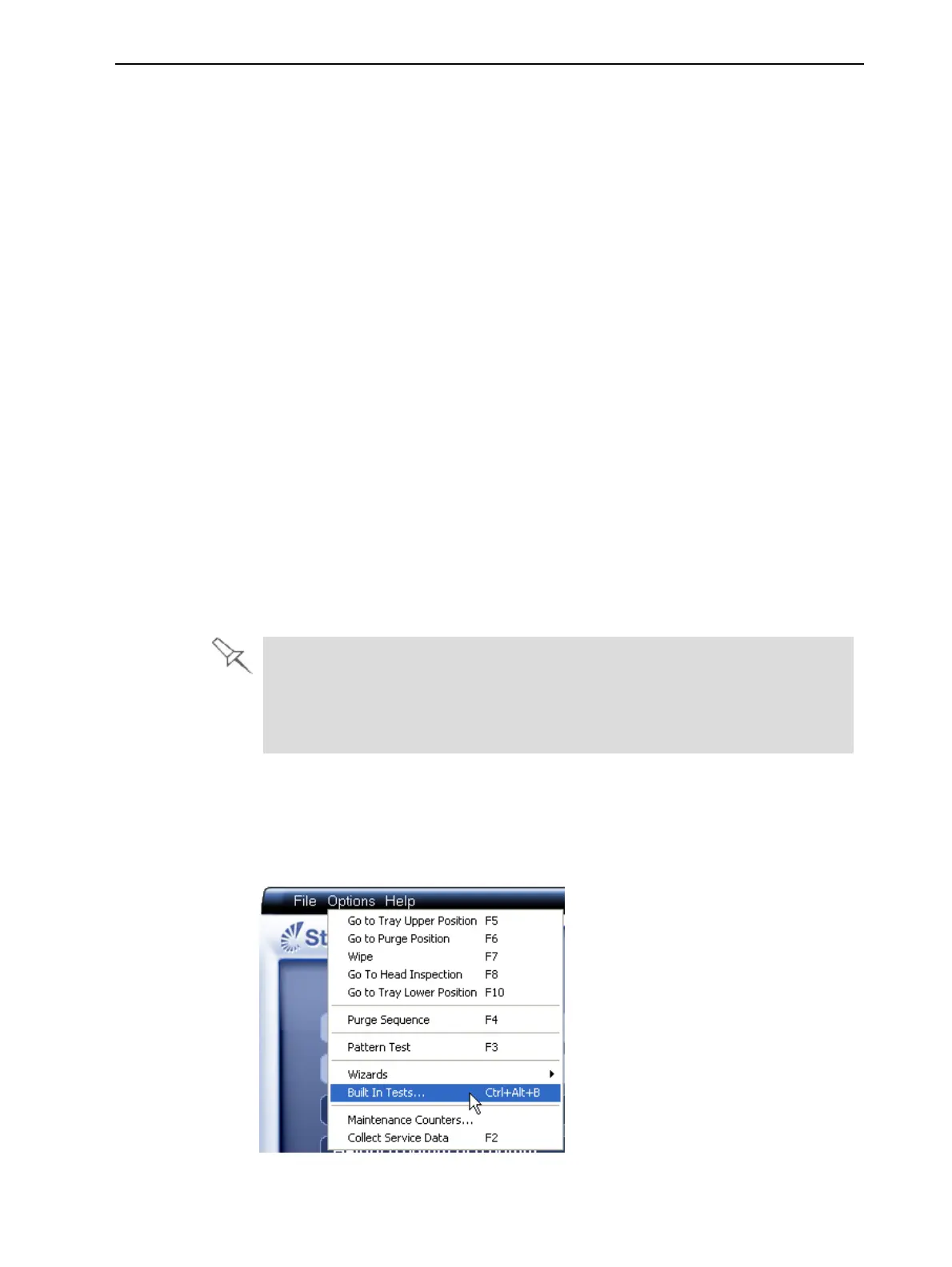
ToopentheBuilt-inTestsscreen,dooneofthefollowing:
•FromtheOptionsmenu,selectBuilt-InTests.
•PressCtrl+Alt+B.
Figure6-114SelectingBuilt-In TestsfromtheOptionsmenu













 To Next Page