Objet1000 Plus User Guide 5 Using Objet Studio
DOC-06810 Rev.B 5-50
Handling Trays
Afterpreparingmodelsonthebuildtray,youcandothefollowing:
•Testthatitcanbeprinted("validation").
•Calculatethetimeandmaterialresourcesneededtoprintit.
•Sendittotheprinterforproduction.
•Saveitforlatercompletionorprinting.
•Saveitasacompressedfileforconvenientstorageandtransfer.
Tray Validation
Beforesendingajobtotheprinterforproduction,youshouldcheckthatthe
trayis“valid”andcanbeprinted.
Note: Becauseoftheuniquecharacteristicsofeachtypeofmodelingmaterial,
makesurethatthecorrectmaterialisselectedbeforeperformingTrayValidation.
Tovalidatethatthetraycanbeprinted:
➢ OntheTray Settingsribbon,intheBuild Processgroup,click .
or—
FromtheToolsmenu,selectPlacementValidation.
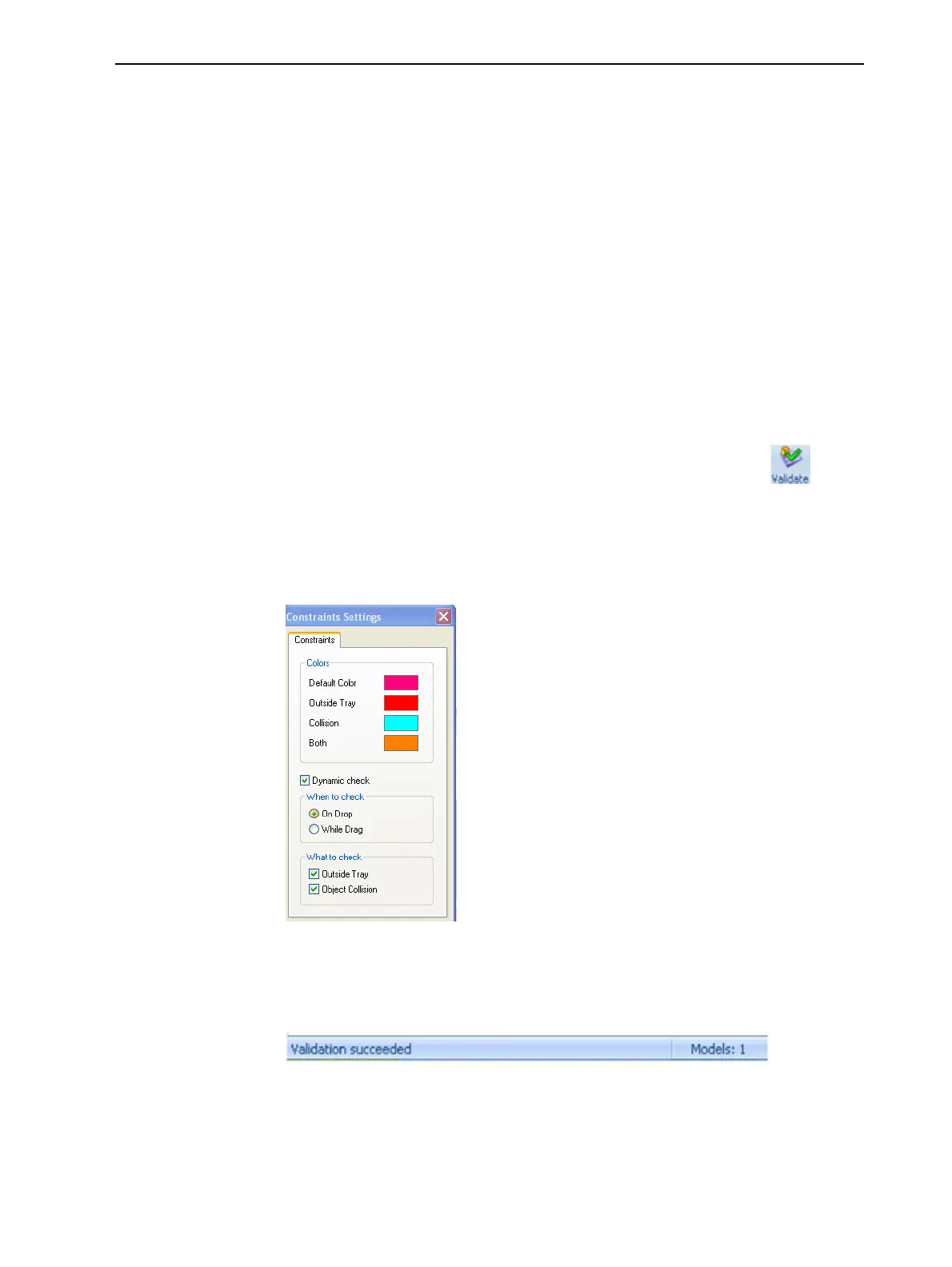
Ifthetrayisnotvalid,thecoloroftheproblematicmodelsonthetray
changesaccordingtoapre-setcode.
Figure5-66Colorcode
Note: The“Both”coloralsoindicatesaproblematicstlfile.
Thevalidationstatusappearsonthebaratthebottomofthescreen.
Figure5-67Validationdetailsinstatusbar
Ifthemaximumcombinedweightofmodelsonthebuildtrayexceeds
135kg,awarningmessageappears.Ifso,youcanremoveorresizeoneor
moremodelsbeforesendingthetraytotheprinter.













 To Next Page