Objet1000 Plus User Guide 6 Operating and Maintaining the Objet1000 Plus 3DPrinter
DOC-06810 Rev.B 6-7
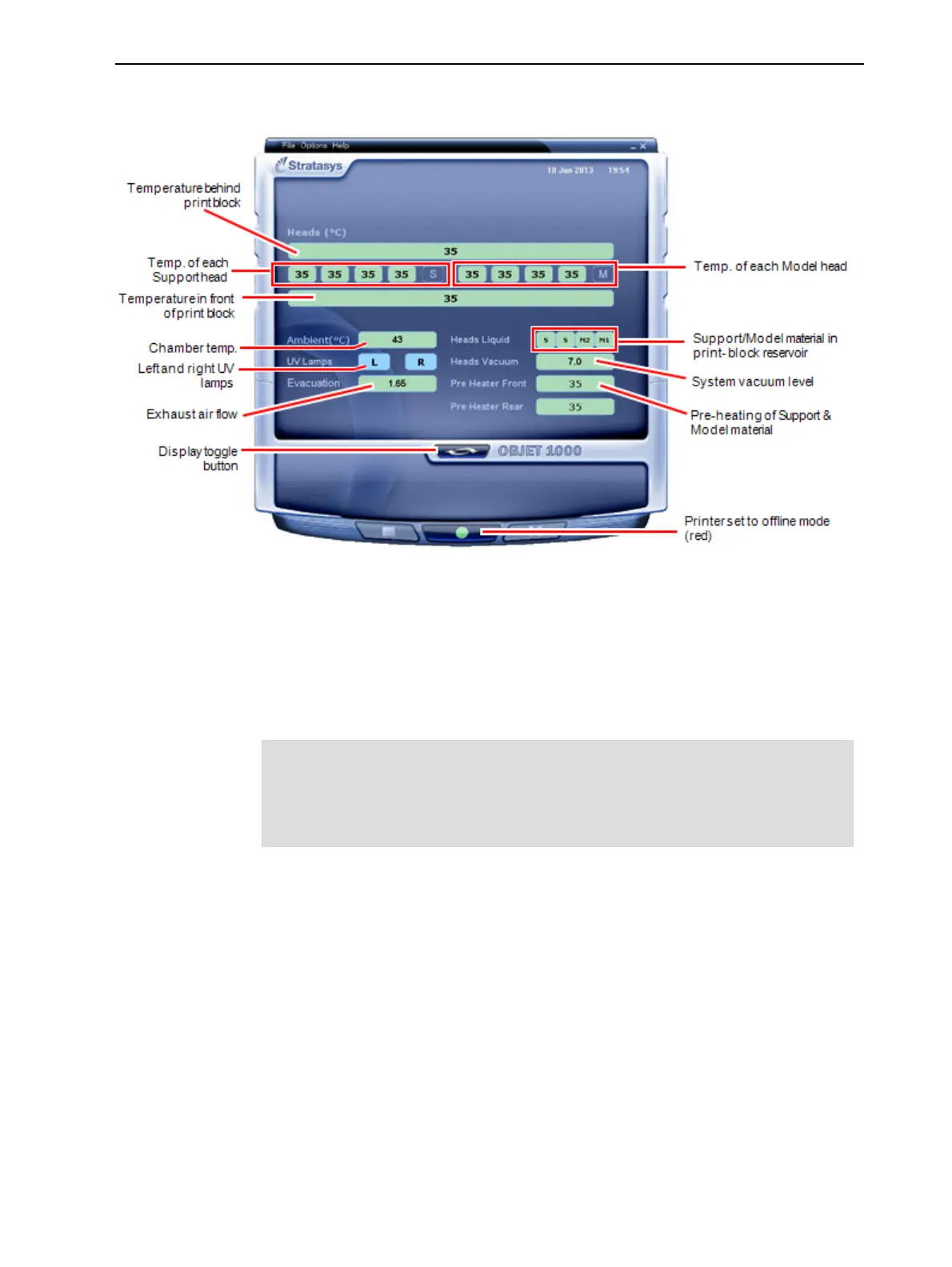
Youcanmonitorprinterstatusbyswitchingtheprinterinterfacedisplay.To
dothis,clickthedisplaytogglebuttonontheprinterinterfacescreen.
Figure6-5Printerstatus
Starting
Printing
Tobeginprinting:
➢ Ontheprinterinterface,clicktheredbuttontoswitchtheprinterto
onlinemode.
Thecolorofthebuttonchangesfromredtogreen(seethefigureon
page6-3).IfthereisajobintheJobManagerqueue,itissenttothe
printer.
Whenswitchingtheprintertoonlinemode,amessageisdisplayedifa
maintenanceactivityisrequiredtoensureoptimumprintingquality.(See
"RoutineMaintenanceSchedule"onpage6-22.)Maintenancenotifications
canbedisabled/enabledfromtheOptionsmenu.
Beforeprintingajob,thesoftwareexecutesasetofhardwareandsoftware
teststoensureoptimumprintingresults.Intheprinterinterface,theprinter
modechangesfromIdletoPre-print,astheprinter’scomponentsprepare
themselvesforproduction:
•Theprintblockisheated.
•TheUVlampsarepoweredandtheywarmup.
Whenprintingbegins,theprintmanagerprogramsendssevenslicestothe
printer-controlapplication.Thisisthestandardbufferbetweentheprint
managerandtheprinter.Aseachsliceisprinted,asalayerofthemodelson
thebuildtray,anothersliceissenttotheprinter.
Dependingonthesizeofthemodel(s)tobeproduced,printingcantake
betweenseveralhourstoseveraldays.AslongasthereisenoughModeland
Supportmaterialinthesupplycontainers,printingproceedsautomatically
untilthejobisfinished.













 To Next Page