Objet1000 Plus User Guide 6 Operating and Maintaining the Objet1000 Plus 3DPrinter
DOC-06810 Rev.B 6-3
2. Aftertheprinter-controlcomputerboots,logintoWindowsandlaunch
theprinter-controlprogram:
❒ Ontheprinter-computerdesktop,double-clicktheObjet1000Plus
printericon.
or—
❒ FromtheWindowsStartmenu,select(All)Programs>Objet>
Objet1000Plus.
AHASPplugcontainingavalidproductactivationkeyisrequiredonthe
printercomputer.Thisissuppliedduringprinterinstallationorupgrade.Ifthe
applicationdoesnotopenandaHASPmessageappears,contactyour
dealerorStratasysCustomerSupport.
3. Aftertheprinter-servercomputerboots,launchtheObjetStudioprogram.
Toswitchthekeyboard,mouseandmonitorbetweentheprinter-control
computerandtheprinter-servercomputer,pressScrollLocktwice,then
pressEnter.
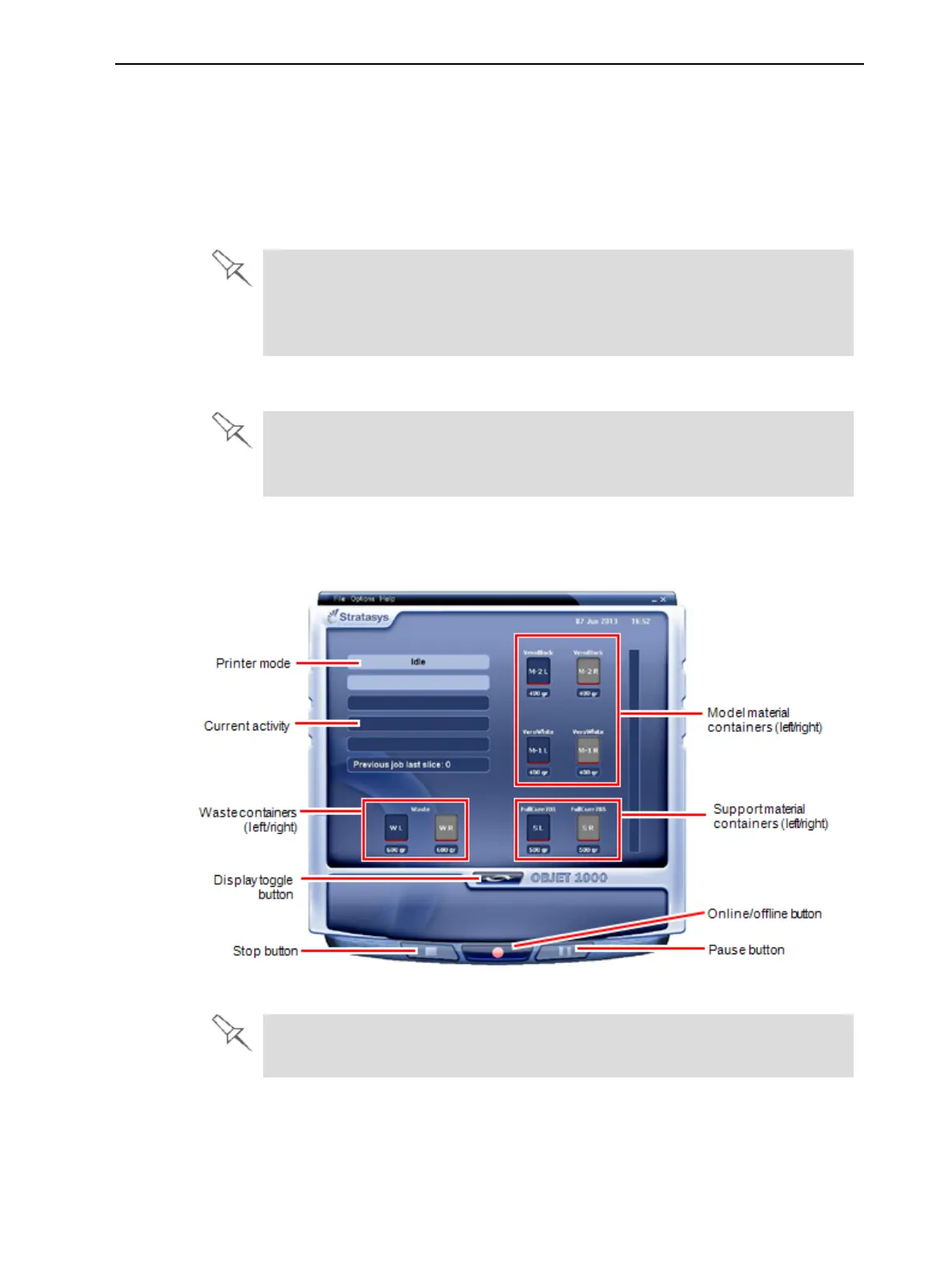
Theprinter-controlcomputerdisplaysthemainprinterinterface.All
monitoringandcontrollingoftheprinterisdonefromthisinterface.
Figure6-3Objet1000Plusinterface
OnemonitordisplaysboththecomputerrunningObjetStudioandtheprinter
servercomputer.













 To Next Page