Objet1000 Plus User Guide 6 Operating and Maintaining the Objet1000 Plus 3DPrinter
DOC-06810 Rev.B 6-10
Resuming Production After Printing has Stopped
Iftheprintingprocessisinterrupted,JobManagertheprintmanagerstops
sendingslicestotheprinter.Thiscanhappen,forexample,iftheprinting
materialrunsoutinthemiddleofaprintjob,andyoudonotreplacethe
emptycontainerimmediately.AftertheprinterchangestoStandbyorIdle
mode,youneedtoresumeprintingfromtheprintmanager(inObjetStudio
orinGrabCADPrint).
Afterprintingstops,theprintergoesintoStandbymode,whenheatingofthe
printheadsisreduced.About10hourslater,theprintergoesintoIdlemode,
whenheatingoftheprintheadsisstopped.
Tocontinueprintingthemodel:
1. Iftheprinterisinofflinemode,switchittoonlinemodebyclickingthe
redbuttonatthebottomoftheprinterinterface(seethefigureonpage6-
3).
Thebuttonchangesfromredtogreen.
2. Ifyoudon’tknowwhyprintinghasstopped,makesurethatthe
connectionbetweentheprinterandtheservercomputerisactive.
3. IntheManagerscreenofObjetStudio,orintheGrabCADPrintscreen,
clicktheResumeicon— or .
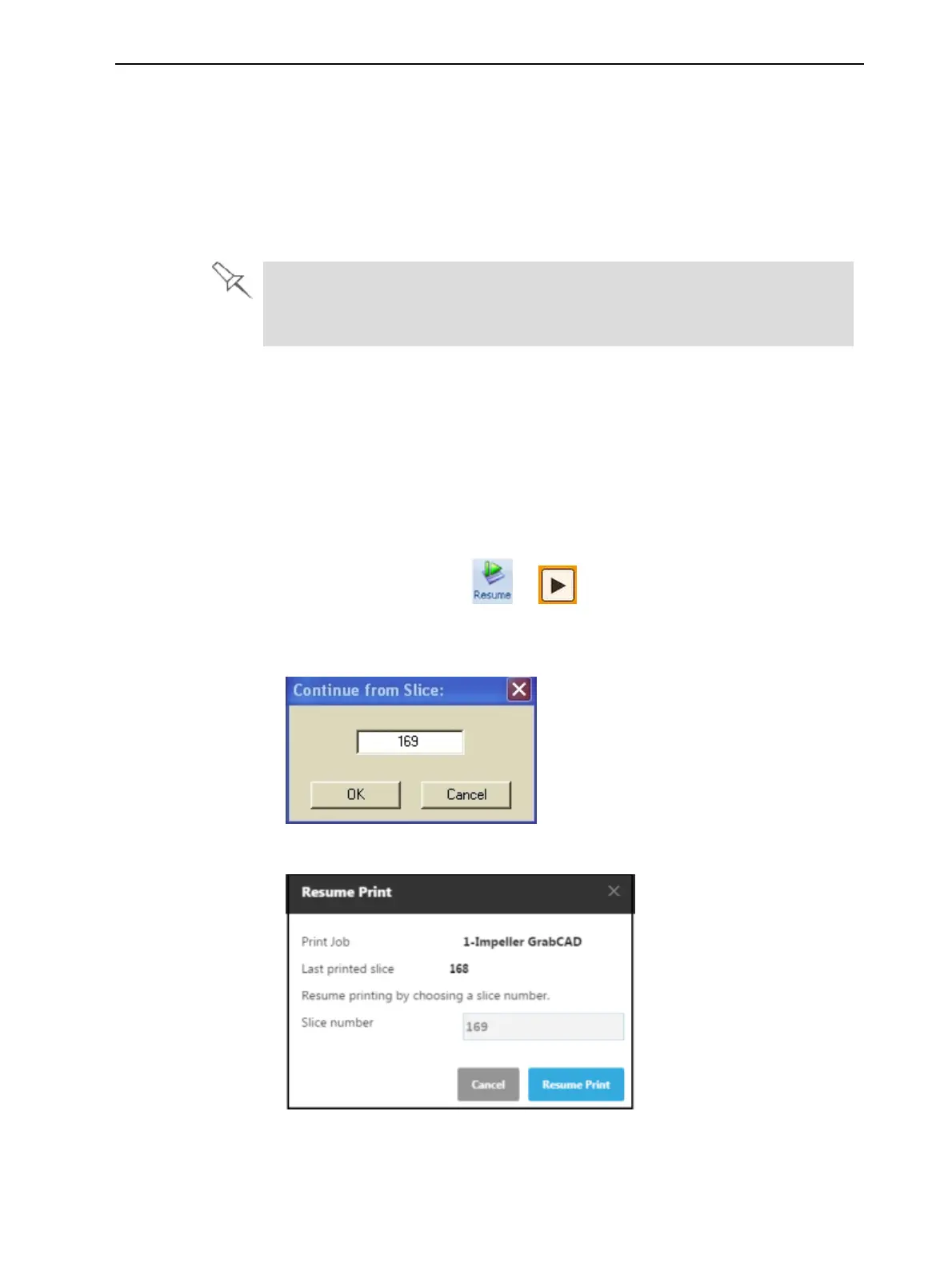
4. Inthejob-preparationapplication,makesurethatthecorrectslice
numberisenteredinthedialogbox.
Figure6-7SliceconfirmationinObjetStudio
Figure6-8SliceconfirmationinGrabCADPrint













 To Next Page