Objet1000 Plus User Guide 6 Operating and Maintaining the Objet1000 Plus 3DPrinter
DOC-06810 Rev.B 6-13
Changing the Printing Material
Beforeproducingmodelsusingadifferenttypeofprintingmaterialthanis
currentlyinstalled,runtheMaterialReplacementwizardtoflushtheprint
blockandfeedtubes.
WhenchangingthetypeofSupportmaterial,runtheMaterialReplacement
wizardandtheHeadOptimizationwizardtoensurequalityprintingresults.
(AfterchangingSupportmaterialwiththewizard,HeadOptimizationis
requiredbeforeprintingmodels.)
YoushouldcarefullyplanprintingmodelswithdifferentModelmaterialsto
avoidunnecessarywasteofthematerialscurrentlyloaded.Theamountof
materialflusheddependsontheflushingcyclechosenandifyouarereplacing
oneorbothModelcartridges.
Toreplacetheprintingmaterialwiththewizard:
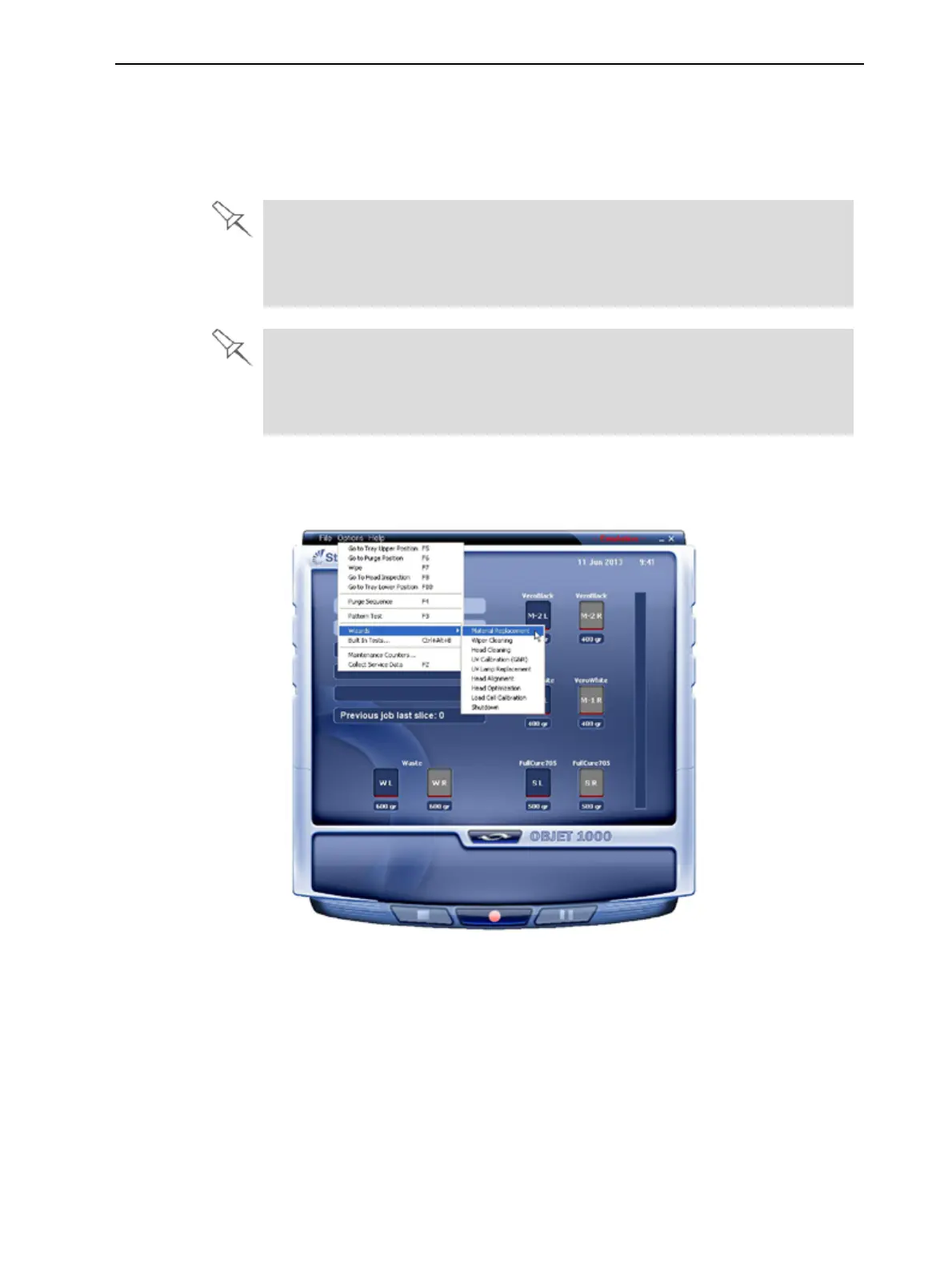
1. StarttheMaterialReplacementwizardfromtheOptionsmenu.
Figure6-10StartingtheMaterialReplacementwizard
2. Intheopeningscreen,clickNext.
3. Iftheprinterdoorsarenotclosed,ascreenappears,promptingyouto
closethem.ConfirmthisandclickNext.













 To Next Page