Objet1000 Plus User Guide 5 Using Objet Studio
DOC-06810 Rev.B 5-24
Changing the
Model Material
WhenyoudesignabuildtrayinObjetStudio,youcanusemodelmaterials
thatmightnotbecurrentlyinstalledintheprinter.Becausetheinstalled
materialsaredisplayedbydefault,changethematerialselectionsettingson
theTray Settingsribbon,ifnecessary.
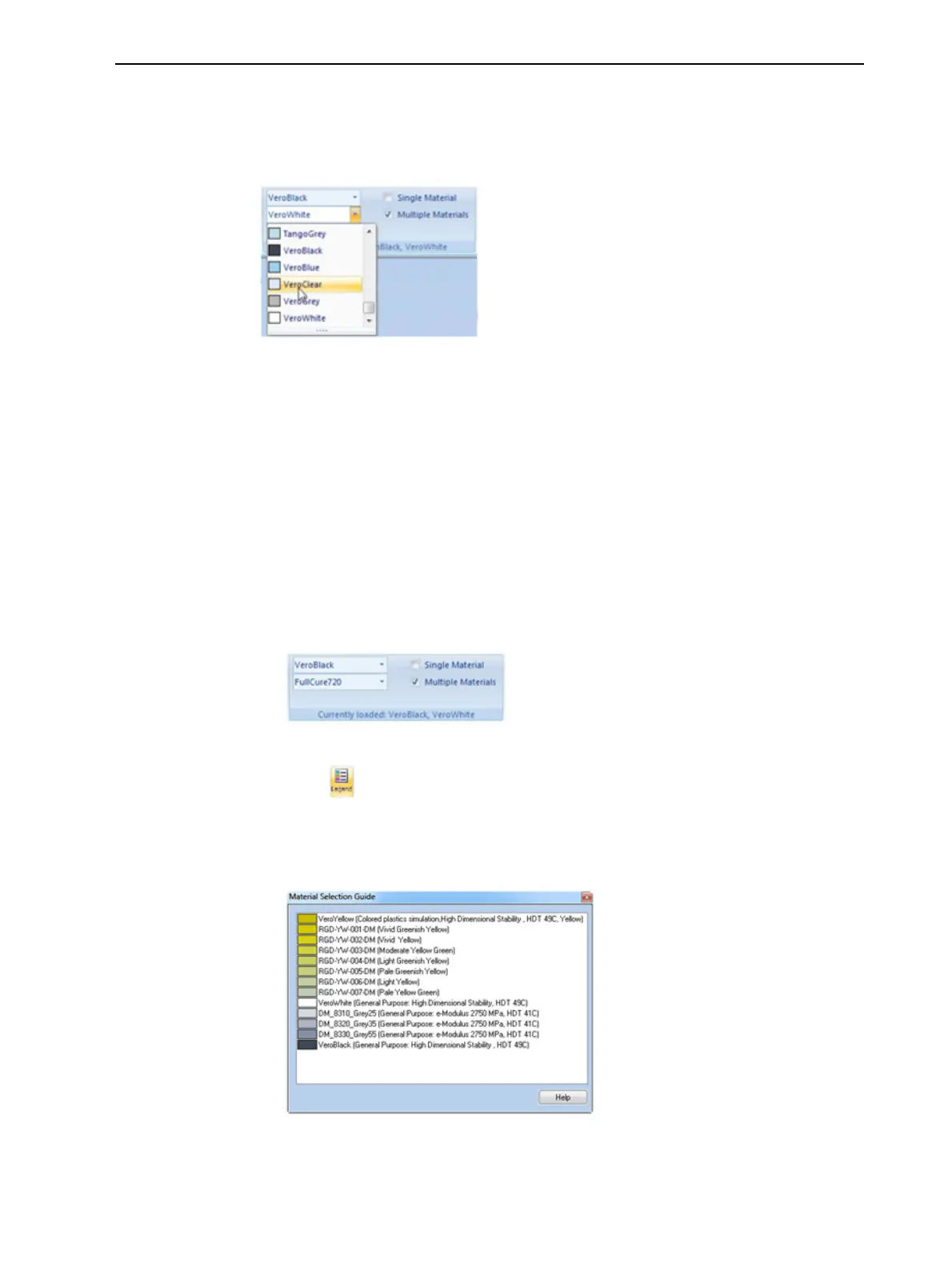
Figure5-26Selectinganewmodelmaterial
Digital
Materials
Whentwodifferentmodelmaterialsappearontheribbon,youcanproduce
objectsfromeithermaterialorfromacombinationofthem—digital
materials.Differentpairsofmodelmaterialsenableyoutoprintobjectswith
uniquecharacteristics.Differentdigitalmaterialsproduceobjectswith
differentshadesofcolor.Combinationsofmodelmaterialsthathavedifferent
mechanicalpropertiesresultindigitalmaterialswithuniquemechanical
characteristics.
Toviewthedigitalmaterialsavailableforprintingobjects(usingtwobasicmodel
materials):
1. Makesurethatyouhaveselectedtheappropriatemodelmaterials,and
thatMultipleMaterialsisselected.
Figure5-27Materialselectionwithtwobasicmodelmaterials
2. Click .
TheMaterialSelectionGuideappears,showingthebasicmodelmaterials
(atthetopofthelist)andthedigitalmaterialsavailable(combinationsof
them).
Figure5-28MaterialSelectionGuide,showingthedigitalmaterials
availablewiththebasicmodelmaterials













 To Next Page