Objet1000 Plus User Guide 4 Installing Objet Studio
DOC-06810 Rev.B 4-2
How to Install Objet Studio
ObjetStudiosoftwareisinstalledduringprinterinstallation.Thissectionis
providedincaseyouneedtoreinstallObjetStudio,orinstallitonaremote
(client)computer.
TheObjetStudiosetupwizardguidesyouwheninstallingthissoftware.Objet
Studioisinstalledontheprinter-server(“host”)computer,oneofthebuilt-in
printercomputers,butitcanalsobeinstalledonremote,“client”computers
andoncomputersusedtopreparefilesforprintingmodels,orfortraining
anddemonstrationpurposes.Duringinstallation,youchoosetoinstalleither
theprinter-server(“host”)applicationortheclientapplication.
ToinstallObjetStudiosoftware:
1. ConnecttheUSBflashdrive(suppliedwiththeprinter)toaUSBport.
2. OntheUSBflashdrivenavigatetotheObjetStudioinstallationfile,and
runit.
3. ToinstallObjetStudio,youmustagreetothelicenseagreement.After
readingitsterms,clickYestocontinue,orNotoclosethewizard.
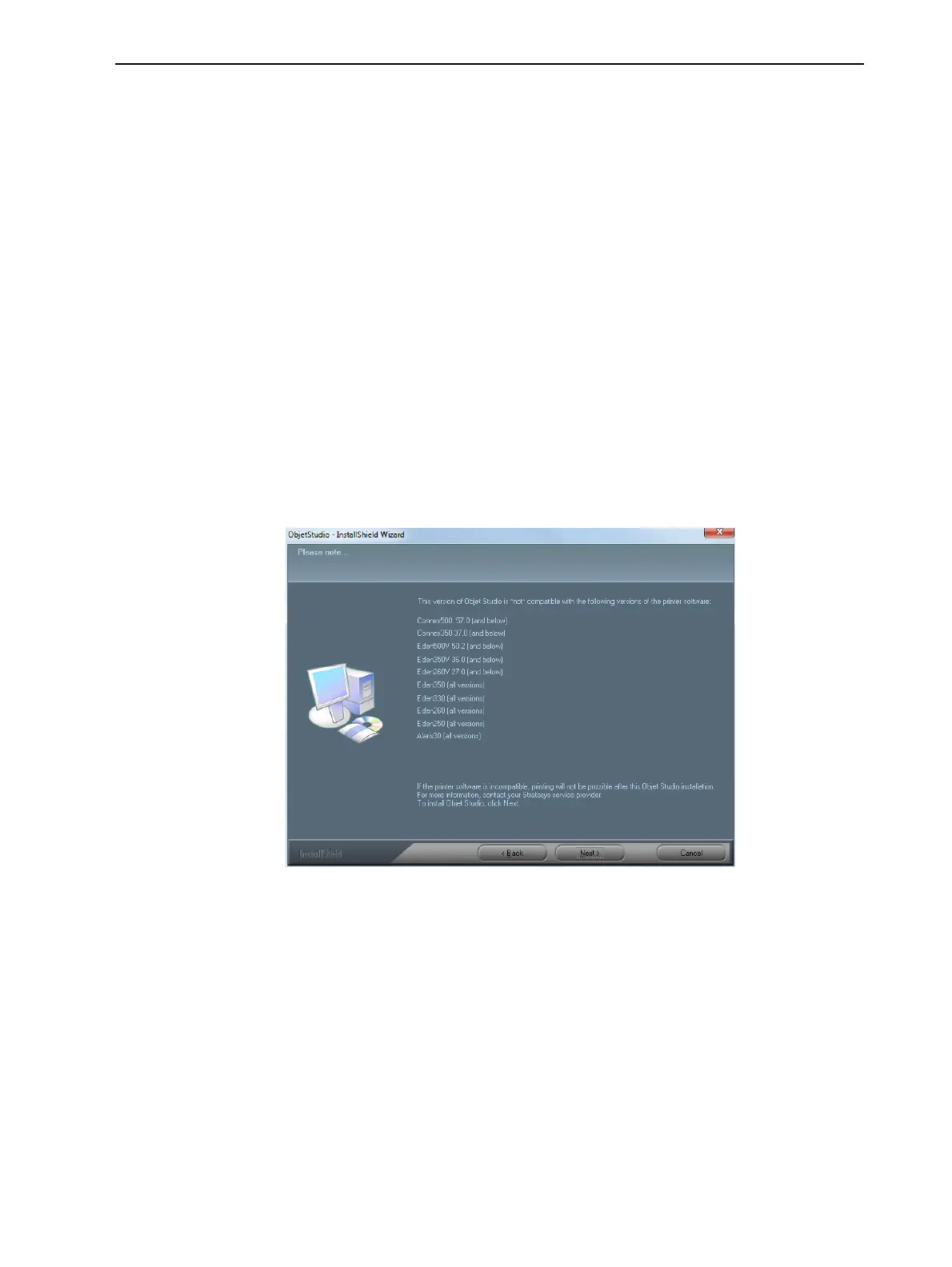
IfyouclickYes,thefollowingscreenshouldappear.
Figure4-1ObjetStudiocompatibilitycheck
4. MakesurethatyourprinteriscompatiblewithObjetStudiobychecking
thelistdisplayed.
Note:Theprintersdisplayedarelegacyprintersthatarenot compatiblewith
thisversionofObjetStudio.













 To Next Page