Objet1000 Plus User Guide 5 Using Objet Studio
DOC-06810 Rev.B 5-51
Production
Estimates
ObjetStudioenablesyoutocalculatethetimeandmaterialresourcesneeded
forproducingtraysbeforesendingthemtotheprinter.Thetimeittakes
ObjetStudiotoperformthiscalculationdependsonthenumberofobjectson
thetrayandtheircomplexity.Calculatingtheproductionestimateforafull
traycouldtakeupto15minutes,dependingonyourcomputer’s
specifications.
Tocalculatethetimeandmaterialsneededforproducingthecurrenttray:
➢ OntheTray Settingsribbon,intheBuild Process group,click .
Whiletheestimateisbeingcalculated,aprogressbarisdisplayed—onthe
rightsideofthestatusbar(atthebottomofthescreen).
Figure5-68Estimateprogressbar
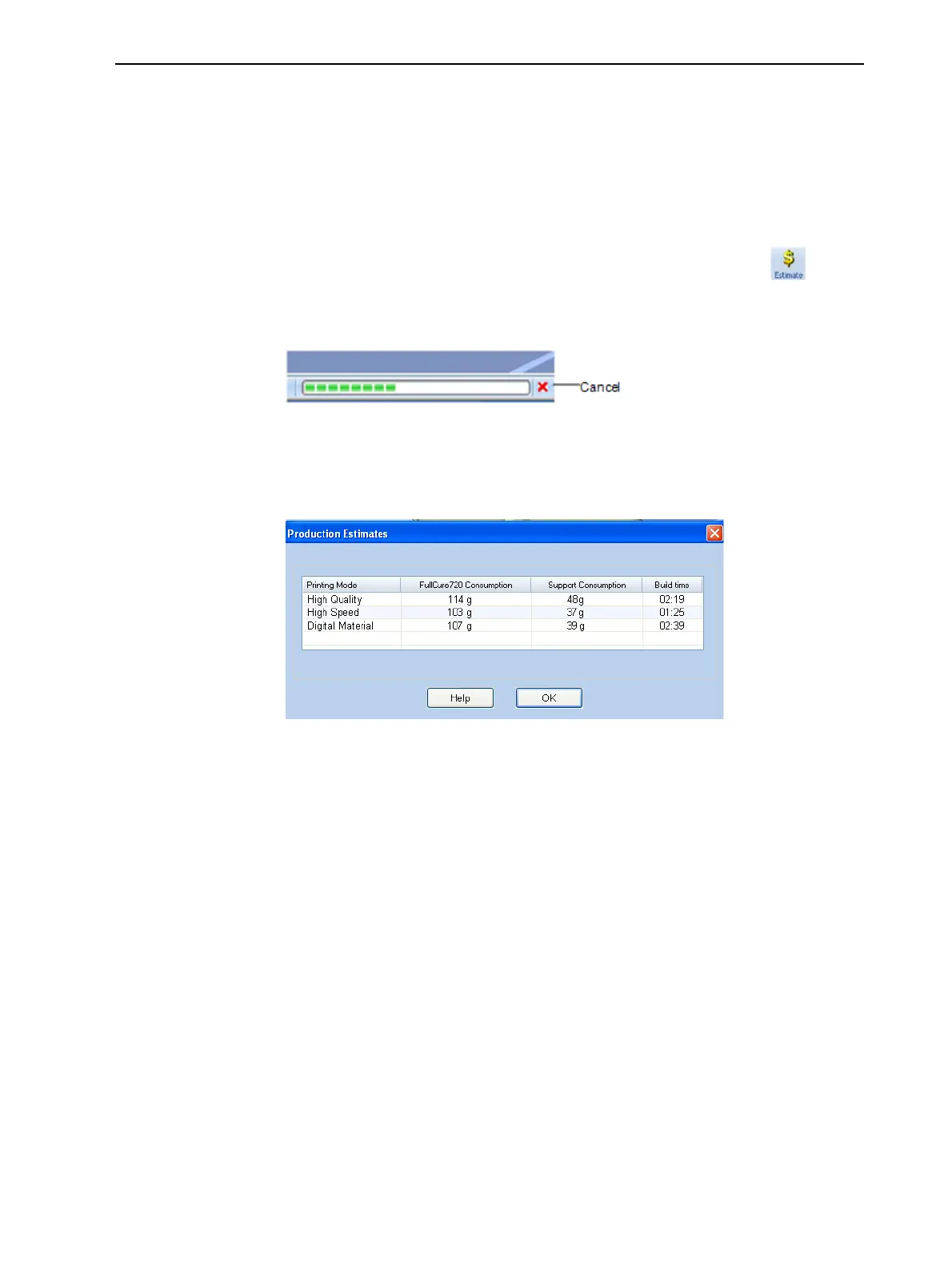
WhenObjetStudiofinishescalculatingtheproductionresources,the
resultsaredisplayedinadialogbox.
Figure5-69Productionresourcecalculationsfordifferentprintingmodes
AsshownintheProduction Estimatesdialogbox,theresourcesneededfor
producingthemodelsonthetraydependontheprintingmodeusedbythe
printerwhenproducingthejob.Youmightwanttoconsidertheseestimates
whendecidingontheprintingmode(seebelow),andwhetherornottoallow
usingsubstitutemodelmaterialswhenprintingthejob.
Note: Youselecttheprintingmodeandmaterialsubstituteoptionsafteryou
sendthebuildtraytotheprinter(see"PrintingtheTray"onpage5-53).
Ifthemaximumcombinedweightofmodelsonthebuildtrayexceeds135kg,
awarningmessageappears.Ifso,youcanremoveorresizeoneormore
modelsbeforesendingthetraytotheprinter.













 To Next Page