Objet1000 Plus User Guide 5 Using Objet Studio
DOC-06810 Rev.B 5-32
Valid Object
Placement
Youcanensurethatmodelsdonotoverlapwhenyoupositionthemonthe
buildtray,andthattheydonotextendbeyondthetray.
Toensurevalidobjectplacement:
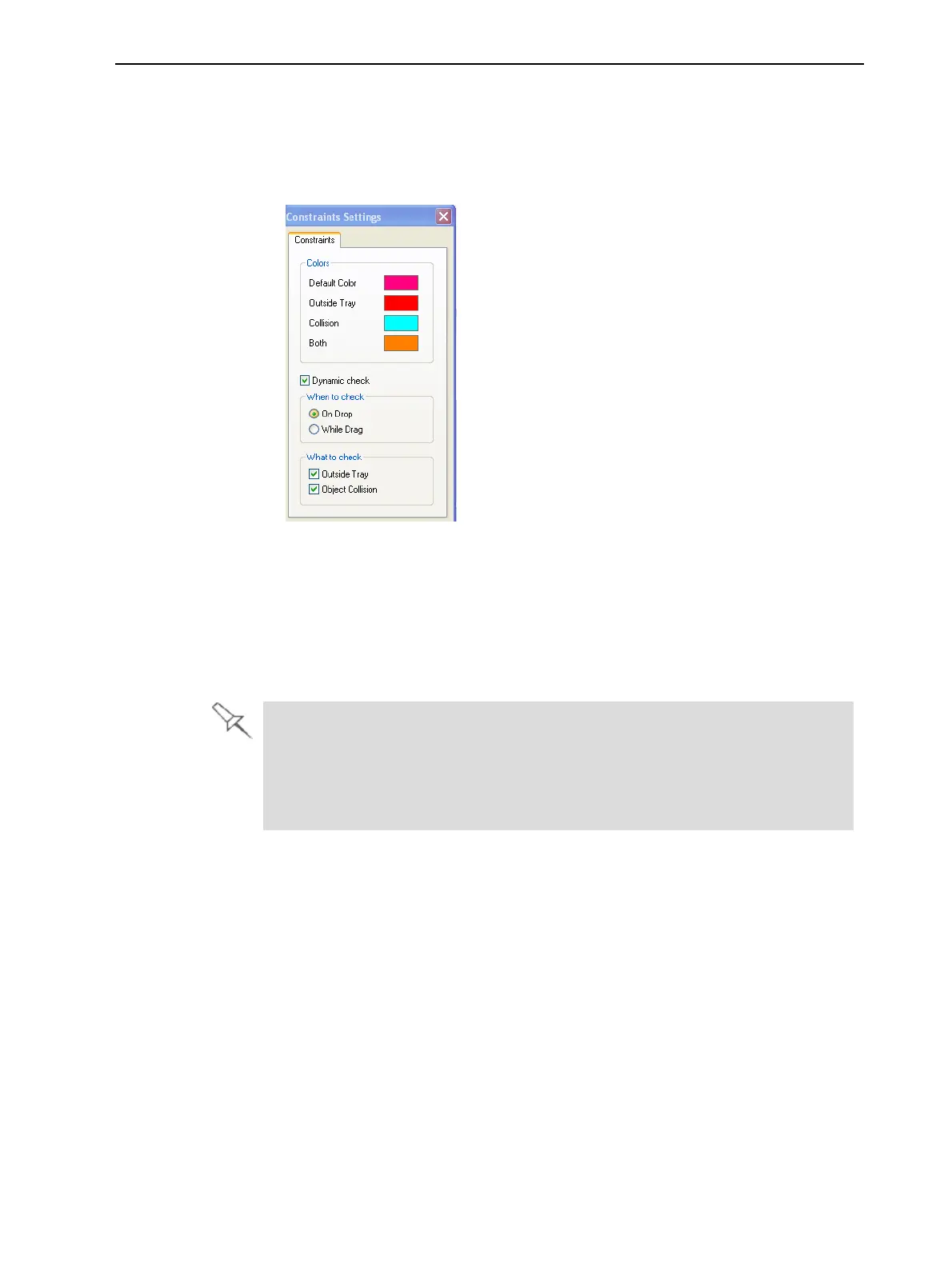
1. FromtheToolsmenu,selectConstraintsSettings.
Figure5-36Constraints Settingsdialogbox
2. SelectDynamicchecktoidentify—
❒ invalidobjectplacementwhileplacingobjects—On Dropselected.
❒ invalidobjectplacementaftermovingobjects—While Drag selected.
❒ objectsplacedbeyondthetray’sboundaries—Outside Tray selected.
❒ objectsthatoverlap—Object Collision selected.
EvenifyoudonotuseDynamic Check whenplacingobjectsonthebuildtray,
ObjetStudioautomaticallychecksifthereisaproblemwiththepositioningof
objectsonthetraybeforesendingittotheprinter.Youcanalsomanually
checkforproblemsafterpositioningobjects(see"TrayValidation"onpage5-
50).
Note: Becauseoftheuniquecharacteristicsofeachtypeofmodelmaterialand
finish,alwayscheckvalidplacementafterchangingthematerial/finish.
RememberthatObjetStudiocalculatesthespaceoccupiedbyanobject
includingthe“boundingbox”surroundingit(seeFigure5-51onpage5-43).













 To Next Page