Objet1000 Plus User Guide 5 Using Objet Studio
DOC-06810 Rev.B 5-9
Objet Studio
Commands
Menu
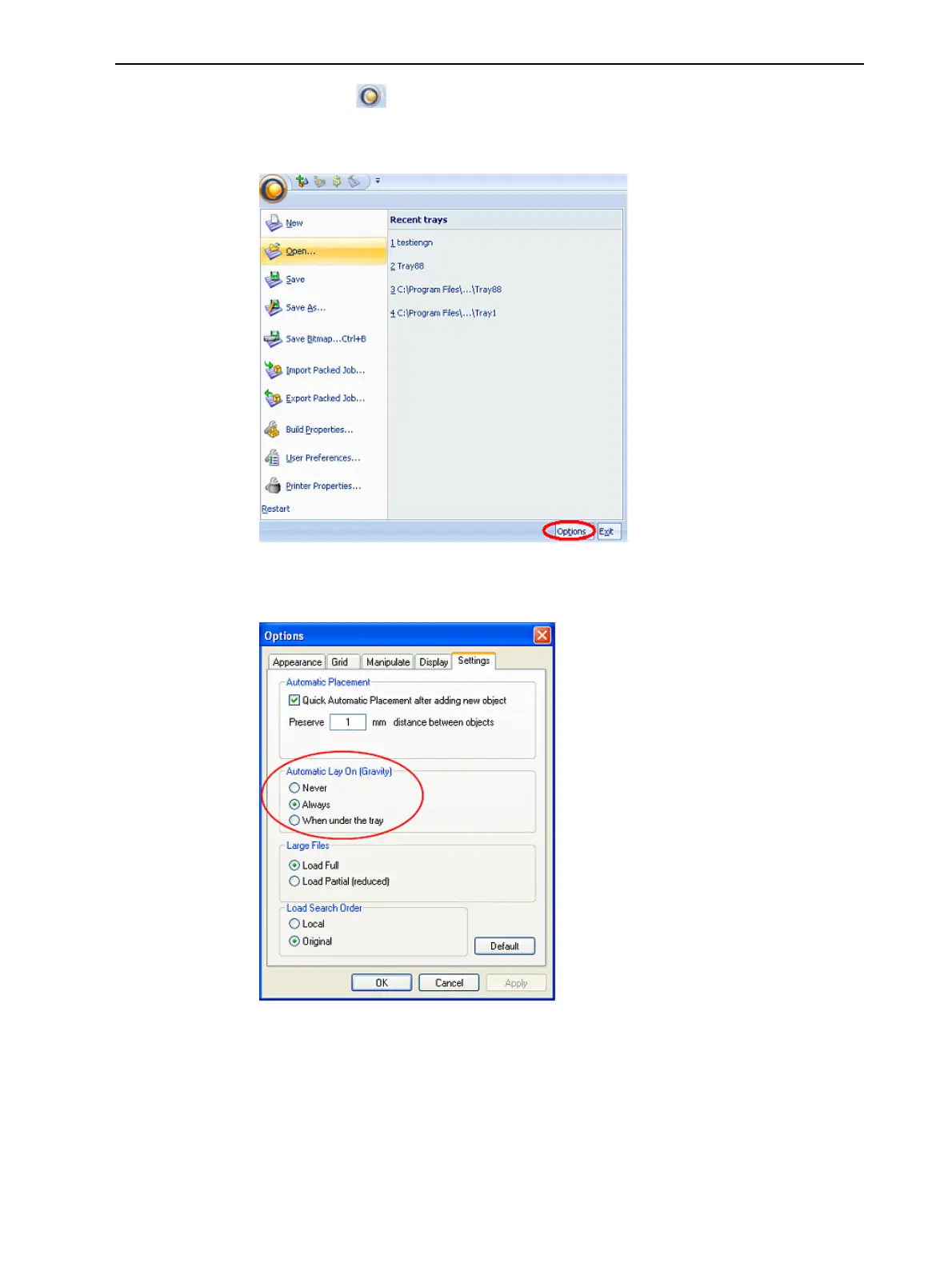
Clickingthe iconintheupper-leftcorneropenstheObjetStudio
Commandsmenu.Thismenudisplaysbasicapplicationcommandsand
options.
Figure5-7ObjetStudioCommandsmenu
The OptionsbuttonopensadialogboxforcustomizingObjetStudio.
Figure5-8Optionsdialogbox
Model Tree
Pane
TheModel Treepaneliststheobjectsplacedonthebuildtrayinaparent-
childhierarchy.Bydefault,thepane“floats”—thatis,youcanmoveitto
anotherpositiononthescreenandresizeit.Alternatively,youcanfixits
positionattheleftoftheapplicationwindow,andevenhideit.













 To Next Page