Objet1000 Plus User Guide 5 Using Objet Studio
DOC-06810 Rev.B 5-20
Youcanalsocopyobjectsfromonetrayandpastethemontoanother,inthe
samewayasyoucopytextfromonedocumentandpasteitintoanotherone.
However,ObjetStudioallowsonlyonetraytobeopenatatime.Foreach
buildtrayyouneedtoworkwith(atthesametime),youmustopenaseparate
ObjetStudiowindow,byrunningtheapplicationagain(fromtheWindows
Startmenu).
HavingmultipleObjetStudiowindowsopencanbeconvenientwhenyou
needtomanipulateorconfigureobjectsbeforeinsertingtheminyour
productionbuildtray.Forexample,ifyouneedtochangethemodelmaterial
ofanobject(savedasanobjdffile)tomatchthemodelmaterialalreadyused
intheproductionbuildtray,youmustdosobeforeinsertingtheobject—on
anothertray.Copyingandpastingalsoallowsyoutouseobjectsalready
configuredonpreviously-usedbuildtraysfornewerprojects.
YouperformtheCopyandPastecommandsasinotherWindows
applications:
•fromtheright-clickcontextmenu.
•byusingkeyboardshortcuts(Ctrl+CandCtrl+V,respectively).
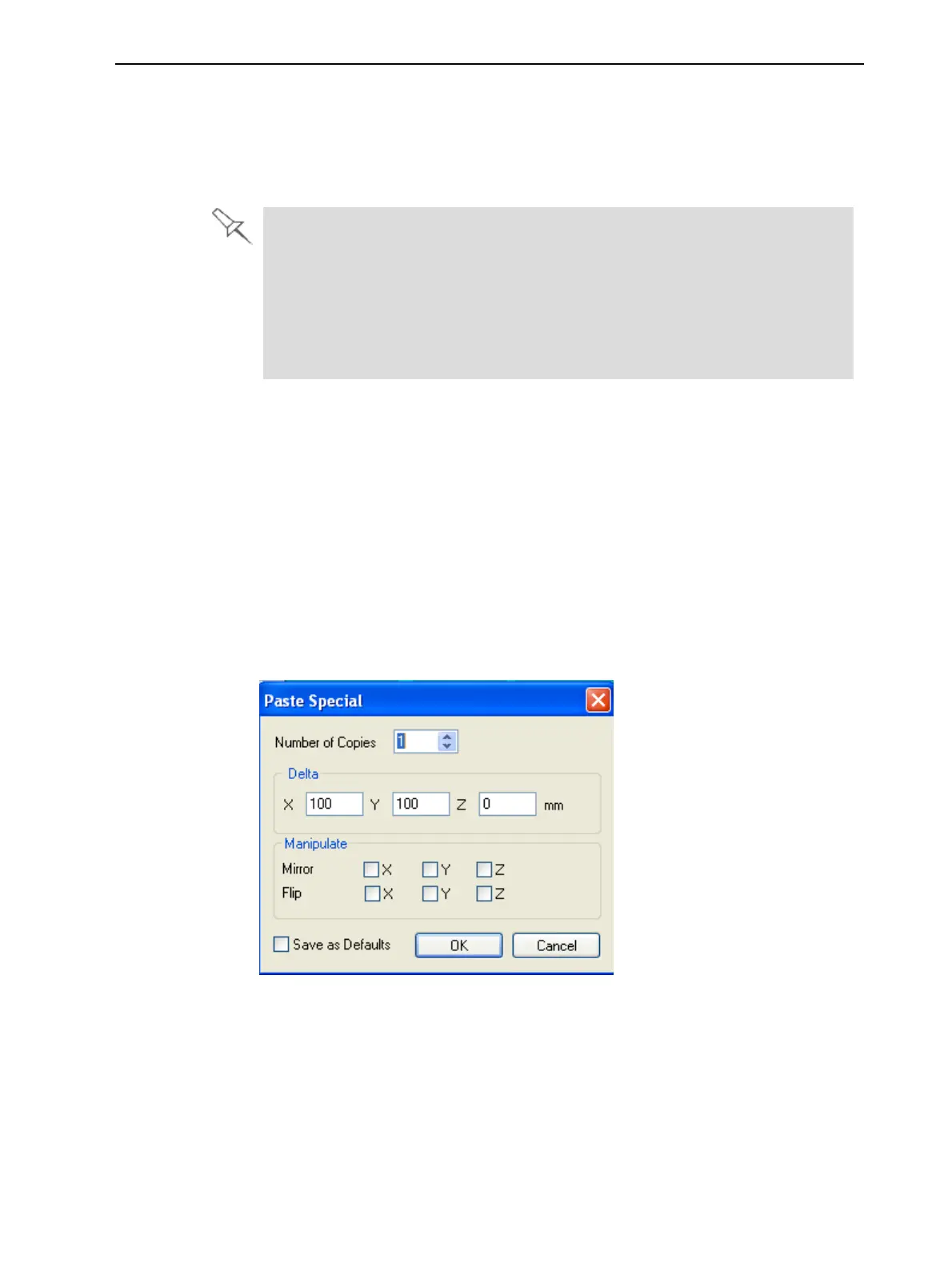
ThePaste Specialcommand(fromtheobject’sright-clickcontextmenu)
enablesyoutoplaceduplicateobjectsevenmoreefficiently:
•Youcanspecifythenumberofduplicatestoplaceonthebuildtrayat
once.
•Youcansetthedistance,oneachaxis,betweentheduplicateobjects.
•Youcanmanipulatemirrorimagesoftheoriginalobject,andflipthemon
selectedaxes.
Figure5-21Paste Specialdialogbox













 To Next Page