DC5 User’s Manual
Software 6-27
6.4 Webserver
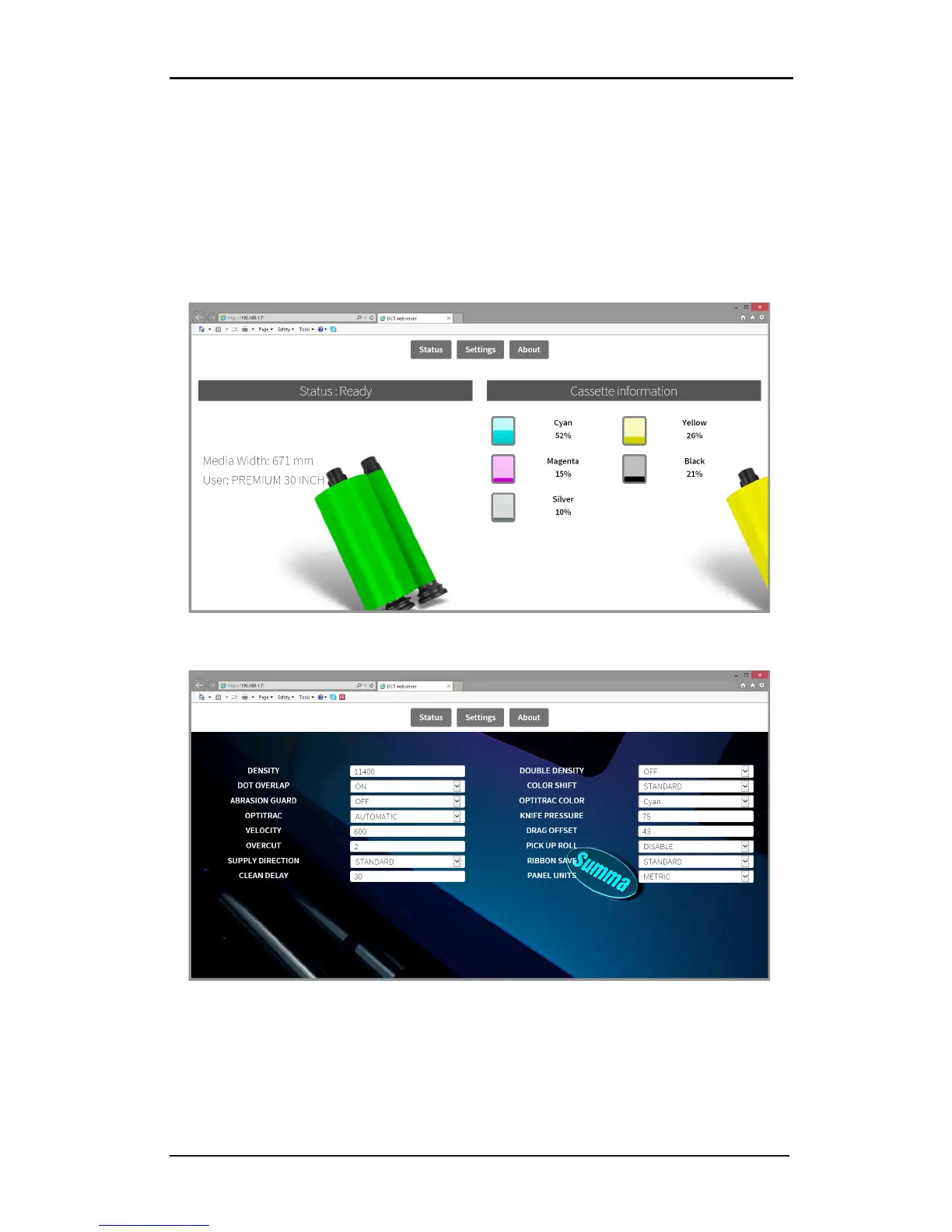
The DC5(sx) has a small built-in webserver. This enables access to the basic functions of
Summa Printer Control with a web browser.
In order to access, open the web browser and Type the IP address in the address bar. There
are three main parts.
Status:
The web browser comes up with the status window. The media size, current user and
loaded ribbons are shown.
Click on ‘Settings’ to scroll down to the most used parameters.



 To Next Page