S Class 3 User’s Manual
Detailed operation 4-8
In the menu, you can choose to calibrate the sensor for a specific type of media or to make
this the default setting. The procedure below describes how to calibrate. If in step 6 of the
procedure Reset to default is chosen, the procedure ends there and the settings for that user
for that sensor are reset to default.
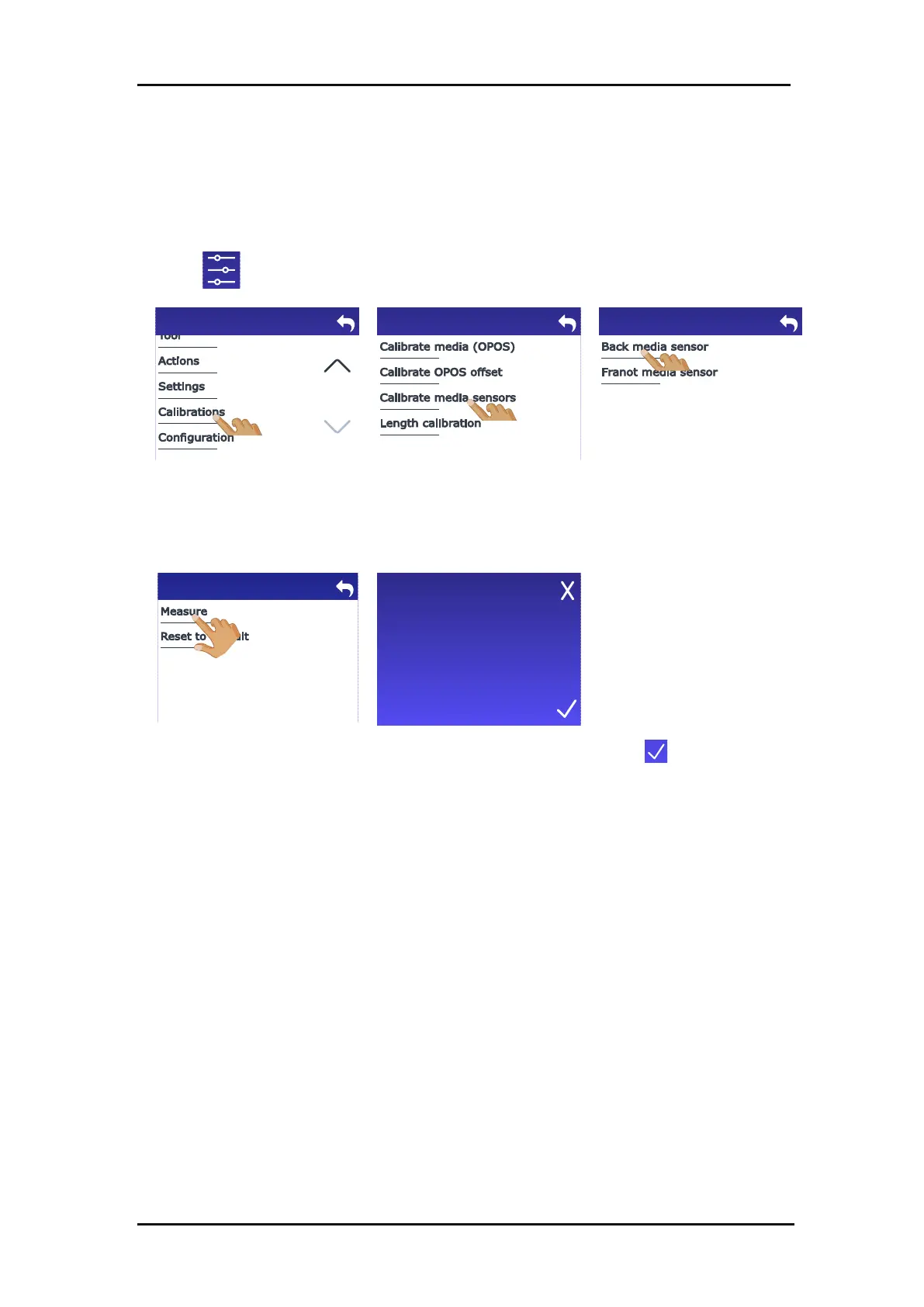
1. Power on the cutter.
2. Tap .
3. Scroll down with the arrow
and tap Calibrations.
4. Tap Calibrate media
sensors.
5. Select the sensor to
calibrate by tapping Back
media sensor or Front
media sensor.
The cutter prompts you to
load media until half of the
sensor is covered (see section
1.5.4).
7. Tap when this is done.
Insert media and cover half
of the sensor with it.








 To Next Page