6.7 When an Error Message Appears on the Control Panel
155
6
Troubleshooting
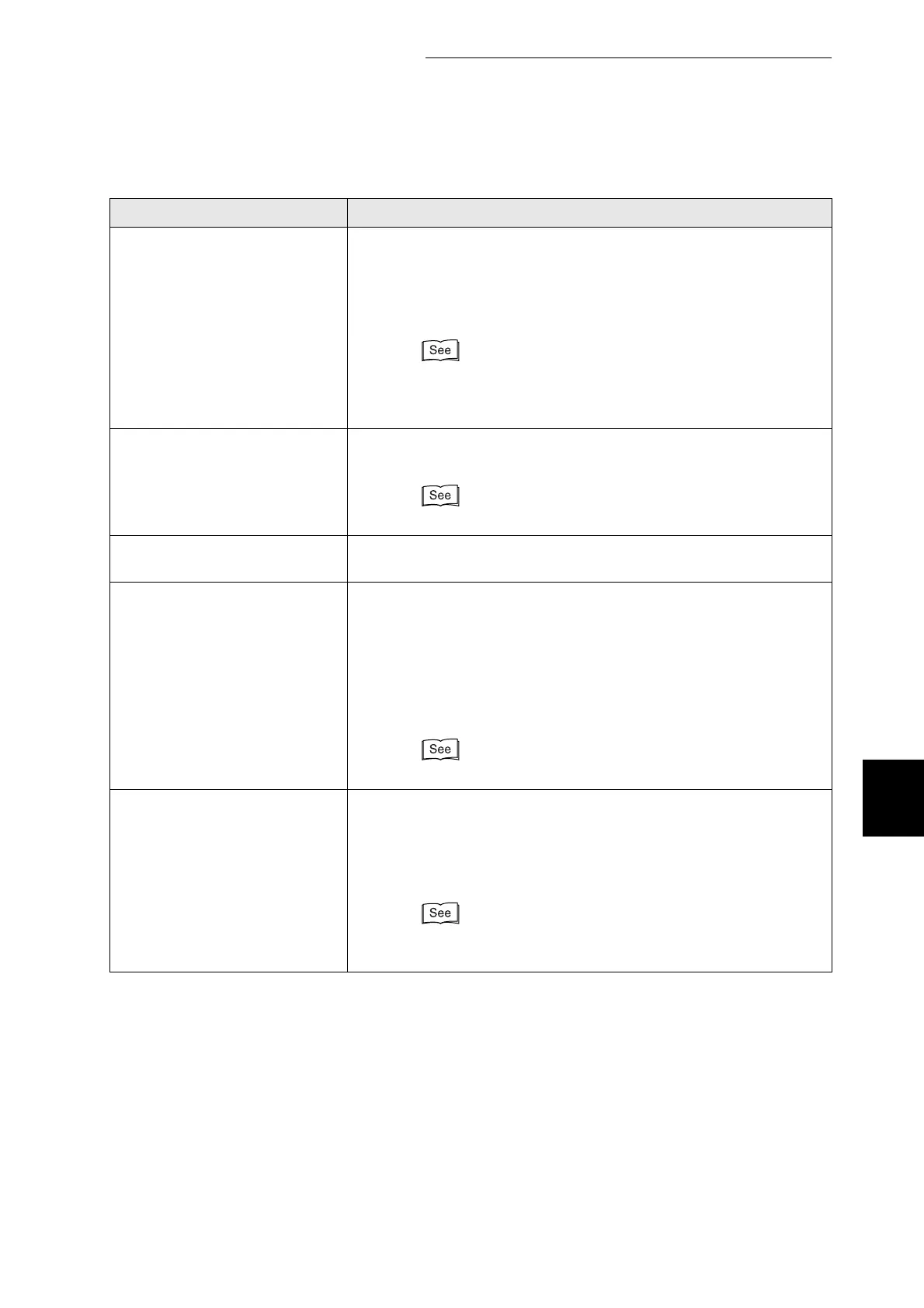
Sys Data Deleted
Press Set
All system settings stored in the NV memory were deleted.
Action: Press the Set/Eject button to initialize the NV memory.
The printer settings may be deleted when you reset the NV
memory. Print the Printer Settings list and the Panel
Settings list to confirm settings.
"8.4.1 Confirming Printer Configuration and Network
Settings".
"5.3 List of Menu Items"
No Paper in
All Trays
There is no paper in any of the paper trays.
Action: Load paper into the trays.
"4.2.1 Loading Paper in the Paper Tray"
Push in
All Trays
One of the trays is not properly inserted.
Action: Push the all paper trays completely back into the printer.
Disk Full
Please Press Set
The hard disk became full during electronic sorting and data writing
was halted.
Action: Press the Set/Eject button.
It deletes print jobs from the printer. Print with one of the
following methods:
●
Print fewer pages at a time.
●
Deactivate the printer driver hard disk setting.
"3.5 Changing the Configuration for Options"
Load xxxx
in ManualTray
Paper size xxxx is not loaded in the multi purpose tray or is different
from the size specified on the computer.
Action: Load paper xxxx into the multi purpose tray. If the
computer settings are incorrect, cancel printing. Specify
the correct paper the computer and reprint.
"4.2.2 Loading Paper in the Multi Purpose Tray"
"3.4.2 Canceling Printing at the Control Panel"
Message Meaning and Action
"xxx" represents a paper size or paper orientation.



 To Next Page