6.7 When an Error Message Appears on the Control Panel
158
6
Troubleshooting
Reinsert Black
Toner (K)
There is no black toner cartridge inserted in the printer or the
cartridge is improperly set.
Action: Grip the levers at each end of the black toner cartridge with
your fingers, then push down firmly to rotate the levers
forward to install the cartridge.
"8.1.2 Replacing Toner Cartridges"
Operation Error
Please Press Set
The request from the computer could not be printed.
Action: Press the Set/Eject button and cancel printing. Check the
printer driver settings and reprint.
Operation Denied
While Printing
An illegal operation was performed on the control panel during
printing.
Wait until printing finishes.
Ready to Print
OOOOO toner (O)
Need Replacement
This is a warning message. There is almost no toner remaining in
OOOOO toner cartridge.
Prepare a new OOOOO toner cartridge to replace the old cartridge
when it becomes empty.
Ready to Print
ServCall J
This is a warning message.
It is time to replace the fuser unit.
Ready to Print
Trans Roller
Need Replacement
This is a warning message. It is almost time to replace the transfer
roller.
Prepare a new transfer roller ready to replace the old one when the
time comes.
Ready to Print
Drum Cartridge
Need Replacement
This is a warning message. It is almost time to replace the drum
cartridge.
Prepare a new drum cartridge to replace the old one when the time
comes.
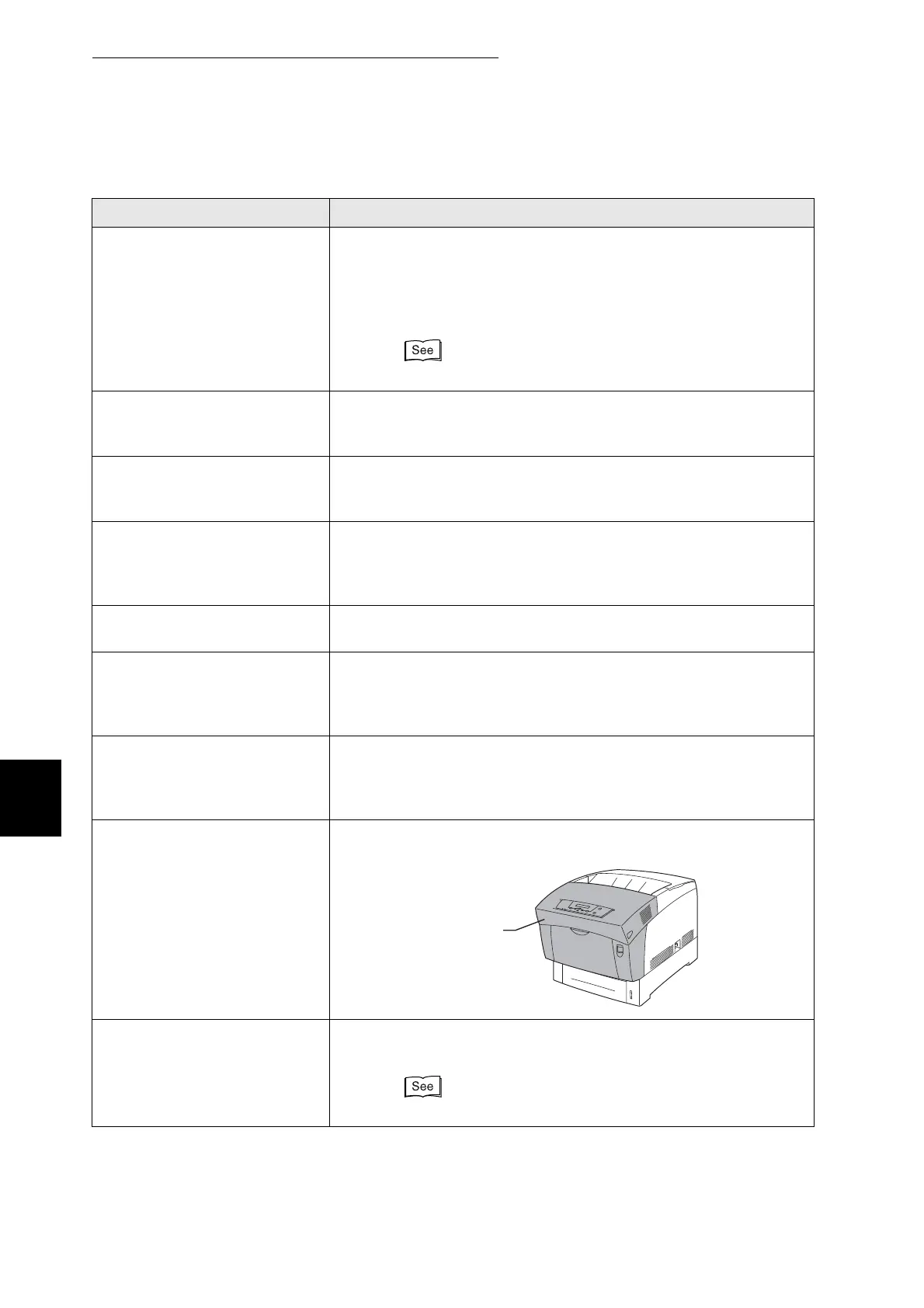
Close
Front Door
The front door is open.
Action: Make sure that the front door is properly closed.
Replace Magenta
Toner (M)
The magenta toner cartridge is empty.
Action: Replace the magenta toner cartridge.
"8.1.2 Replacing Toner Cartridges"
Message Meaning and Action
Front door



 To Next Page