2.4 Installing the Printer Driver
47
Installing the Printer Driver
2
When you do not know the IP address of the printer, either check with the network
administrator, or print out the Printer Settings list to confirm. Refer to "8.4.1 Confirming
Printer Configuration and Network Settings".
For TCP/IP environment (Windows 2000/Windows XP/Windows 2003)
The following example is for Windows 2000.
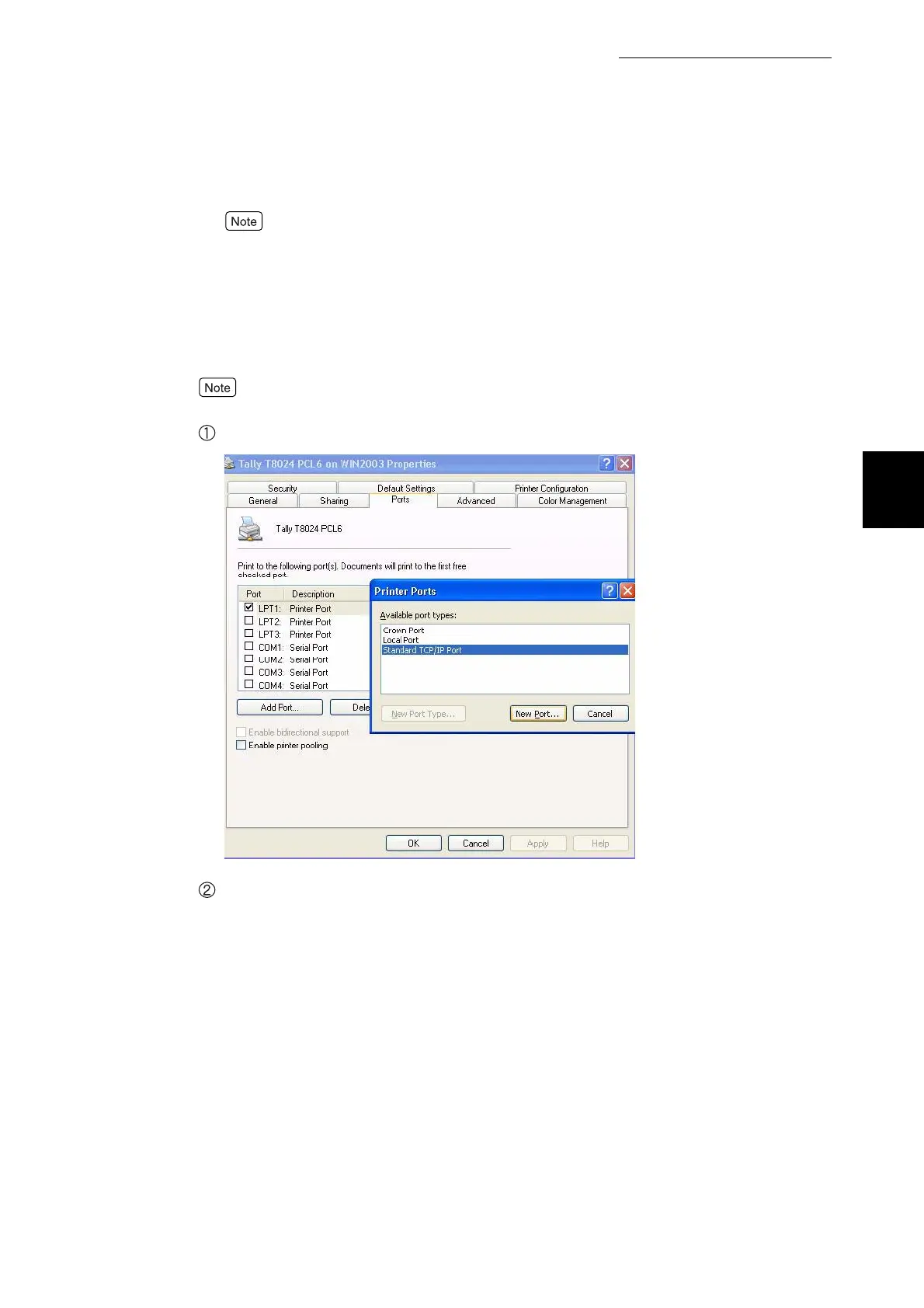
This section explains the procedure for selecting Standard TCP/IP Port.
Select Addport and click Standard TCP/IP Port from Available ports.
Click OK.



 To Next Page