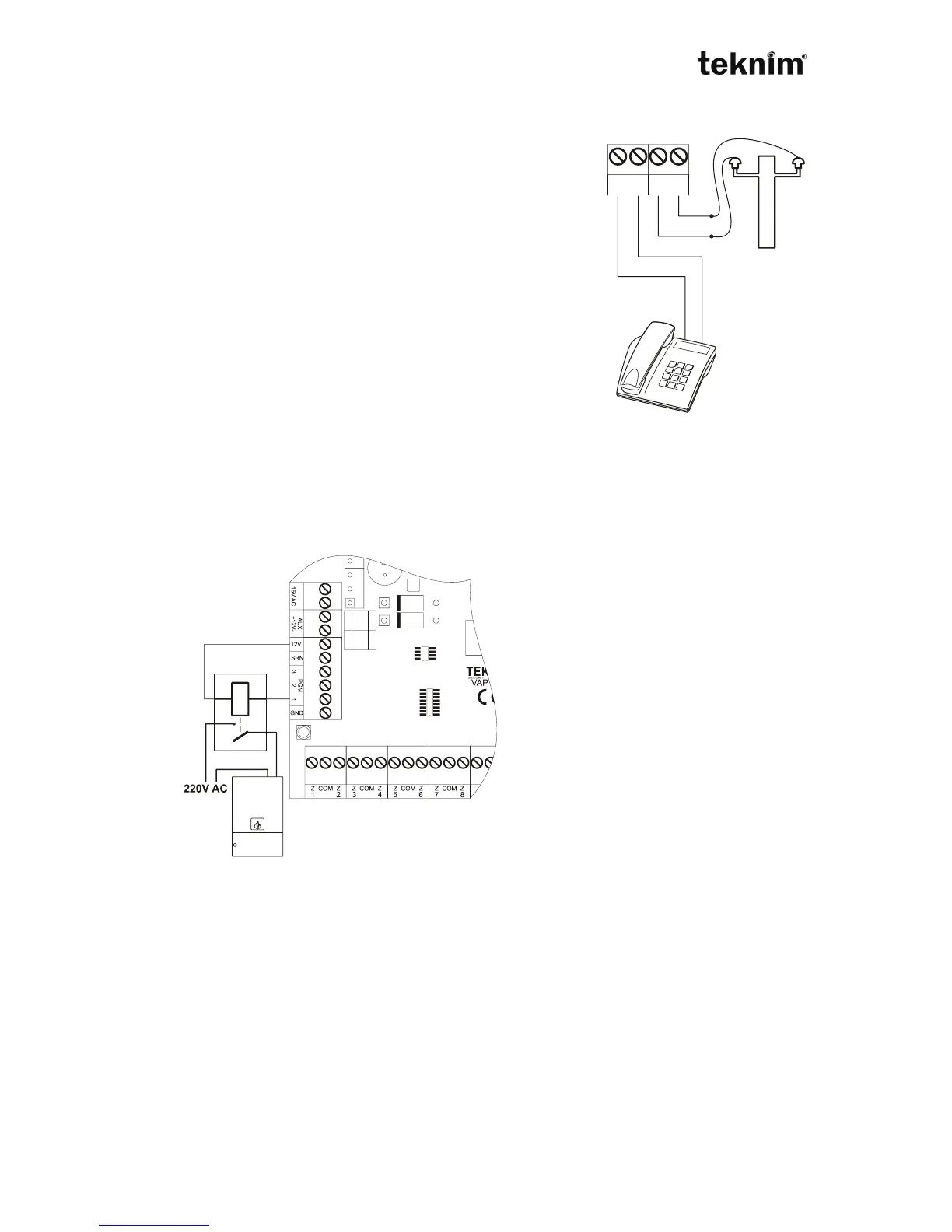
3.6. PHONE LINE CONNECTION
The connection of the phone line can be done with LINE
socket. You can connect line or outline. If the line is cut,
the error occurs. When the panel detect the line, the error
disappears. Do not connect any other parallel device to
the line of LINE. If there is a phone line, the phone line
must be connect firstly to LINE, then the line must be
connect from PHONE to other devices. The connection
diagram is as below.
!!! WARNING !!!
Please do not connect the alarm panel to ADSL lines, if it
does not need. If you want to connect the panel to ADSL
line, you must use a filter.
3.7. THE CONNECTIONS OF THE PGM OUTPUTS (PGM1,2,3)
There are 3 PGM outputs of VAP416. These outputs can be used for any
applications. You can see the information of the programming in the part of
programming adjustments..
!!! WARNING !!!
You can use the relay which its
current is lower than the current of
PGM output. (PGM1,2,3 maximum
300mA)
Note
You can achieve 4 PGM or 8 PGM
outputs by using PGM module. See
the TRM904 user guide.
3.8. POWER CONNECTION
The 3x0,75 mm² cable can be used for network connection. The connection must be
done suitable to the label which is in the panel. After this connection, LED on the
board is on. You can connect 2 battery. The cables for he batteries are connected on
the board. Please connect the cables correctly to the batteries. When the voltage of
the batteries, the energy saving mode is activated. At this mode, the lighting of the
keypad decreases. There is a fuse near the network socket. If the fuse is breakdown,
you can change it.



 To Next Page