VAP416 Installation & Operation Manual
TD-1/07-004
!!! ATTENTION !!!
The grounding must be correctly.
4. HOW TO USE KEYPAD
Keypad helps users to monitor current status of alarm panel by its LEDs and LCD
display (in VPC301 model), to program and control it by its silicon keys. Max. 2
keypads to VAP3XX model alarm panels and max. 4 keypads to VAP4XX model
alarm panels can be connected.
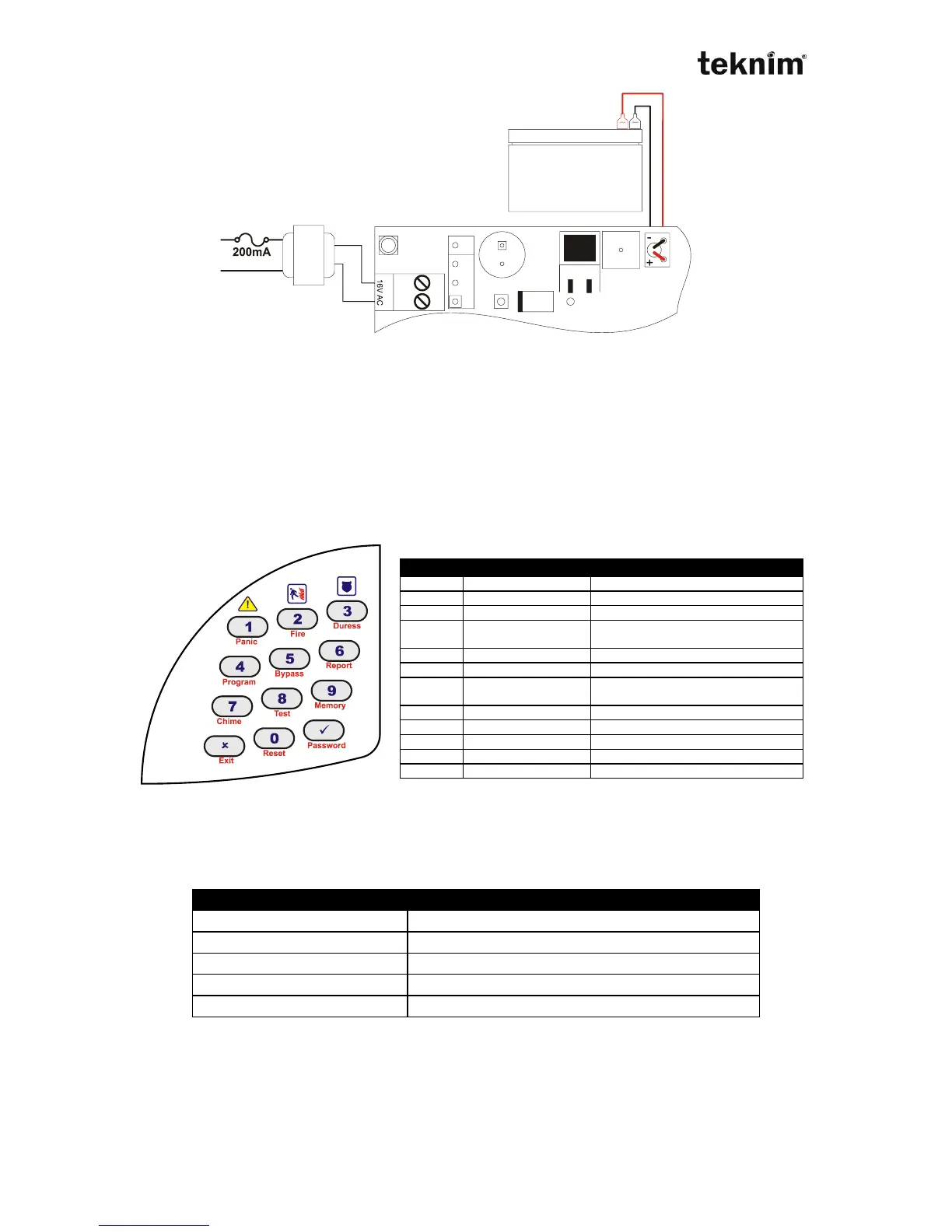
Buttons
Program - To enter programming
mode.
Chime - To open/close chime
function.
Memory - To display event log.
Reset - To disarm fire alarm.
Password - To change code.
Note: In order to control second functions of the buttons which are written under the
buttons in red, press and hold related button until hearing long "bip" sound.
Meanings of keypad sounds
Keypad warns you with a sound during any operation.
Fire alarm (or walking test warning)
Entering in a address, displaying and changing setting
Each address consists of 4 digit numbers and includes one or more system
parameter. You need to enter in the related address in order to change system
setting or monitor current status. if you have authorization for that address, when you
enter in the address you will see current status. If not, you will hear a warning "beep"



 To Next Page