b) Press (Program) button. (keypad address number will be seen on the
related LED)
Changing Address
a) Press (Program) button until hearing long "beep" sound.
b) Enter keypad address (for example ). Then, press button.
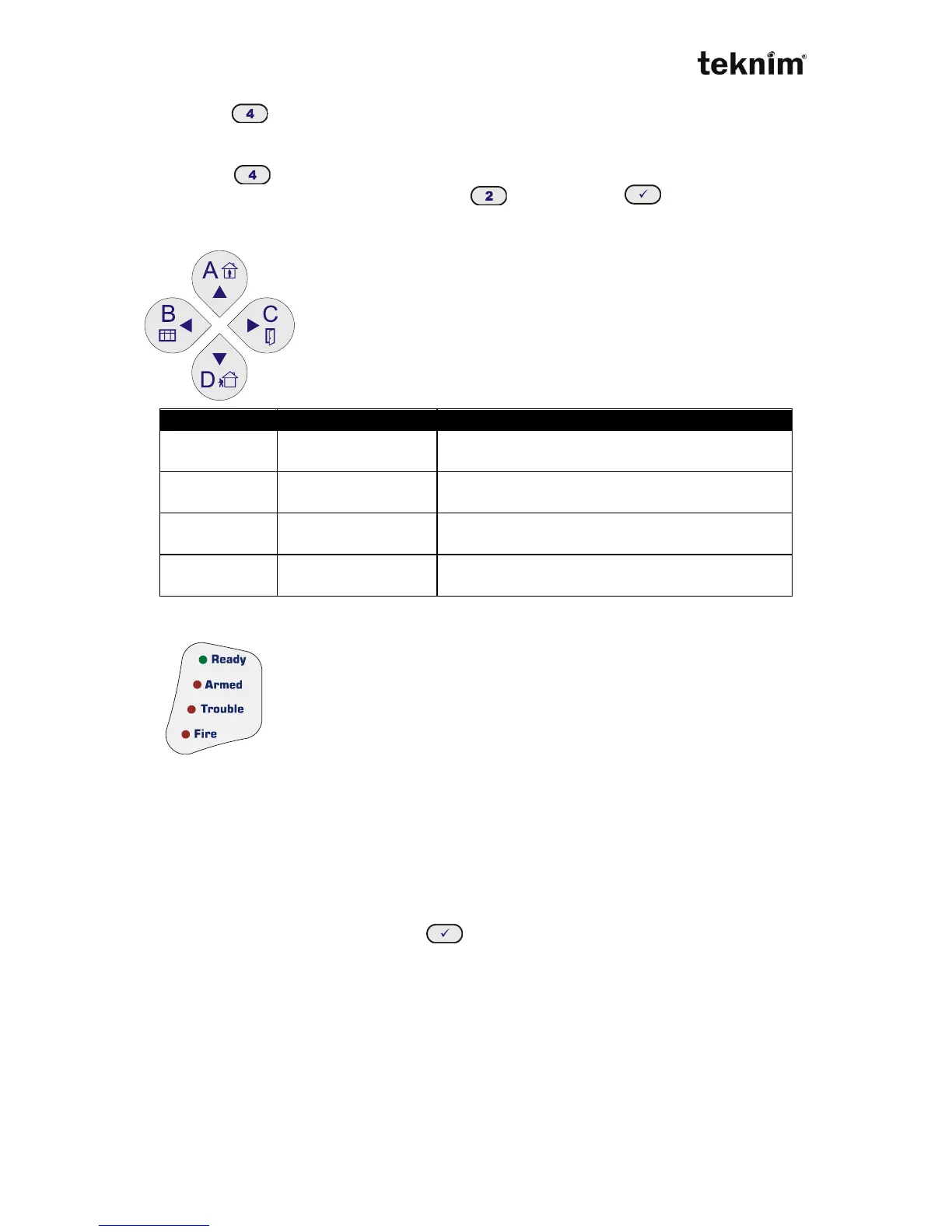
4.3.3 Partition Buttons
Partition buttons provides making operation in related partitions
of the panel. These keys also can be used as arrow keys.
4.3.4 Meanings and Functions of the LEDs
Status LEDs show current status of the alarm panel;
Ready: System is ready to arm,
Armed: System is armed,
Trouble: There is trouble,
Fire: There is fire alarm,
4.3.5 Monitoring Event Log
Event log memory is monitored as follows;
DD.MM.YY-HH.MM-A-B
DD: Day, MM: Month, YY: Year,
SS: Hour, DD: Minute, A,B: A and B parameters
By pressing "▼" button, next event; by pressing "▲" button previous event can be
monitored. By precision long to above buttons next/previous 20 events can be seen.
If number of the event and then button is pressed, related event can be
monitored.
4.3.6 Keypad Customizing
Keypad keeps customizing settings in its own memory. Therefore, any settings made
in a keypad does not effect other keypads.



 To Next Page