Only master user (default master code: 1234) and installer (default installer code:
9999) can enter in the addresses.
a) Entering in an address
(1.step) press (program) button until you hear long beep sound.
(2.step) press buttons in turn in order. (code entered)
(3.step) press buttons in turn in order. (entered in the
address <01 02>)
b) Exiting from an address
press (Exit) button.
c) Exiting from program
press (Exit) button until you hear long beep sound.
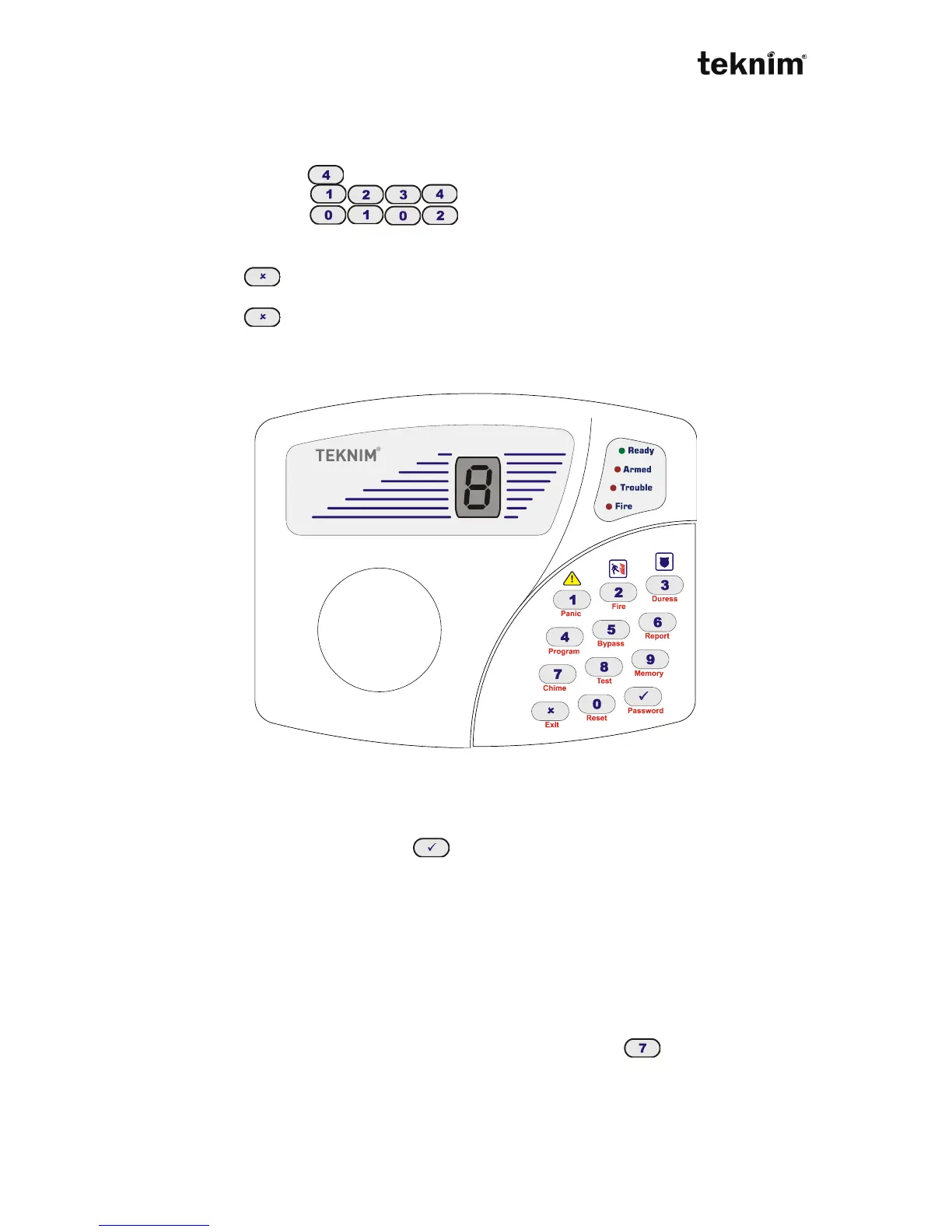
4.1. VPC104 KEYPAD
VPC104
4.1.1 Usage
VPC 104 is a keypad with 7 segment LED display. 7 segment LED display and
buttons help you to monitor, control and program alarm panel. When you make any
operation using buttons and enter (ok) button, if the operation is correct, you will
hear two short "beep" sounds and see "o" on the display. If the operation is not
correct, you will hear long single "beep" sound and see "h" with a number which
shows error type. While entering code, each number can be seen an edge of "o"
letter. When you complete entering code (4 digits), this letter is completed. Troubles
can be seen on the display with "t" and a number which shows trouble type. Alarms
can be seen on the display with "A" and a number which shows the zone which have
last alarm. By passed zones can be seen in the display with "b" and a number which
shows bypasses zone. If an invalid address is entered, "h1" is seen on the display.
To see meanings of the errors please look at error codes section.
Chime feature can be enabled/disabled by pressing "Chime" button long. When
this feature is enabled, "c" letter is seen on the display. This feature is used only with
Zone 1. Chime sound can not be hearted when other zones are opened.



 To Next Page