Chapter 16: Programming 425
Chapter 16:
Chapter 16:Chapter 16:
Chapter 16:
Programming
ProgrammingProgramming
Programming
Getting Started: Volume of a Cylinder
Getting Started: Volume of a CylinderGetting Started: Volume of a Cylinder
Getting Started: Volume of a Cylinder
Getting Started is a fast-paced introduction. Read the chapter for details.
A program is a set of commands that the TI-84 Plus executes sequentially, as if you had
entered them from the keyboard. Create a program that prompts for the radius R and the
height H of a cylinder and then computes its volume.
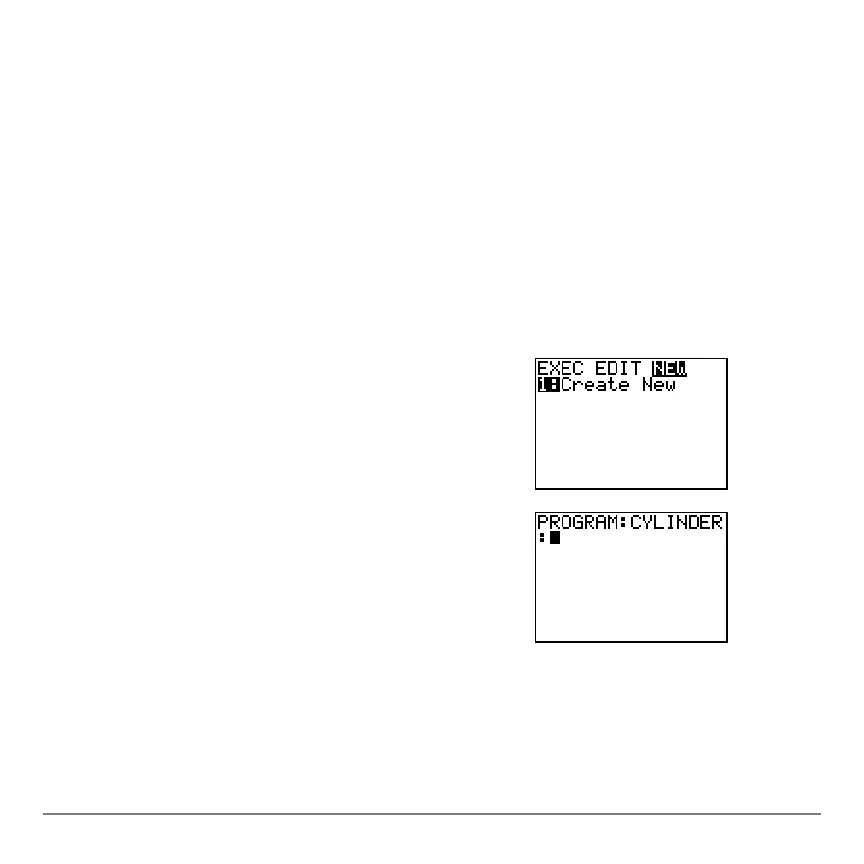
1. Press ~ ~ to display the
PRGM NEW menu.
2. Press Í to select
1:Create New. The Name=
prompt is displayed, and alpha-lock is on. Press
[C]
[Y] [L] [I] [N] [D] [E] [R]
, and then press Í to
name the program
CYLINDER.
You are now in the program editor. The colon (
: )
in the first column of the second line indicates the
beginning of a command line.



 To Next Page
 Loading...













