Chapter 16: Programming 449
Storing a Variable Value with Input
Storing a Variable Value with InputStoring a Variable Value with Input
Storing a Variable Value with Input
Input with variable displays a ? (question mark) prompt during execution. variable may be a
real number, complex number, list, matrix, string, or Y= function. During program
execution, enter a value, which can be an expression, and then press Í. The value
is evaluated and stored to
variable, and the program resumes execution.
Input [variable]
You can display text or the contents of Strn (a string variable) of up to 16 characters as a
prompt. During program execution, enter a value after the prompt and then press Í.
The value is stored to
variable, and the program resumes execution.
Input ["text",variable]
Input [Strn,variable]
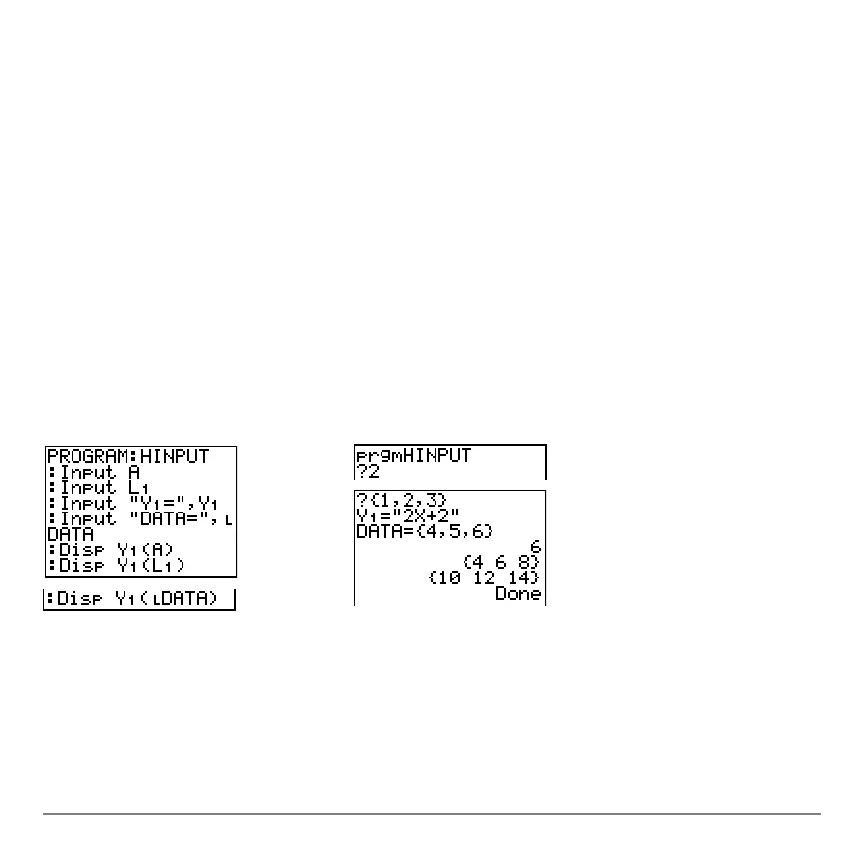
Note: When a program prompts for input of lists and Yn functions during execution, you
must include the braces (
{ } ) around the list elements and quotation marks ( " ) around
the expressions.
Program Output



 To Next Page
 Loading...













